
You can generate a PDF version of your document straight from the editor at any time, without emailing or sharing it with your client first. This is a convenient way to review exactly what your recipient will see or to keep an offline copy for your records.
Before you begin: This article assumes you're already in the document editor. If you haven't created a document yet, see Creating and Editing Documents.
Downloading a PDF Preview
Open your document in the editor.
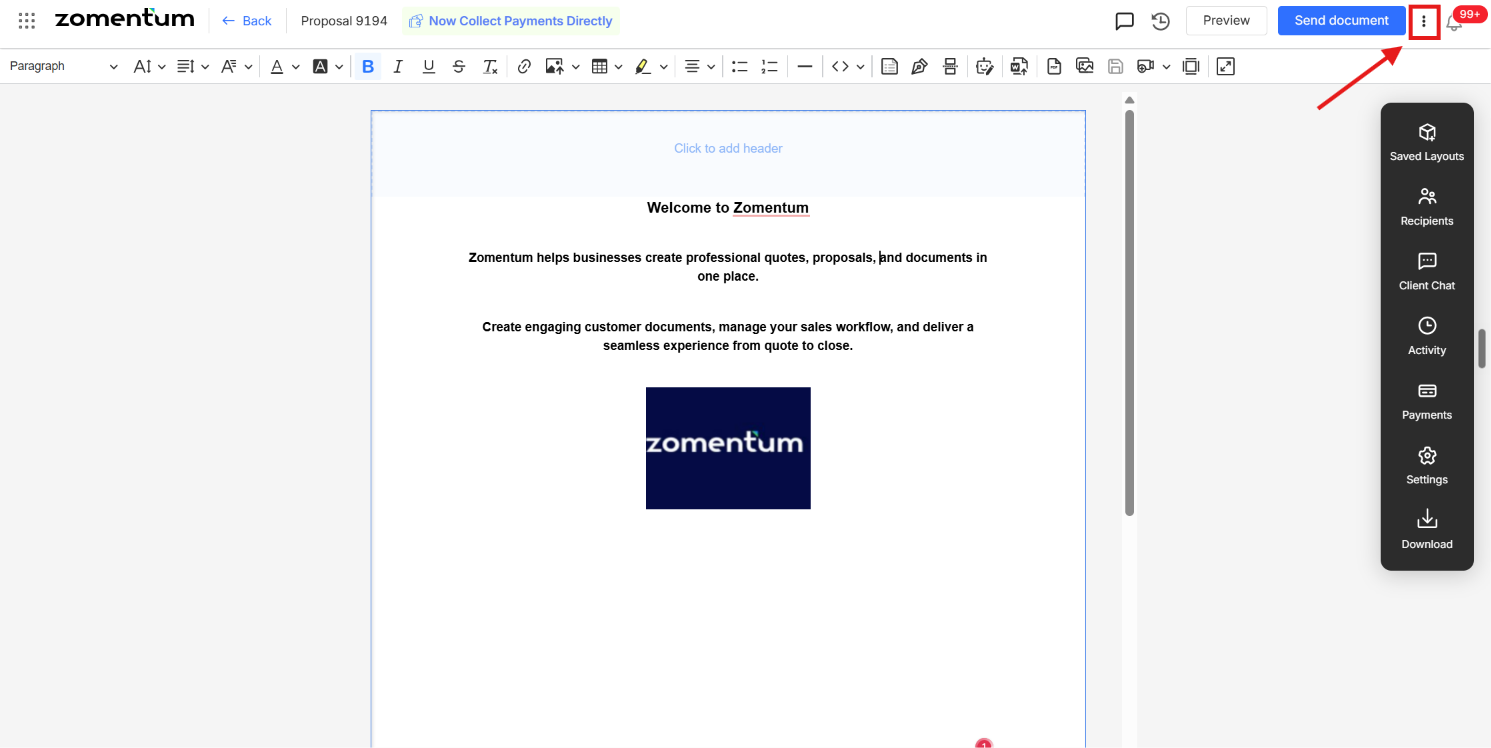
Click the three-dot menu icon in the top-right corner of the screen.
Select Download Document from the menu.
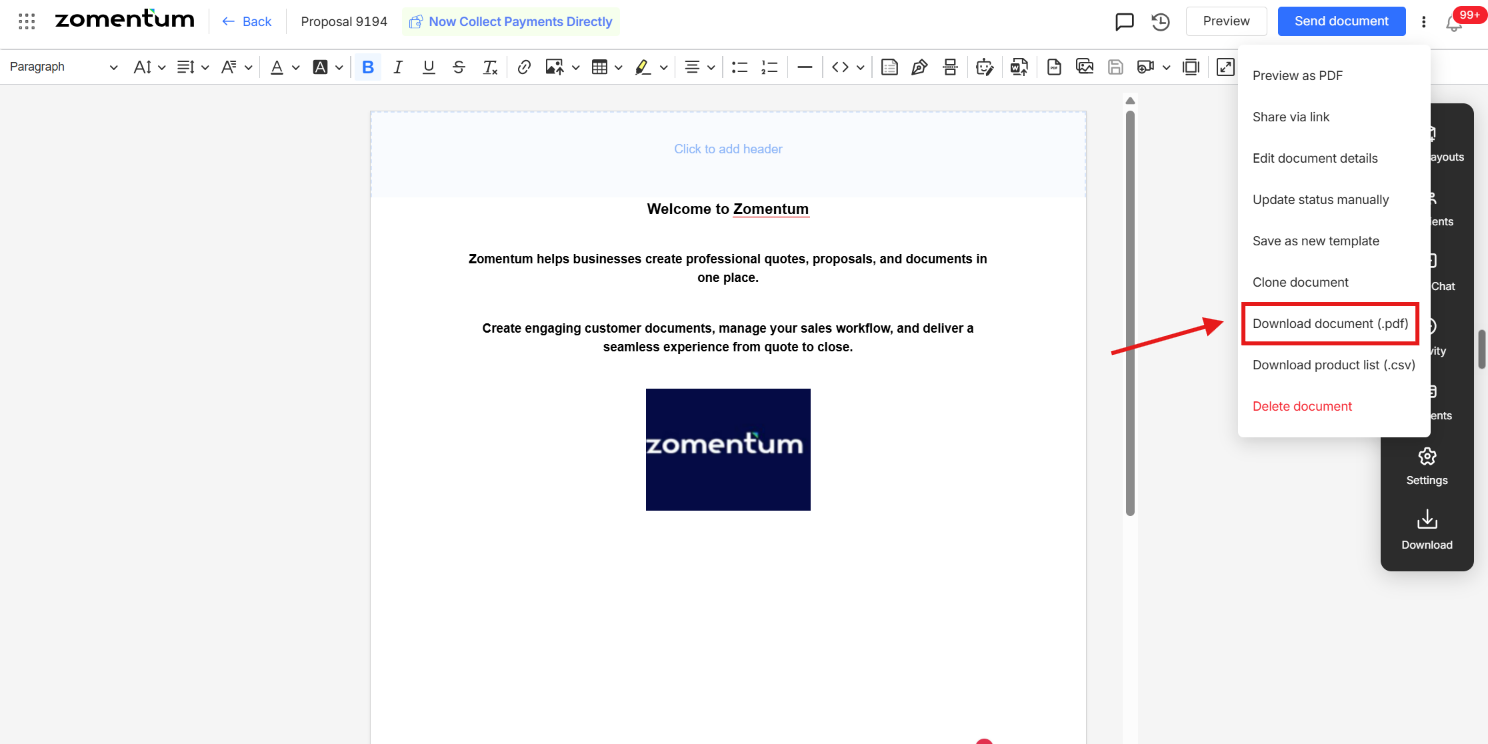
Your document downloads as a PDF, formatted exactly as your client would see it when they open it.