Before you begin: This article assumes you're already in the document editor. If you haven't created a document yet, see Creating and Editing Documents.
Method 1: Renew from the Expiry Notice
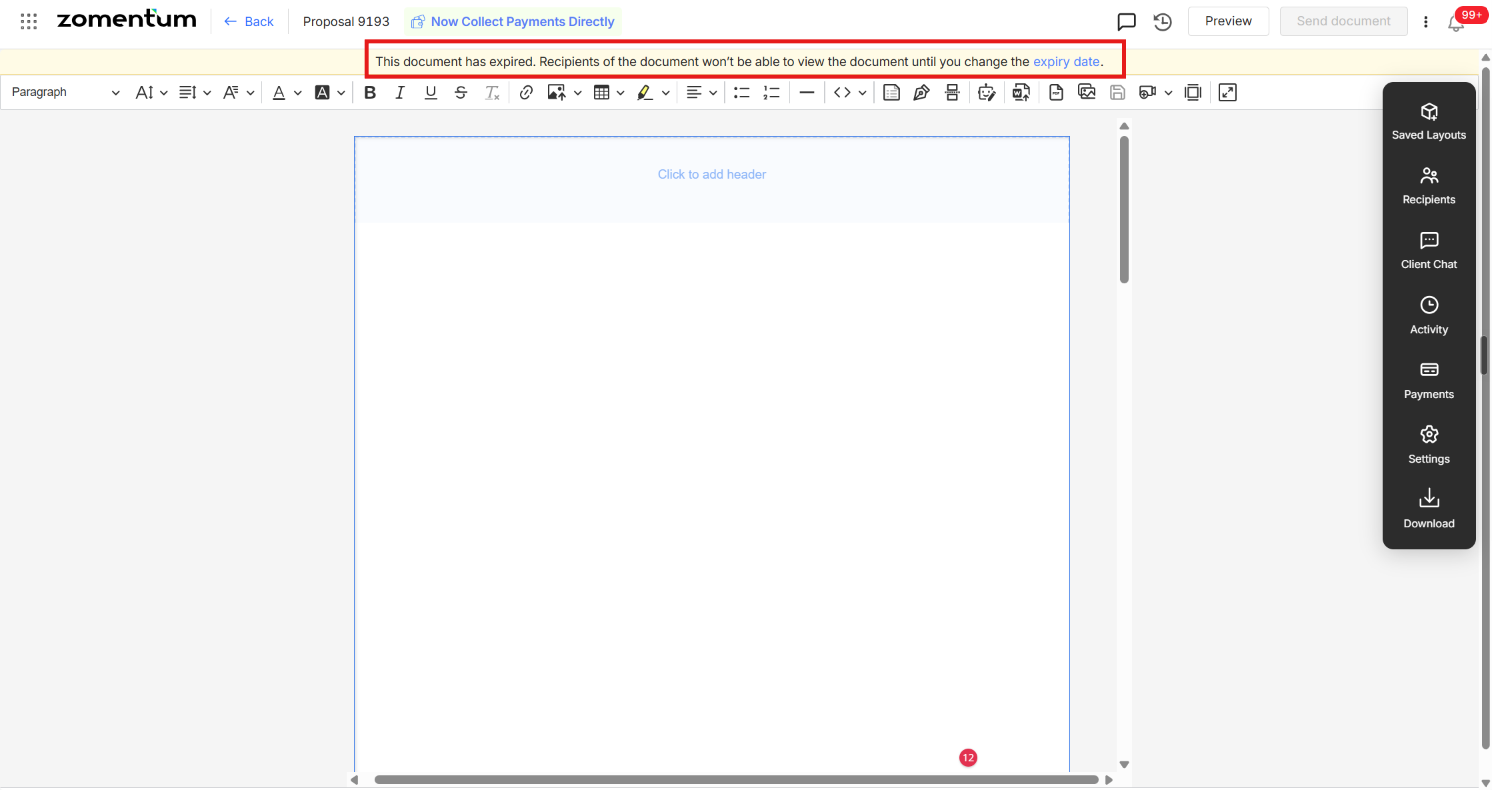
Open the expired document. A notice appears at the top of the document letting you know it has expired.
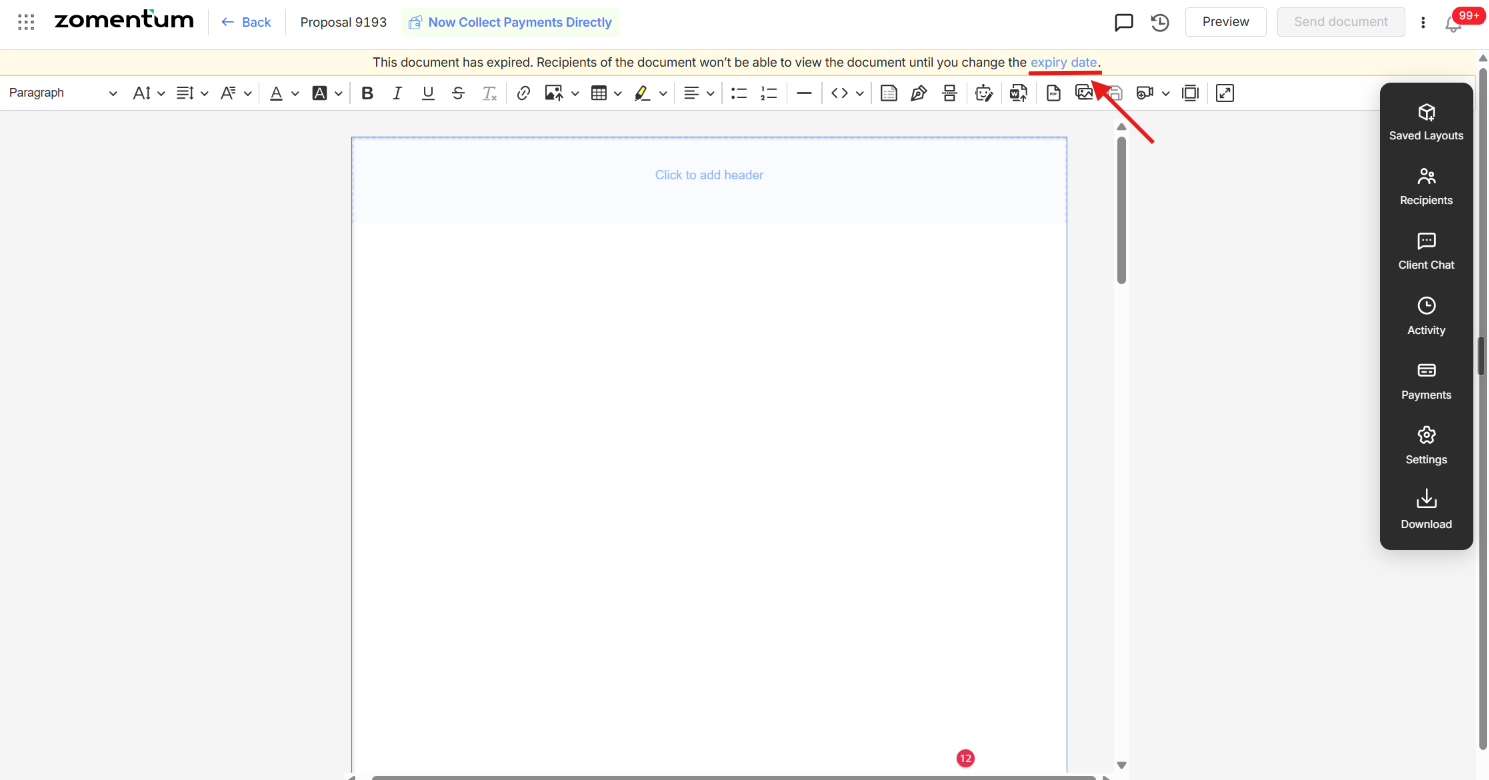
Click the expiry date link within that notice.
A pop-up opens, letting you select a new expiry date from the calendar.
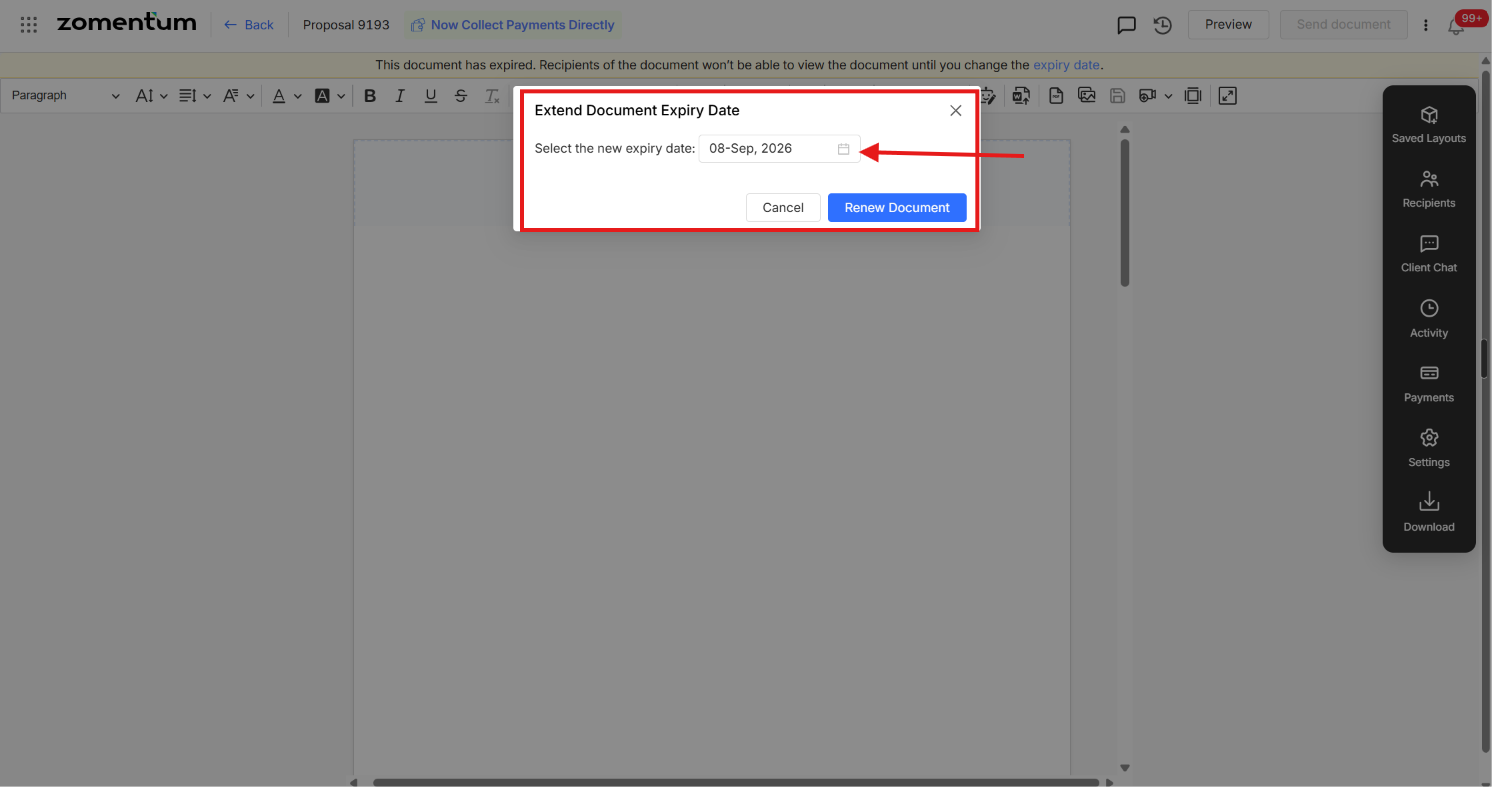
Click “Renew Document” to apply the new date and reactivate the document.
Method 2: Update via Settings
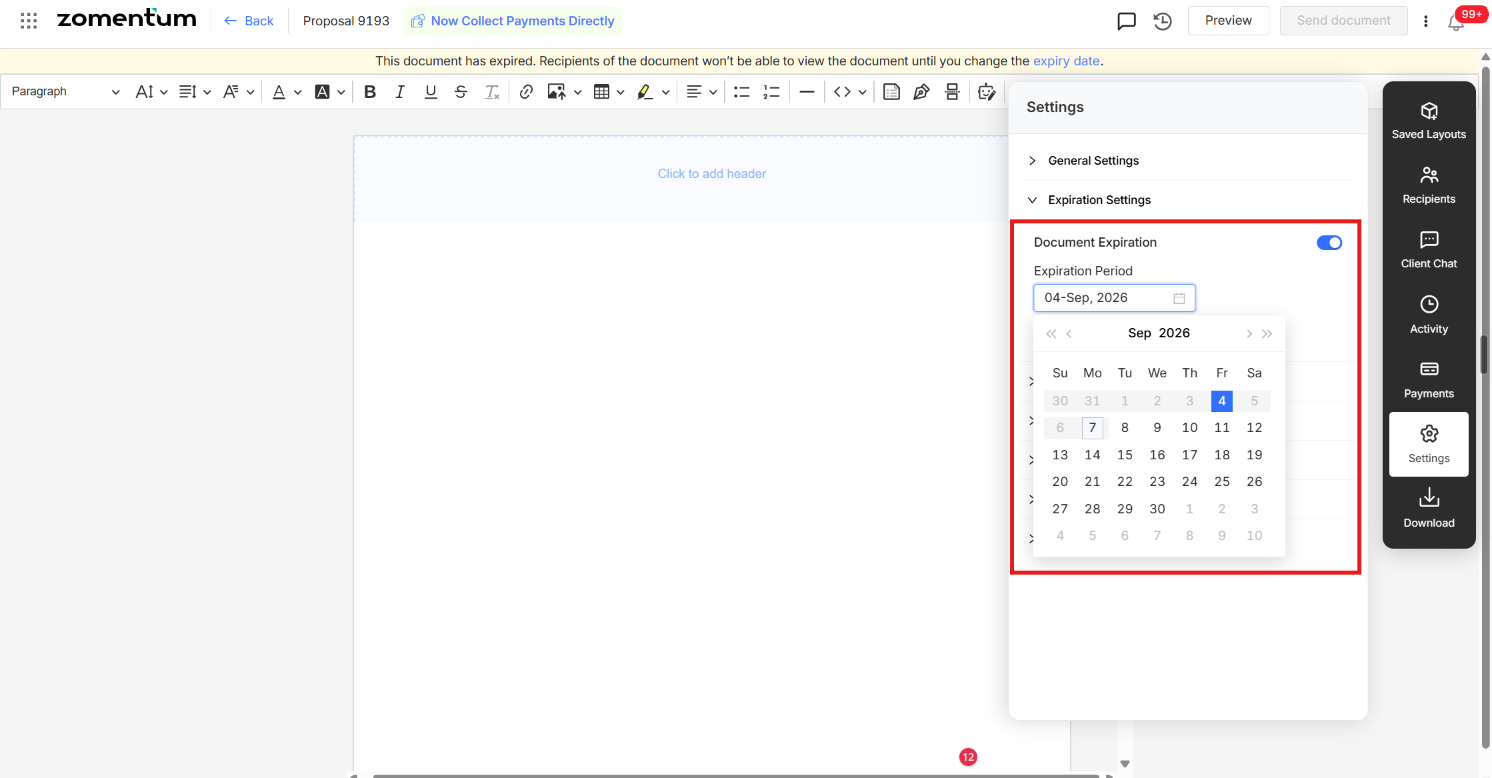
Click the Settings icon in the right-hand panel.
Go to Expiration Settings.
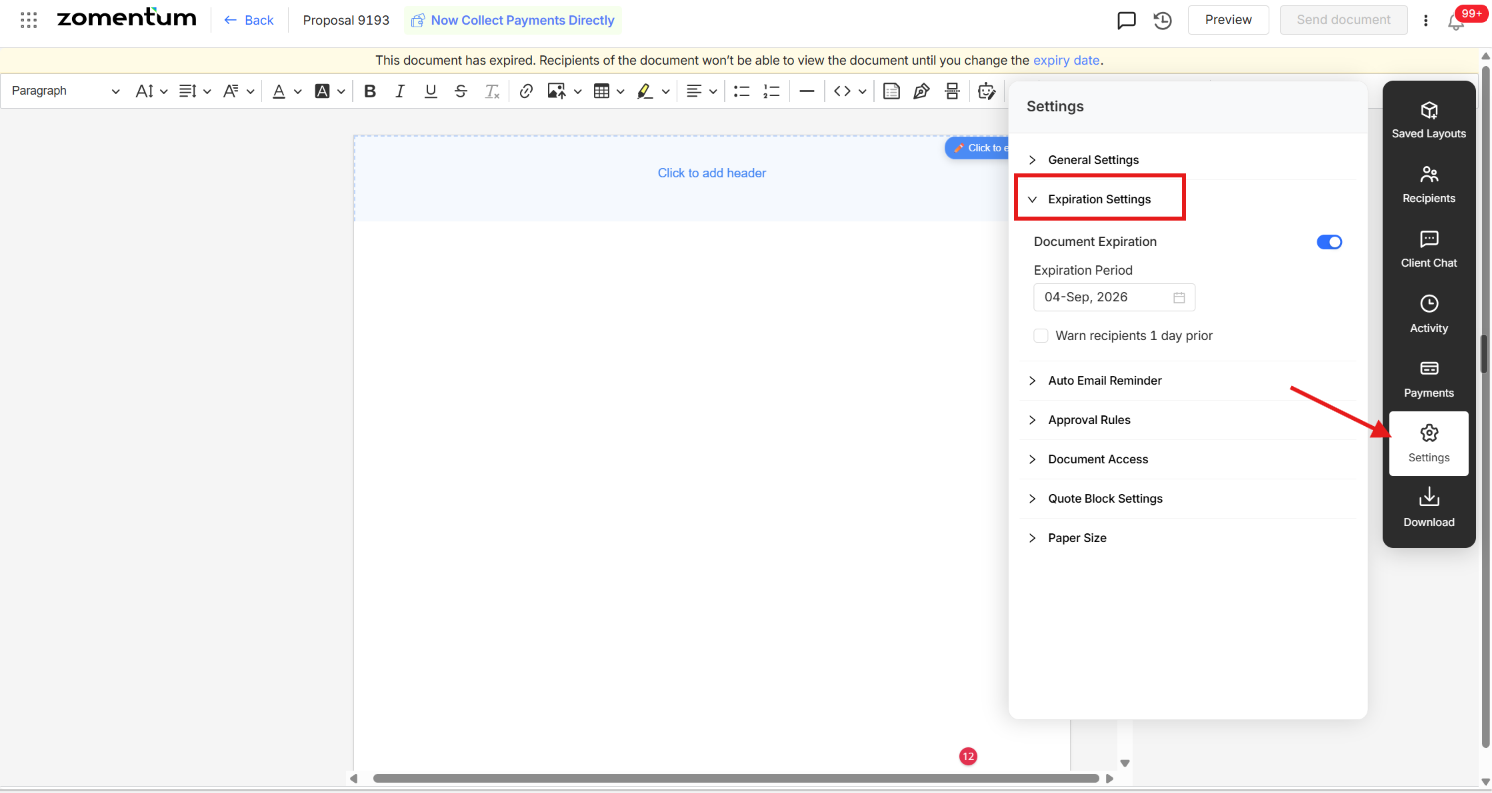
Update the expiration period to a new expiry date you want the document to remain valid.