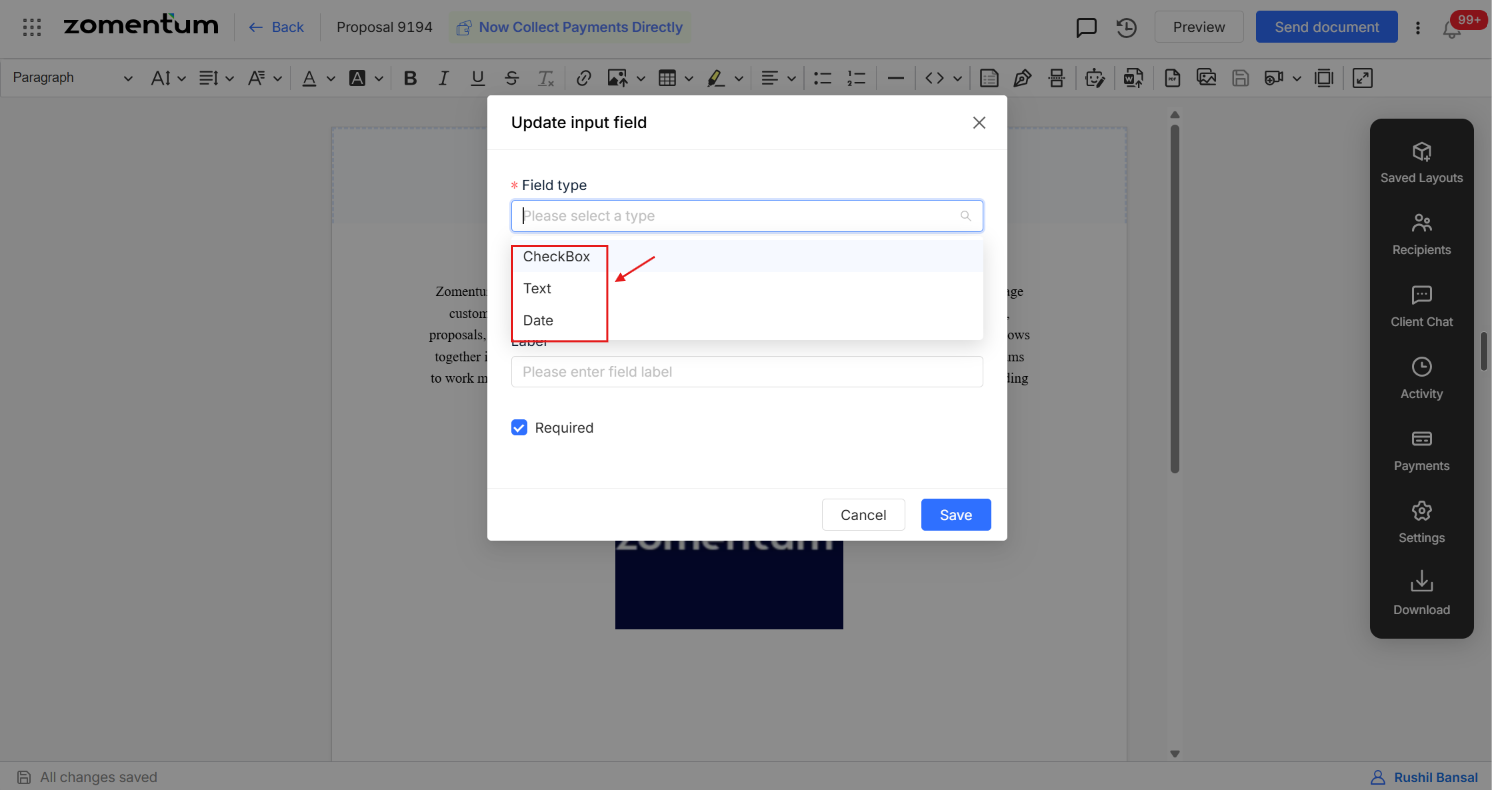
An input field is a fillable field you can place in a document so that a recipient can enter information, such as text or a date, before signing.
Adding an Input Field
In the editor, type a forward slash (/) where you want the field to appear.
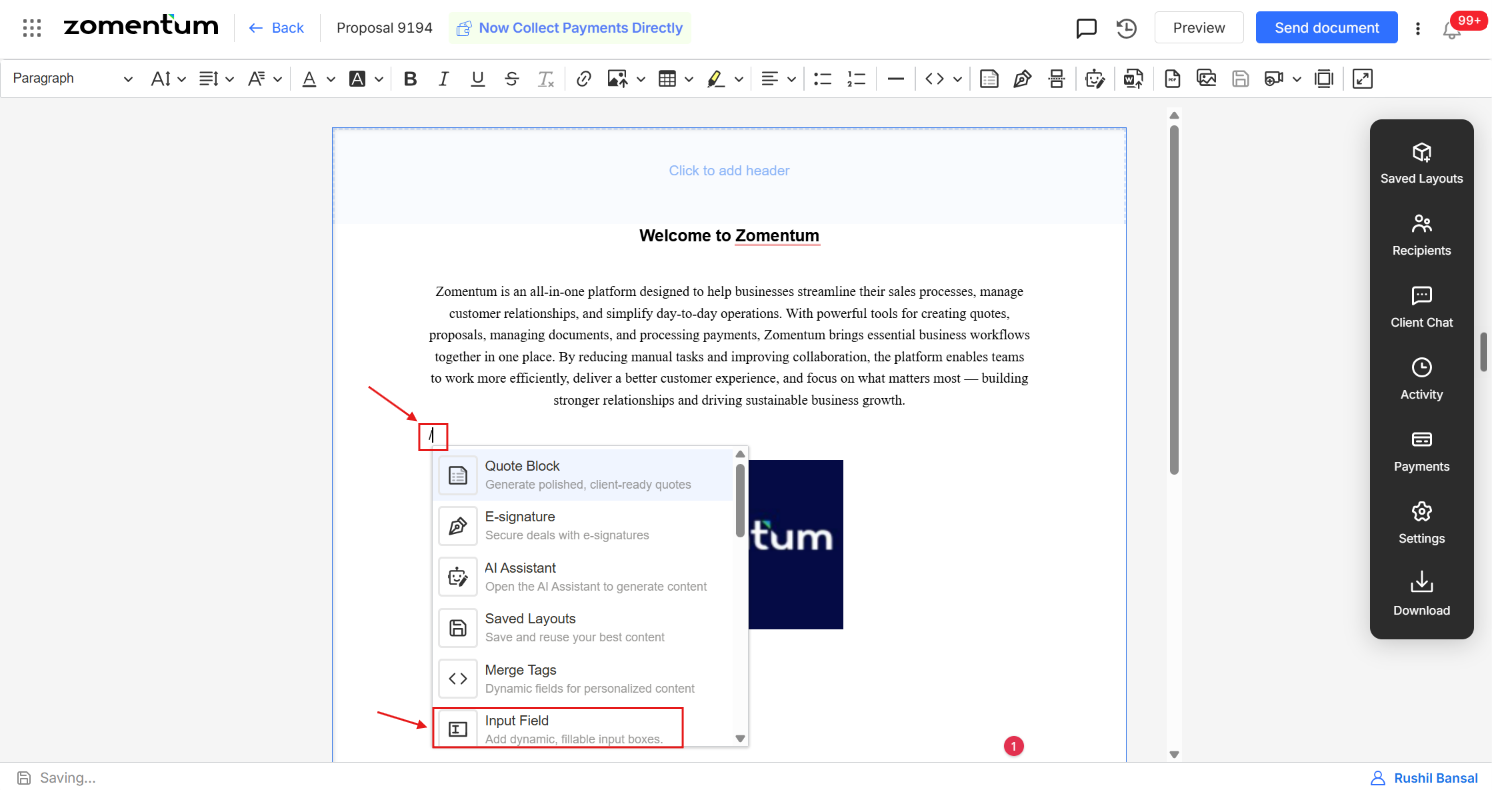
Choose Input Field from the list.
In the Update Input Field pop-up, complete the fields described below.
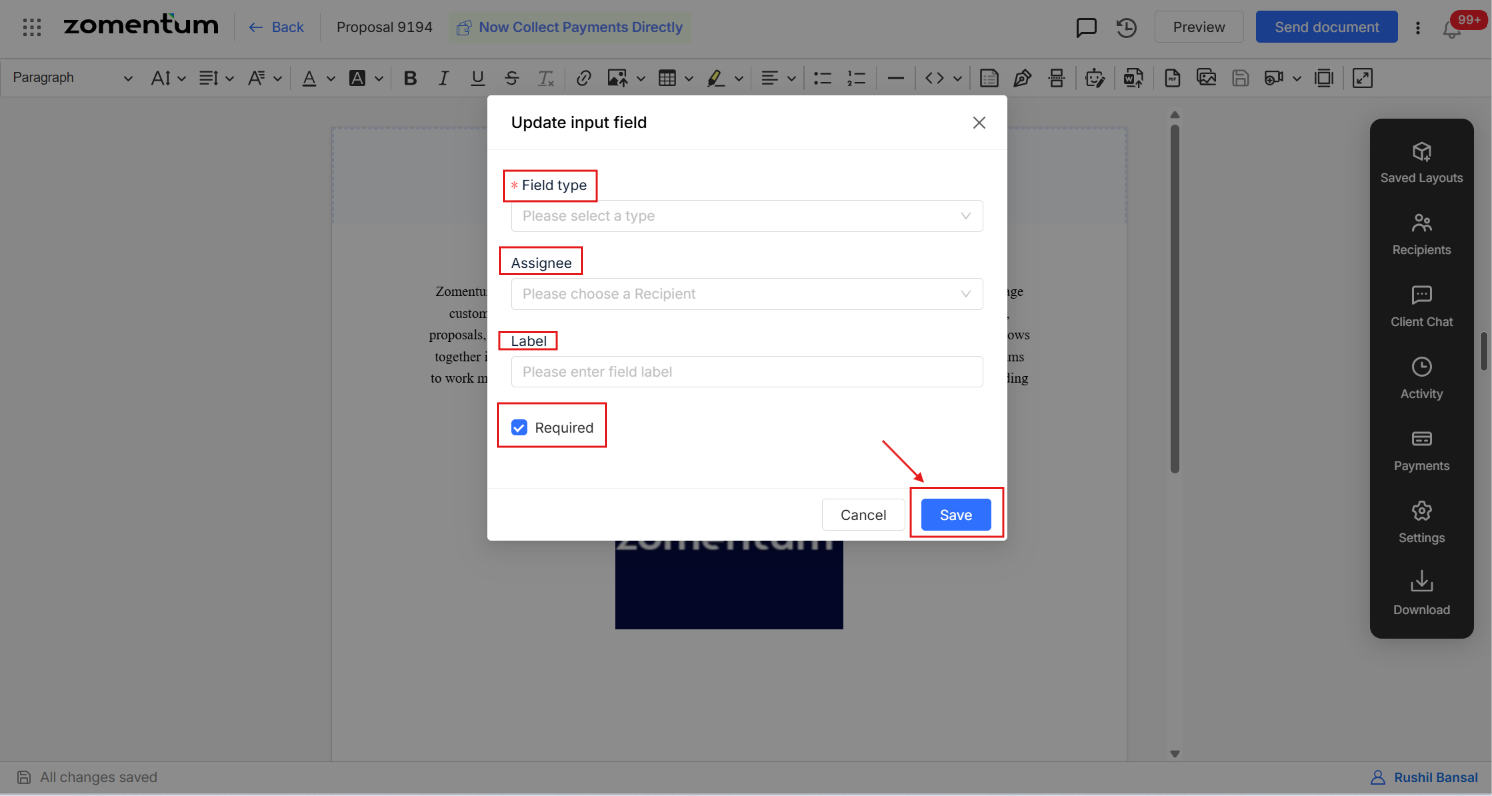
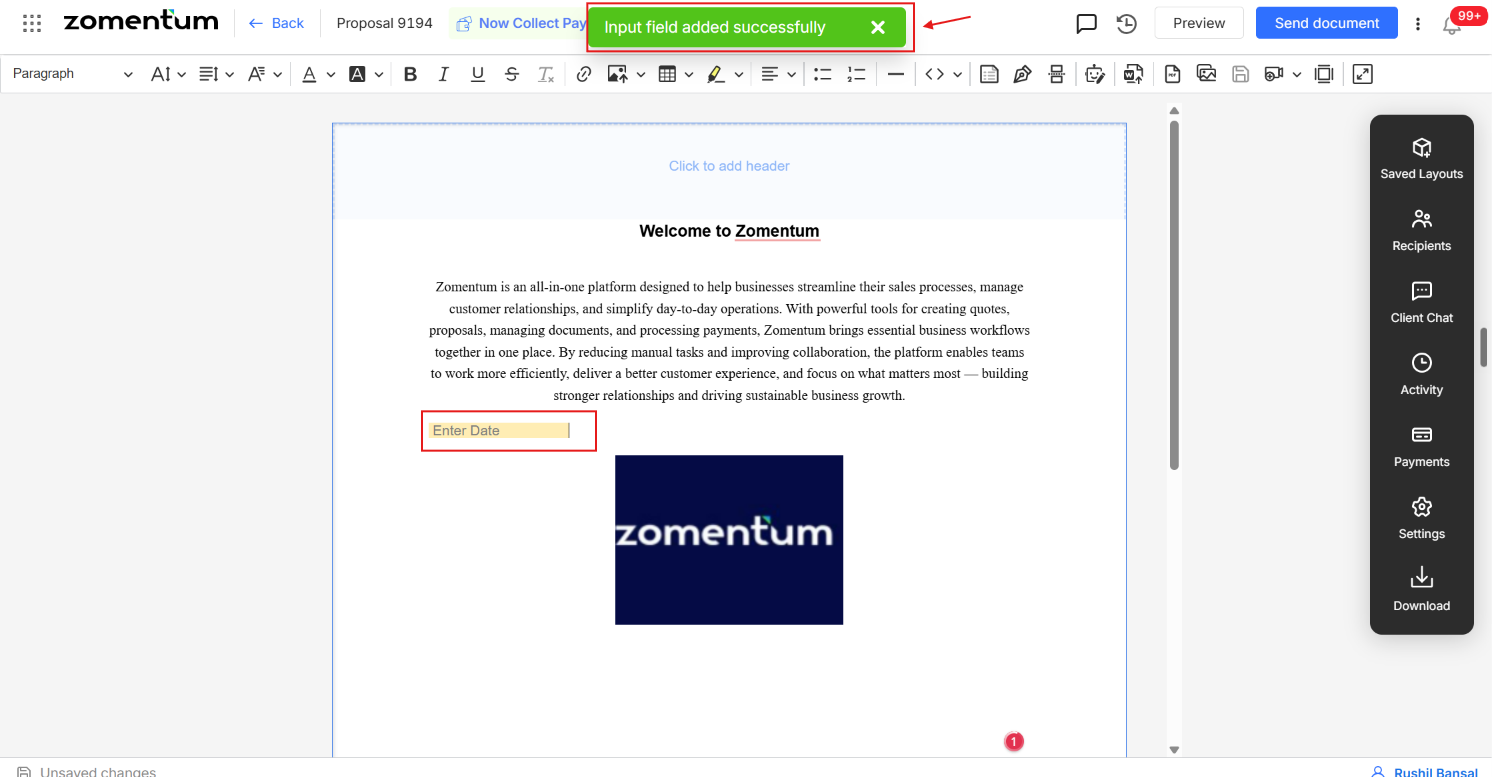
Save your changes to place the input field in the document.
Input Field Settings
Field Type: Select the type of field you want to add.
Assignee: Choose the recipient who is responsible for filling in the field.
Label: Enter a name for the field so the recipient knows what information to provide.
Required: If you mark the field as required, the recipient must complete it before the document can be signed. If you leave this option unchecked, the document can still be signed even when the field is left empty.