
Yes. In the new editor, you can add an internal comment on any part of a document. Internal comments are visible only to your internal users, so you can use them to ask a teammate to check or review something before the document goes to the client.
How to Add an Internal Comment
Open the document in the new editor.
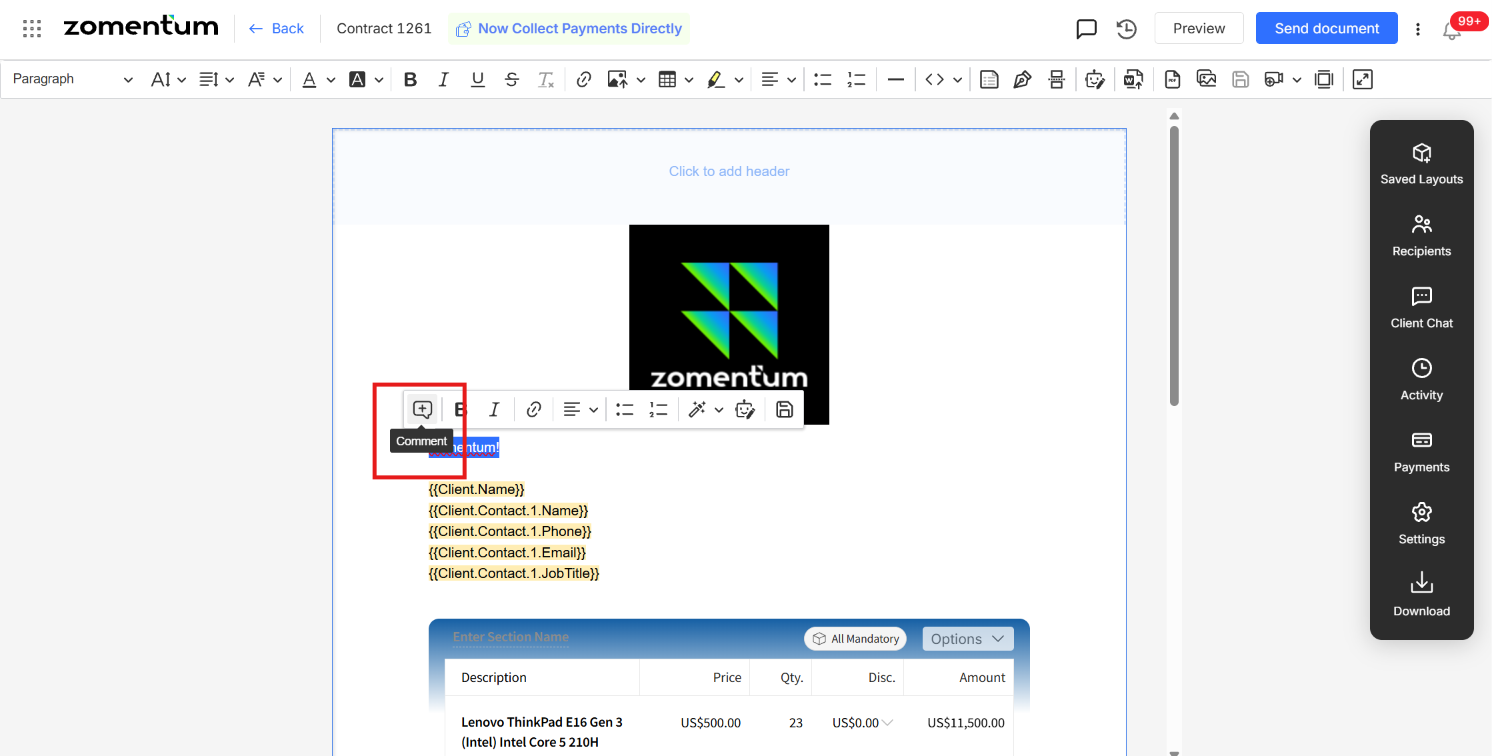
Select the paragraph or text you want to comment on.
In the pop-up that appears, click Comment.
Type your comment.
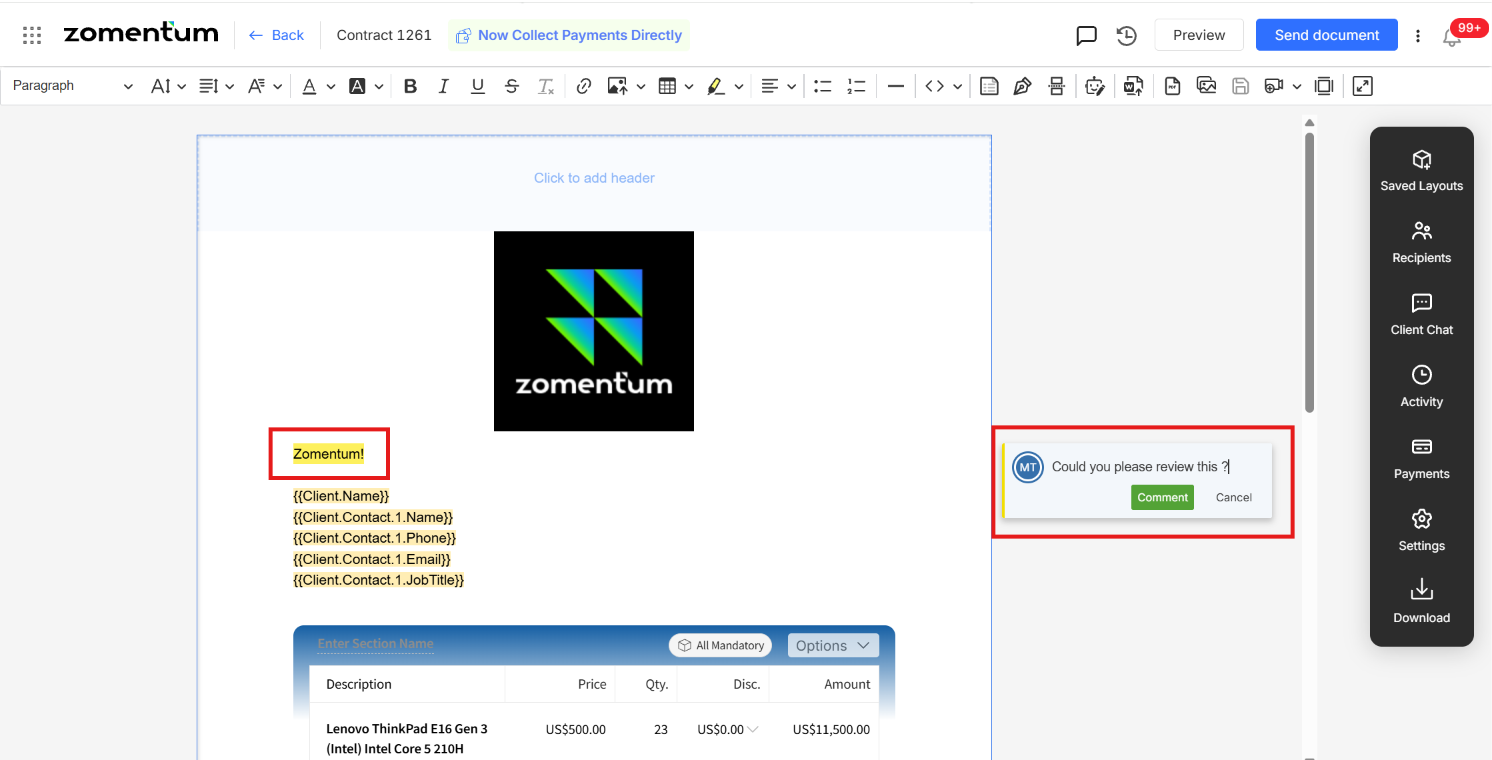
Tag the internal team member and ask them to check or review it.
Note: Internal comments are for your team only. They are not meant for the clients.