
Yes, you can send a document without adding a signature block. In this case, the client will see an Approve option instead of a signature field. Once they approve the document, it will be marked as approved.
1. How to Set a Document for Approval
Create the document. You don't need to add a signature block.
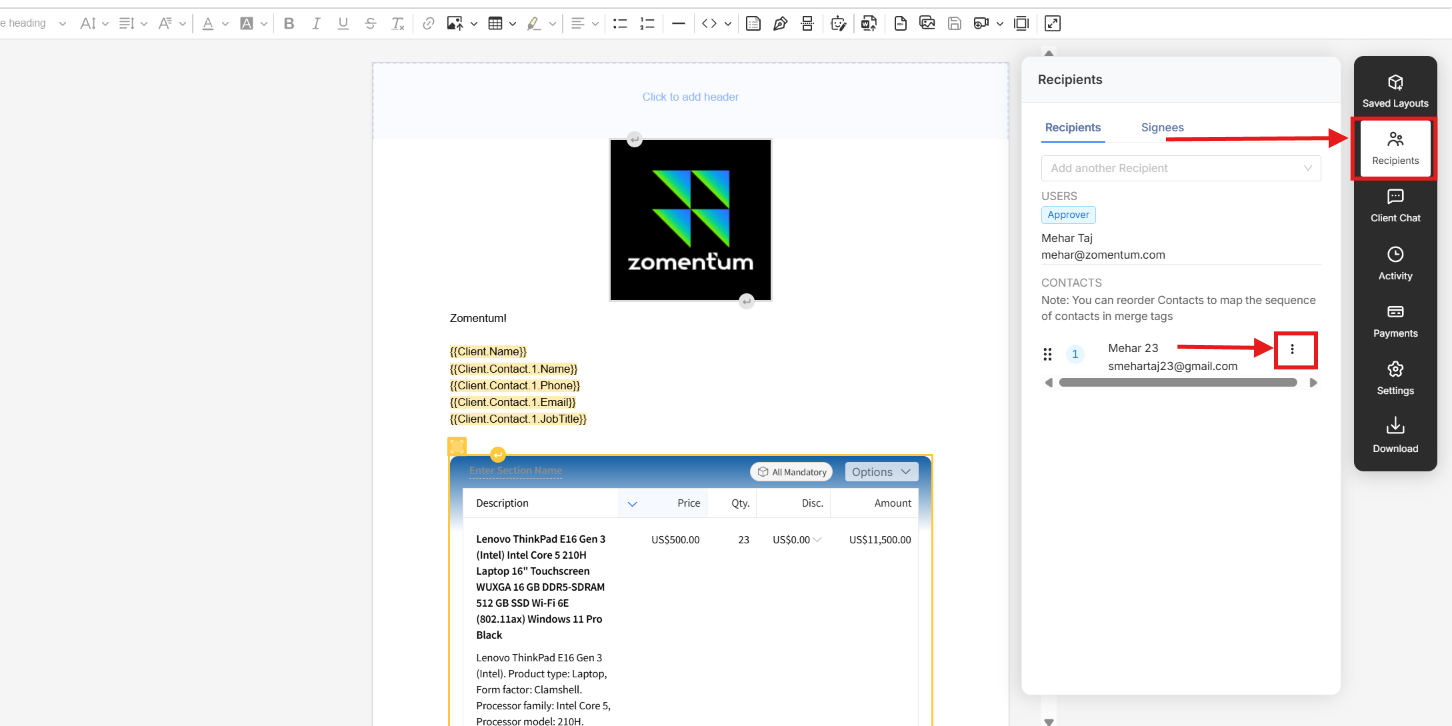
Go to the Recipients section.
Next to the client's name, click the three dots (⋮).
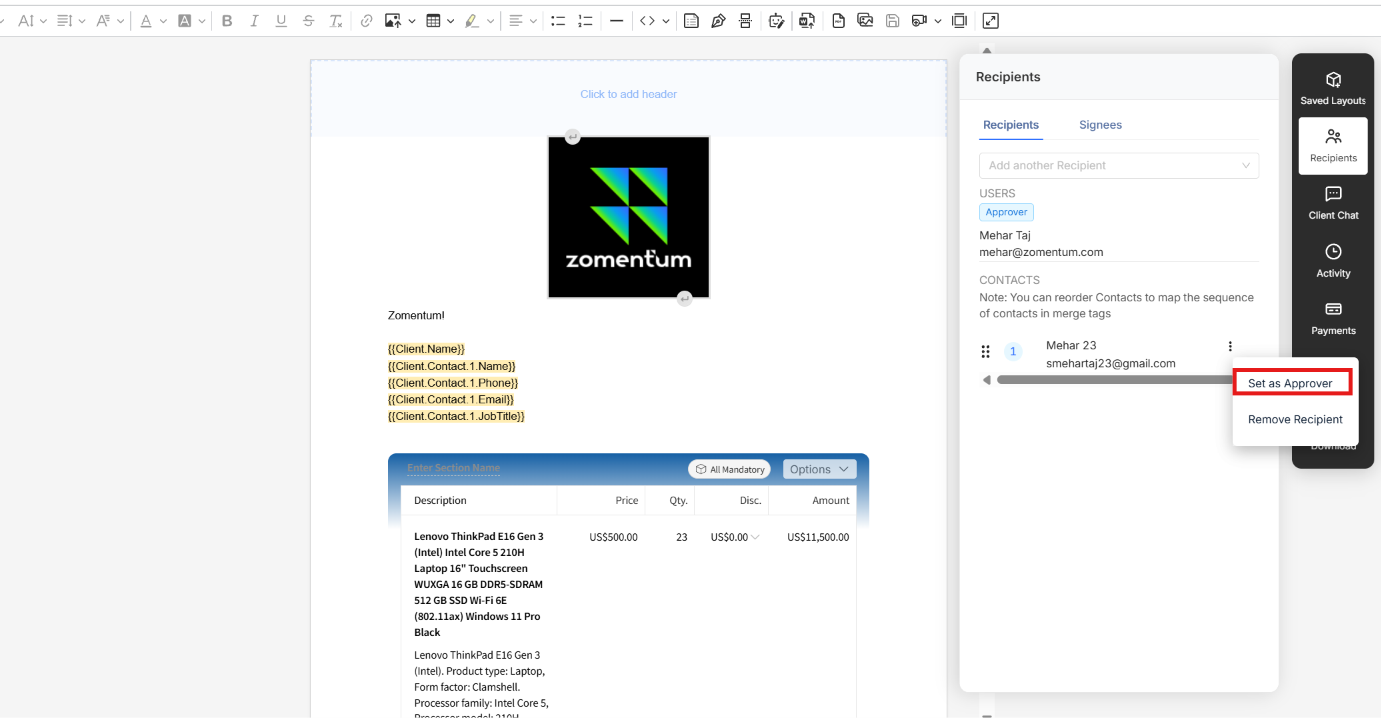
Click Set as Approver.
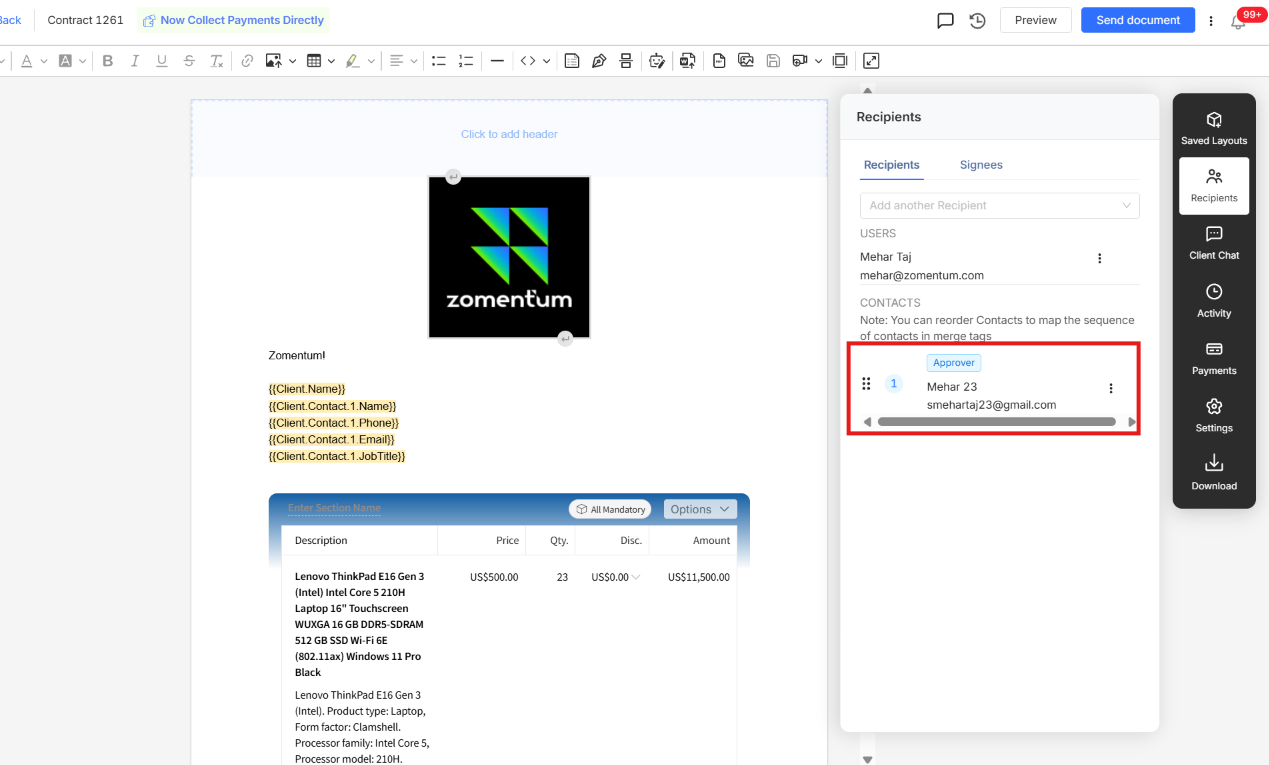
Check the label above the recipient's name. It now shows that this person is the Approver.
Send the document to the client as usual.
What the Client Sees
When the client opens the document, there is no signature field. Instead, they see an Approve option.
The client opens the document.
The client reviews it and clicks Approve.
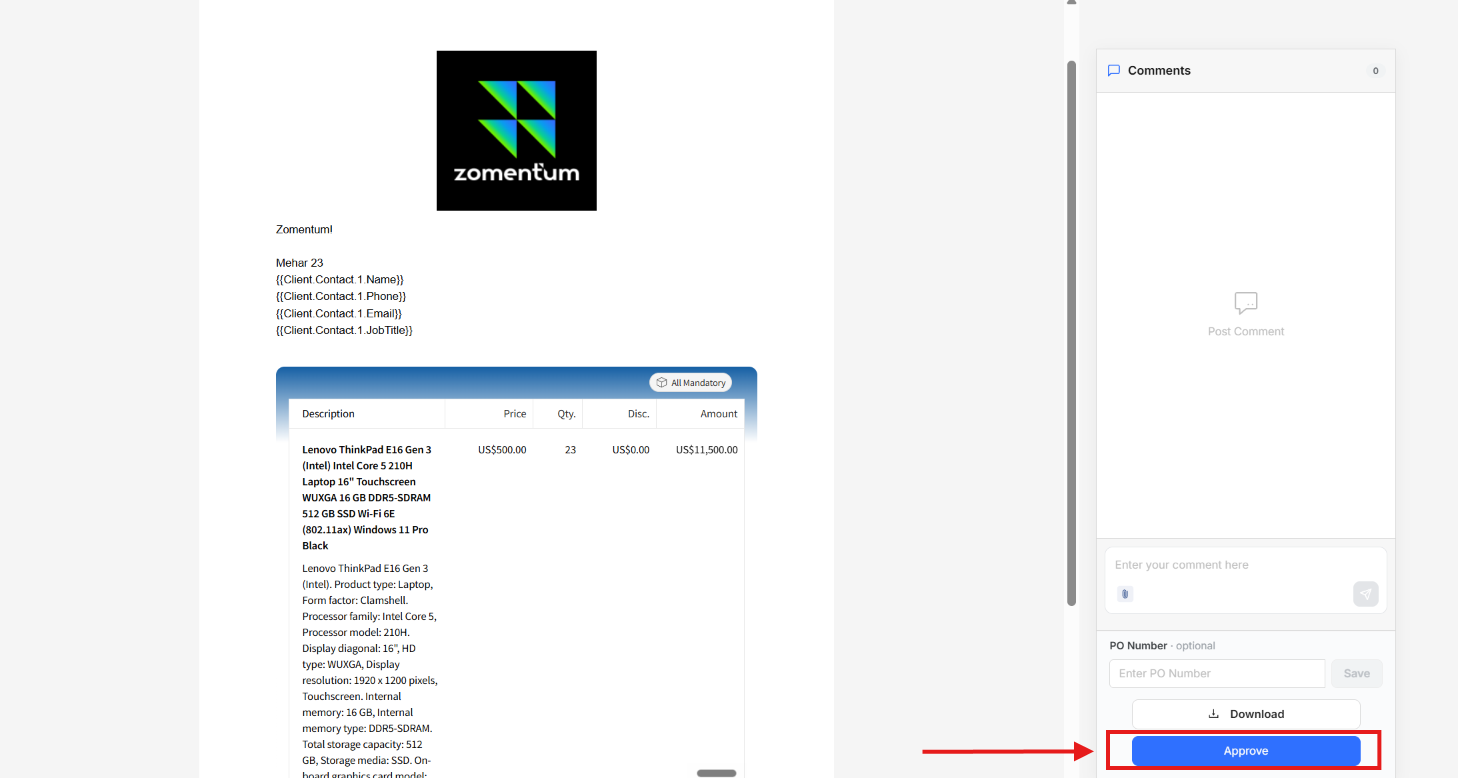
The approval works as the client's sign-off, and the document gets approved.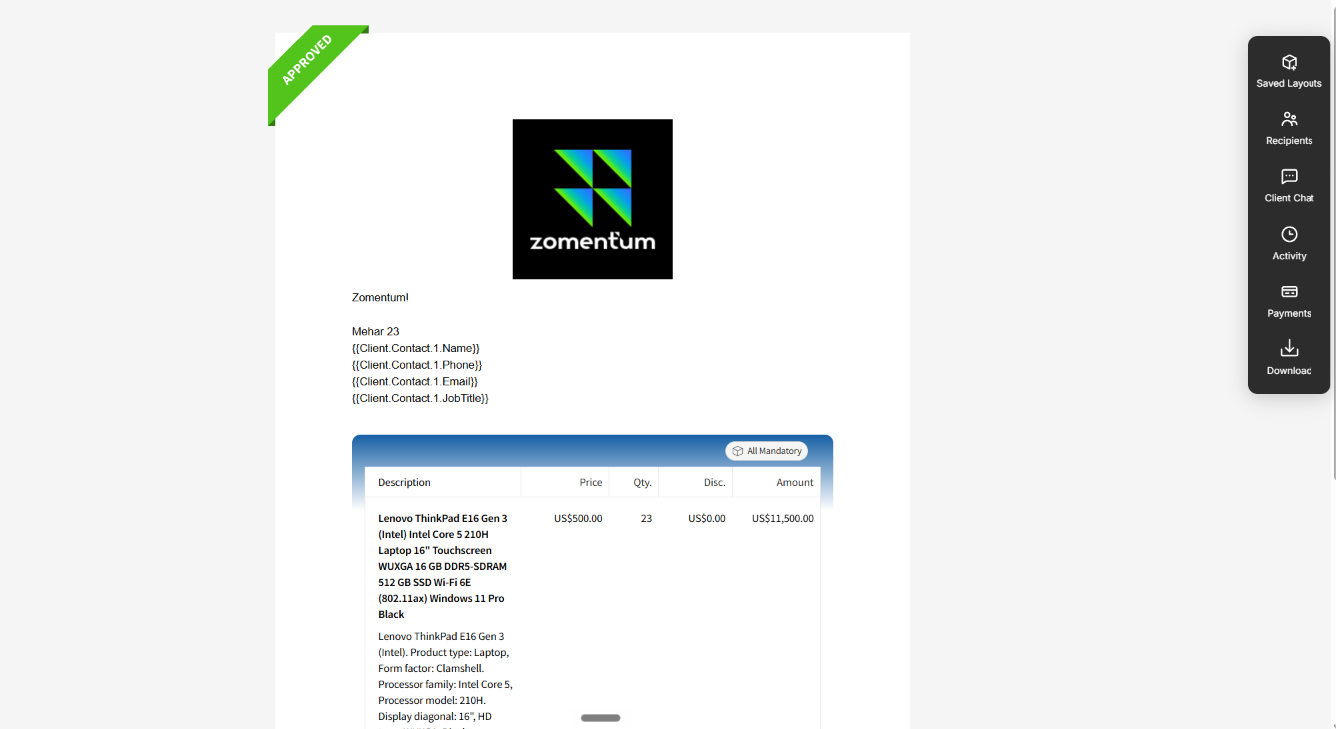
Use approval when you only need the client's agreement. If you need an actual signature, add a signature block instead.