
You can enable the Document Amount Summary from the Payments option in the editor. It shows the combined summary of all the quote blocks in your document in one place, and it is added below the latest quote block by default.
When to Use This
The Document Amount Summary is helpful when your document has multiple quote blocks and you want the entire summary in one place, instead of your client having to look through each block.
How to Enable the Document Amount Summary
Open the document. Open the document in the editor.
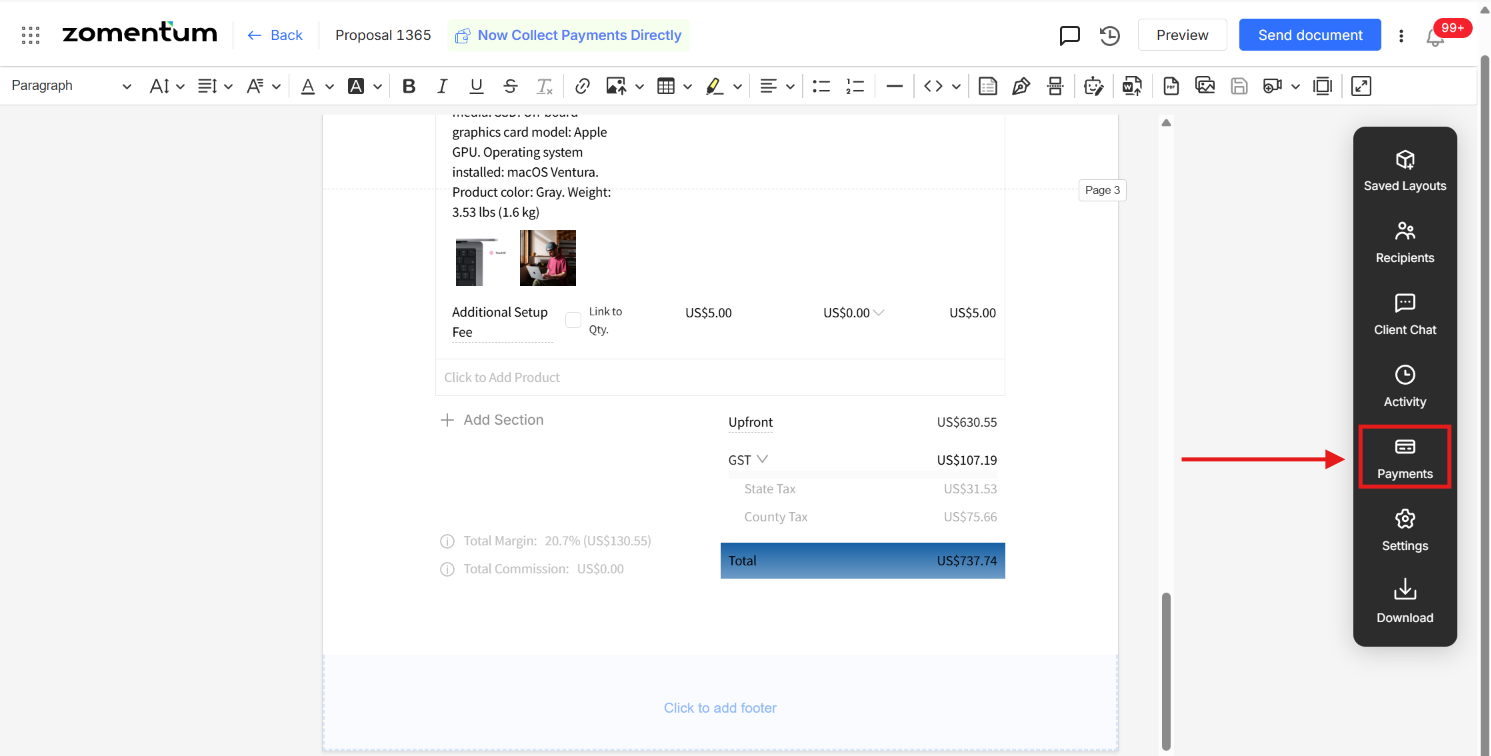
Click Payments. In the vertical toolbar on the right side of the editor, click Payments.
Click Display Payment. In the Payments options, click Display Payment.
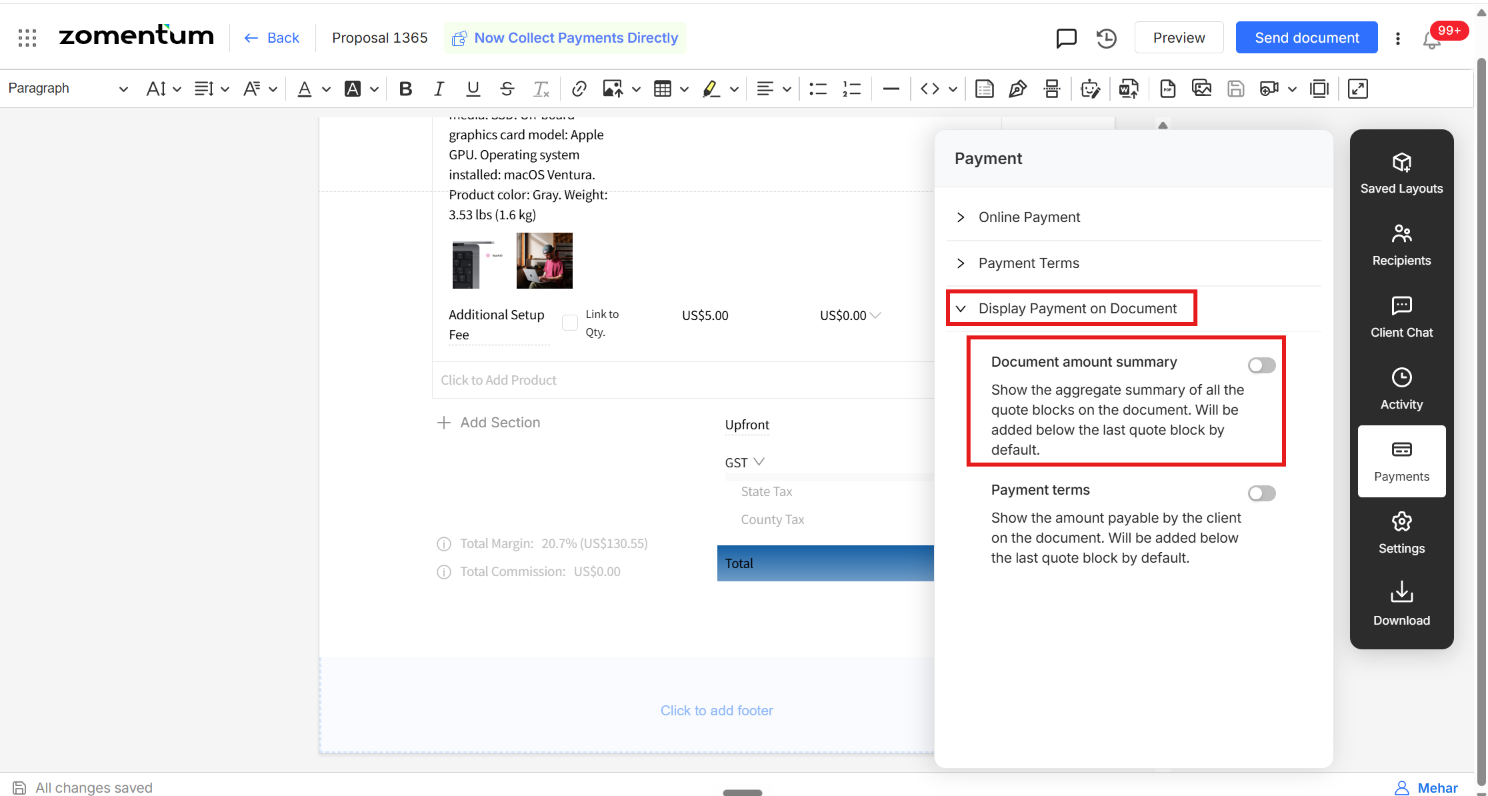
Turn on Document Amount Summary. Enable the Document Amount Summary
toggle.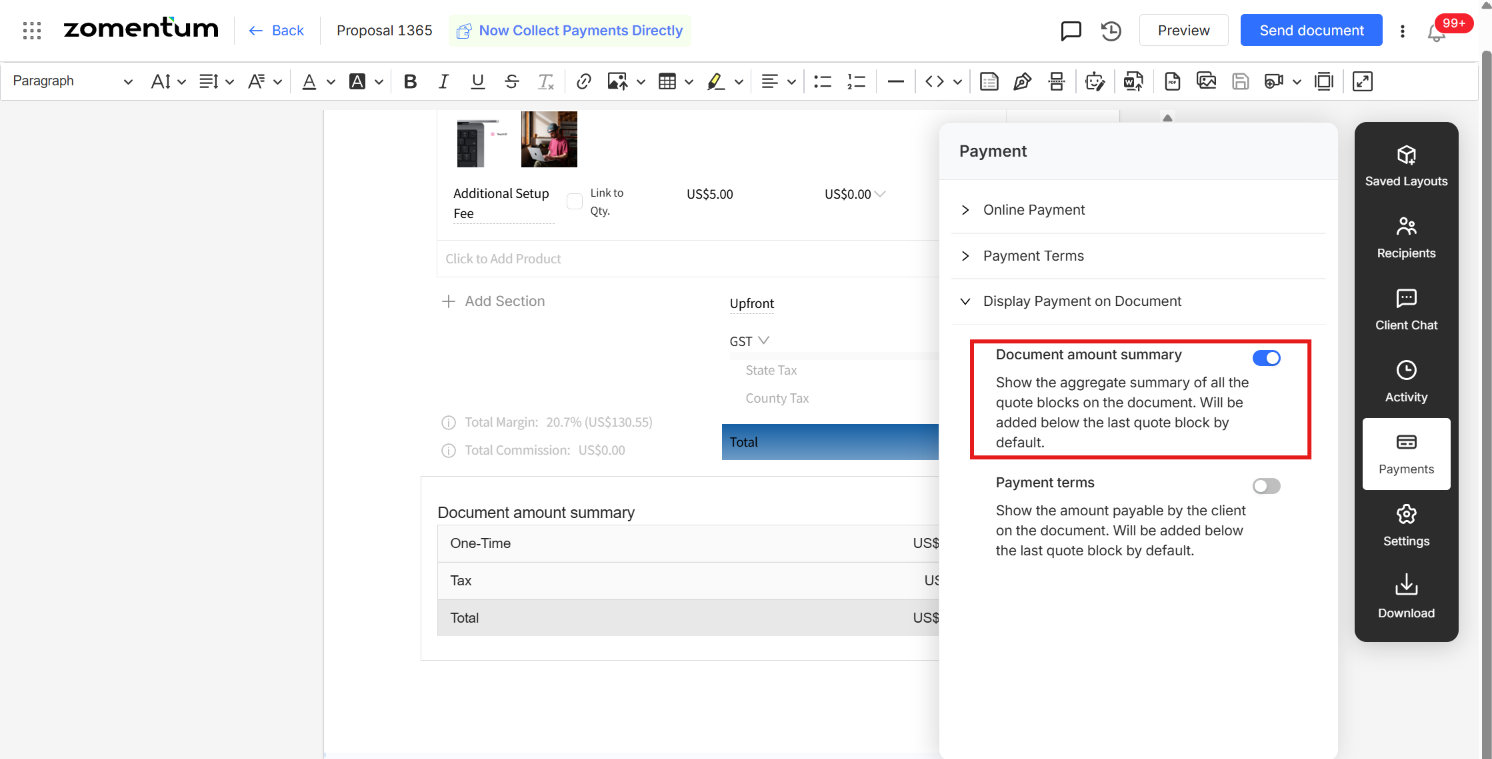
5. Check the summary in the editor. This is how the Document Amount Summary shows up in the editor once the toggle is enabled. It shows the combined summary of all the quote blocks in the document, placed below the latest quote block by default.
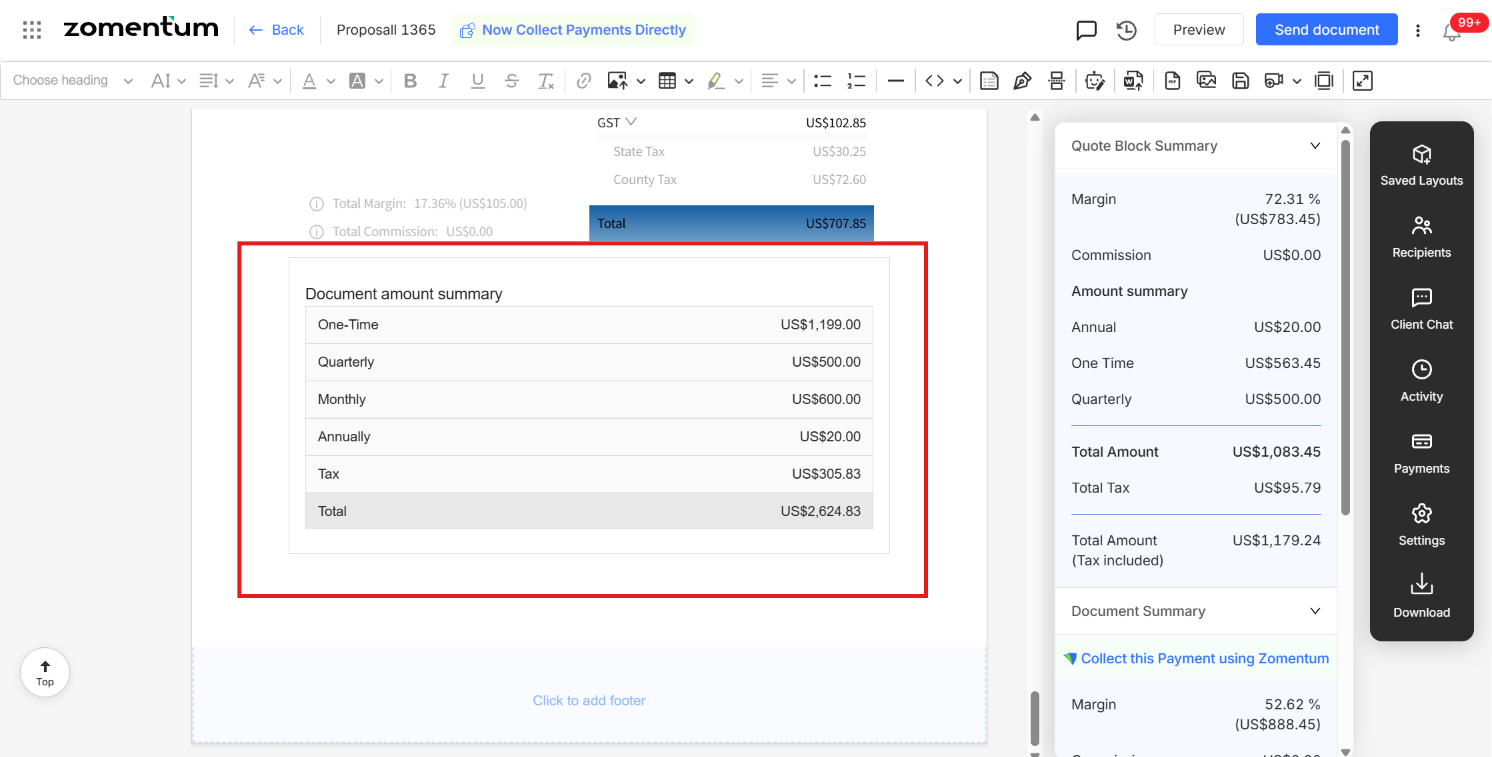
Result: The Document Amount Summary now shows the combined summary of all the quote blocks in the document, placed below the latest quote block by default.