
We can mark a document status to Won/lost/expired/shared manually.
How to Manually Mark a Document as Won
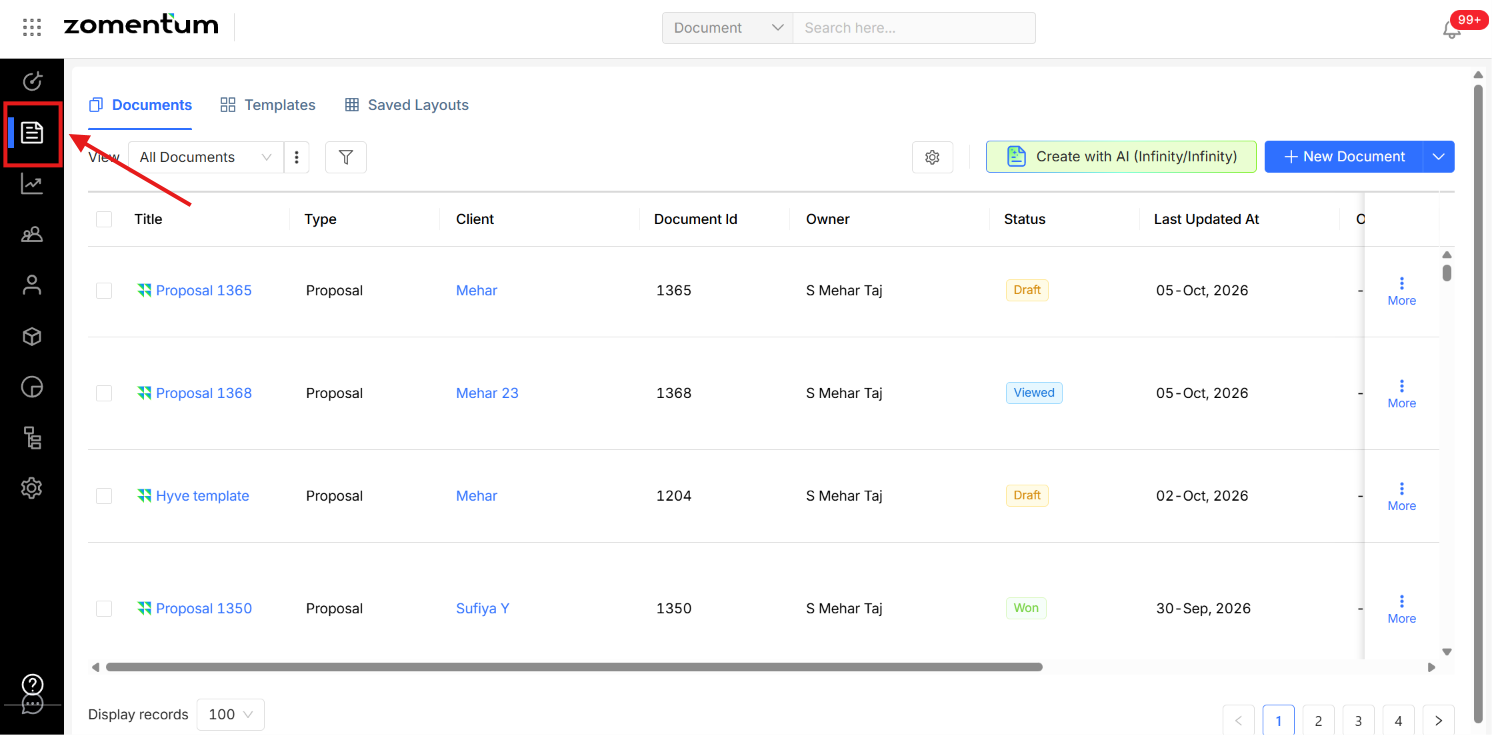
Go to the Documents module. Open the Documents module and find the document you want to update.
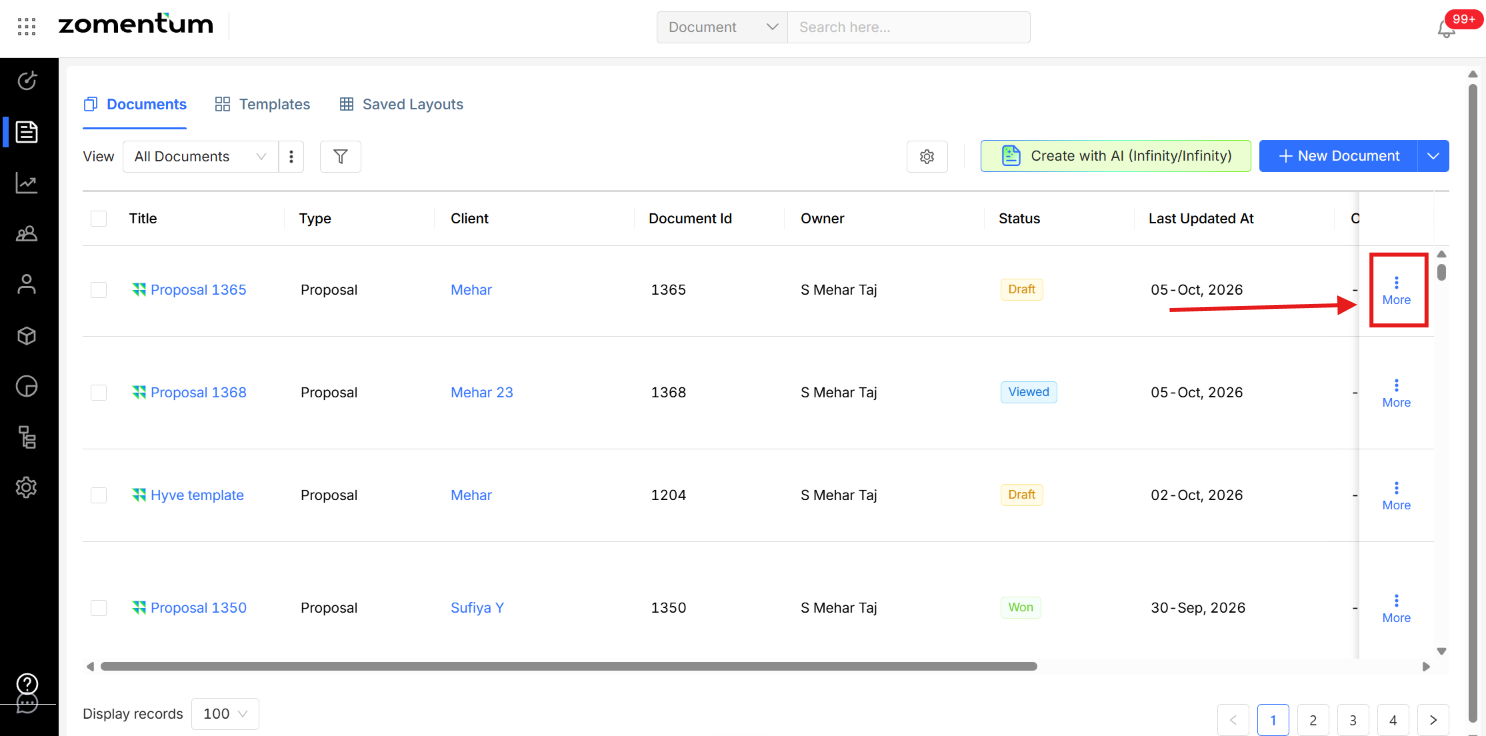
Click the three dots (More). Click the three dots next to the document to see more options.
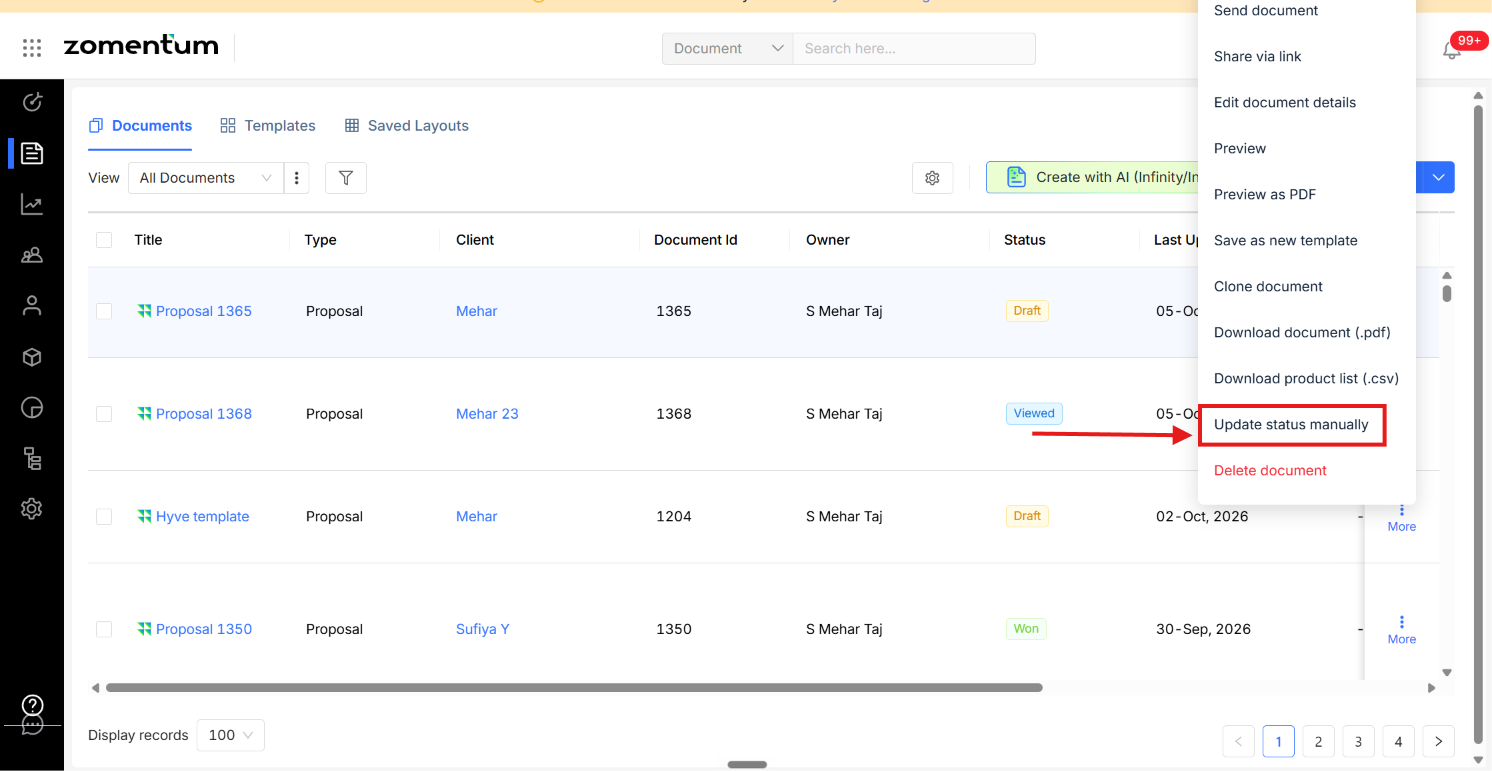
Click Update Status Manually. Select Update Status Manually from the menu.
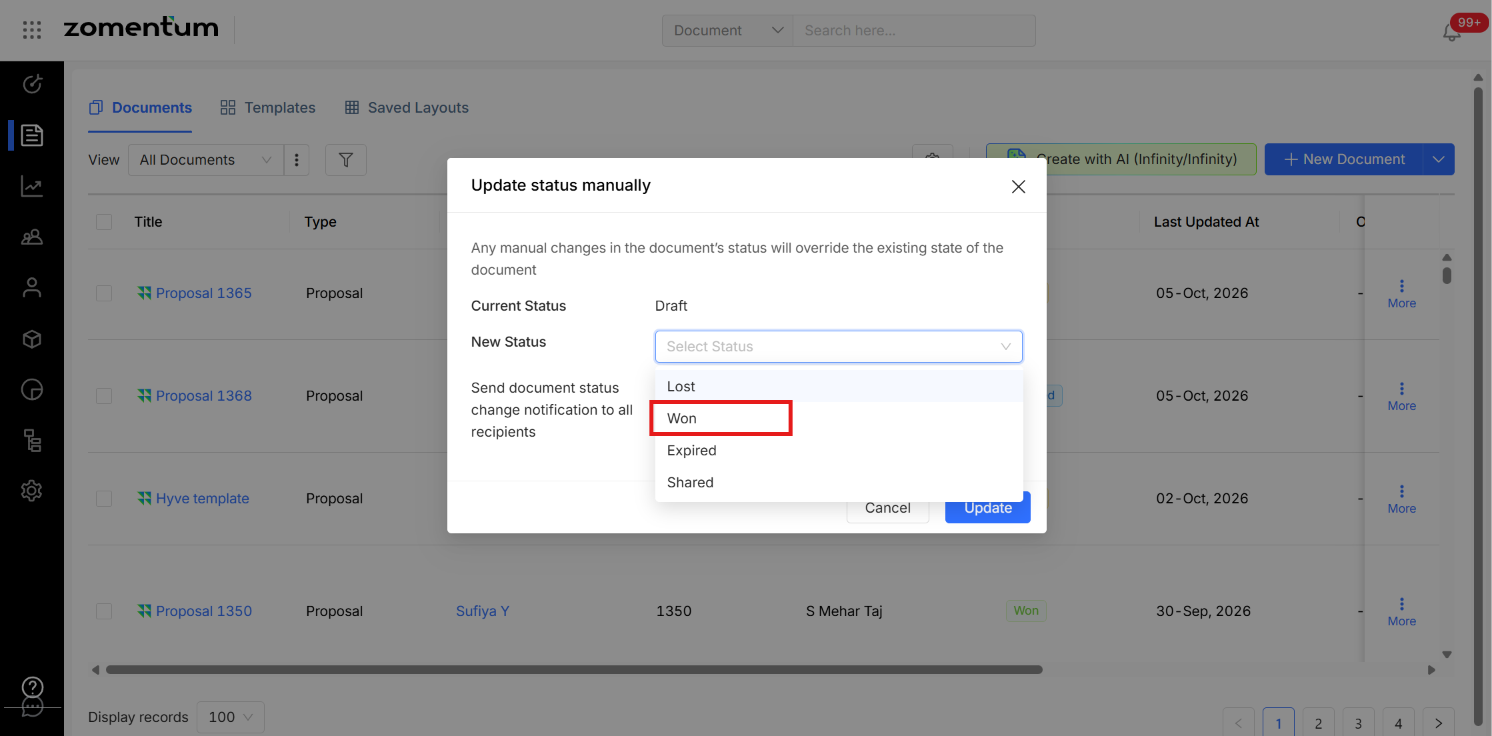
Select Won. Once your client has confirmed they want to proceed, select Won and click update. The change is saved, and neither you nor your client needs to sign the document.
Other Status Options
Update Status Manually also lets you set the document to any of these statuses. Click the status you want, and the change is saved.
Won
Lost
Expired
Share