
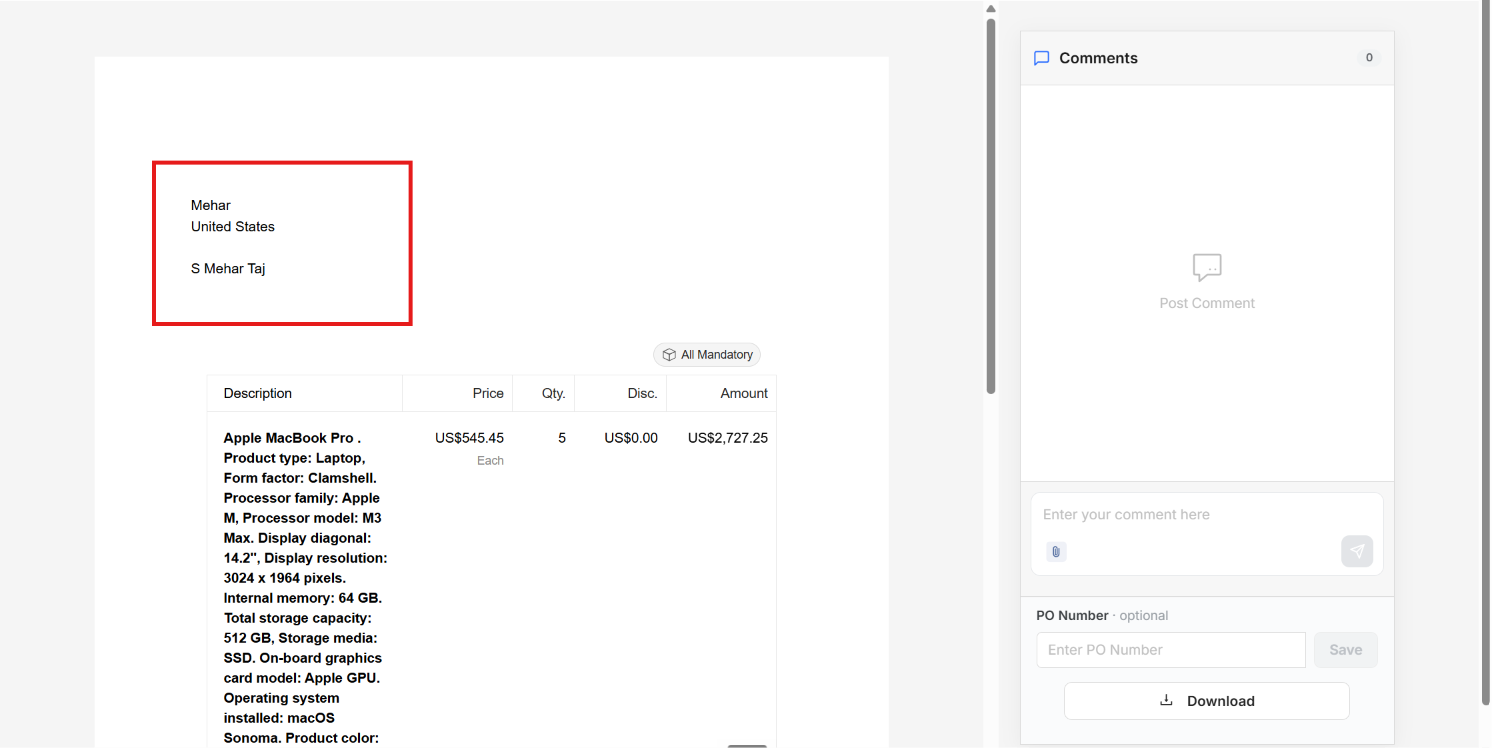
Yes, you can test merge tags before sending the document by using Preview. If your document contains merge tags, such as the client name and the document owner name, Preview shows the document as your client will receive it, with each merge tag filled in with its actual value.
How to Preview Merge Tag Output
Open the document. Open the document that contains your merge tags.
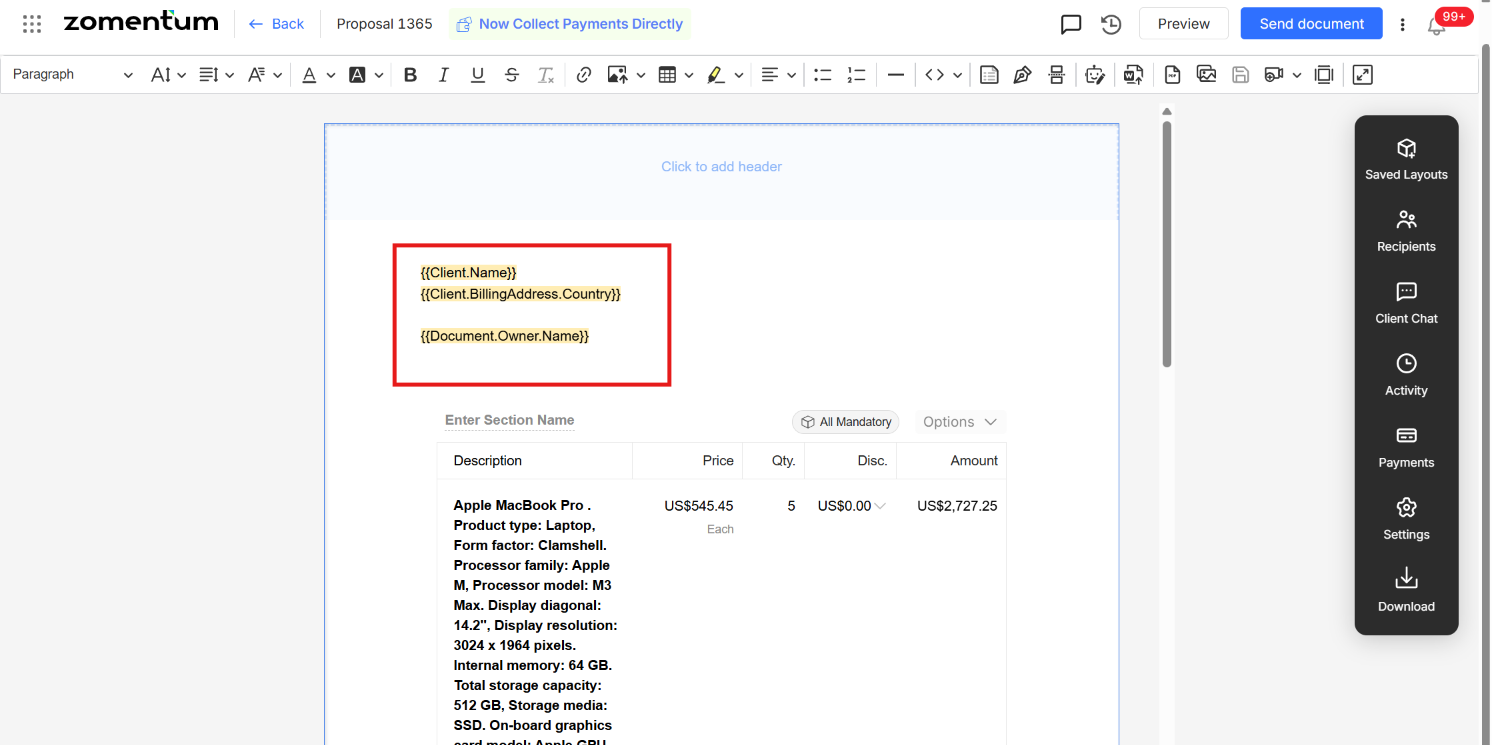
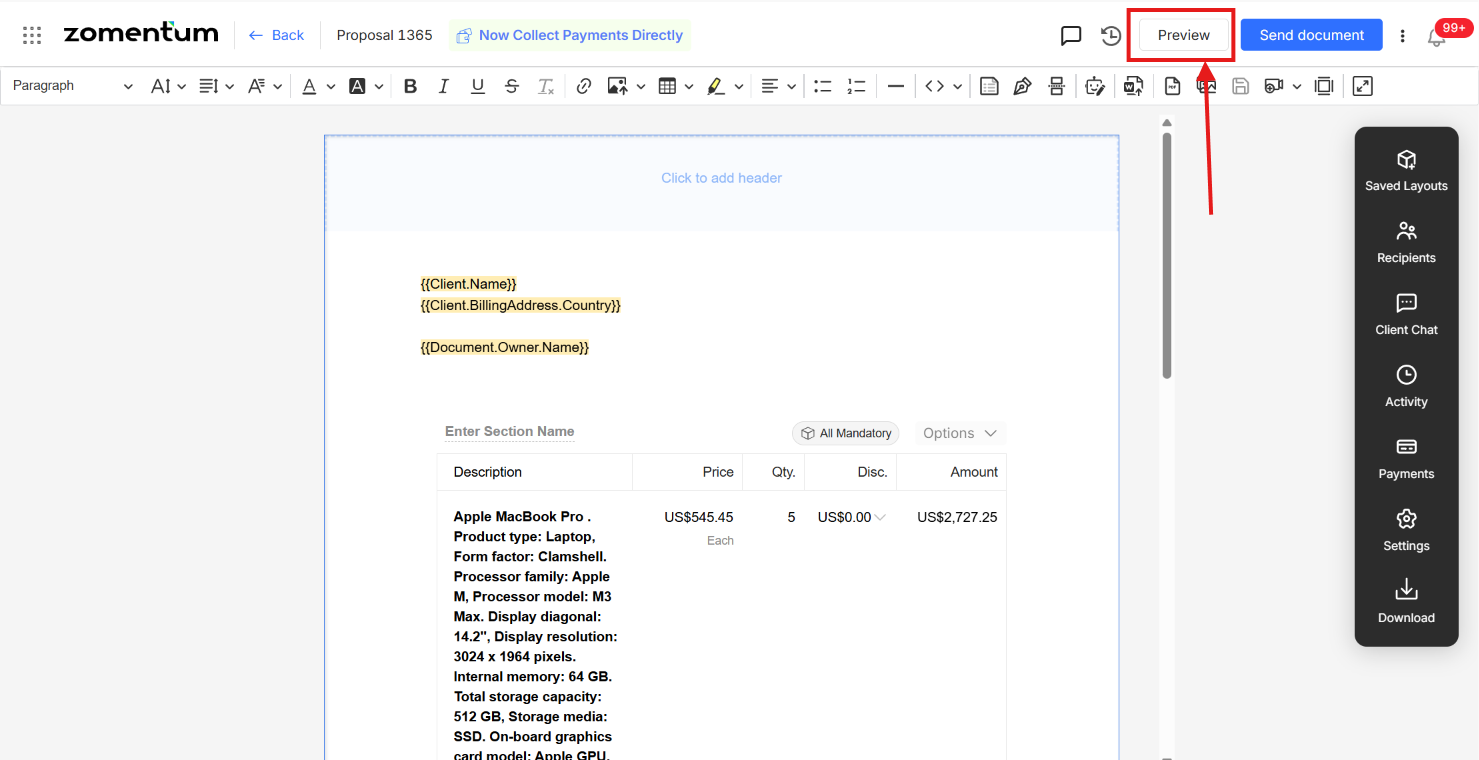
Click Preview. In the top bar of the editor, click Preview.
Check the merge tag values. The preview shows the details filled in, so you can see exactly how each merge tag value will appear to the client.
Send the document. Once the merge tag values look right, you can send the document.