
Yes, a single document can use as many fonts as you like. A font applies only to the text you select, so one paragraph can use one font and the next paragraph can use a different one.
Steps
Select the text. Highlight the word, sentence, or paragraph you want to change.
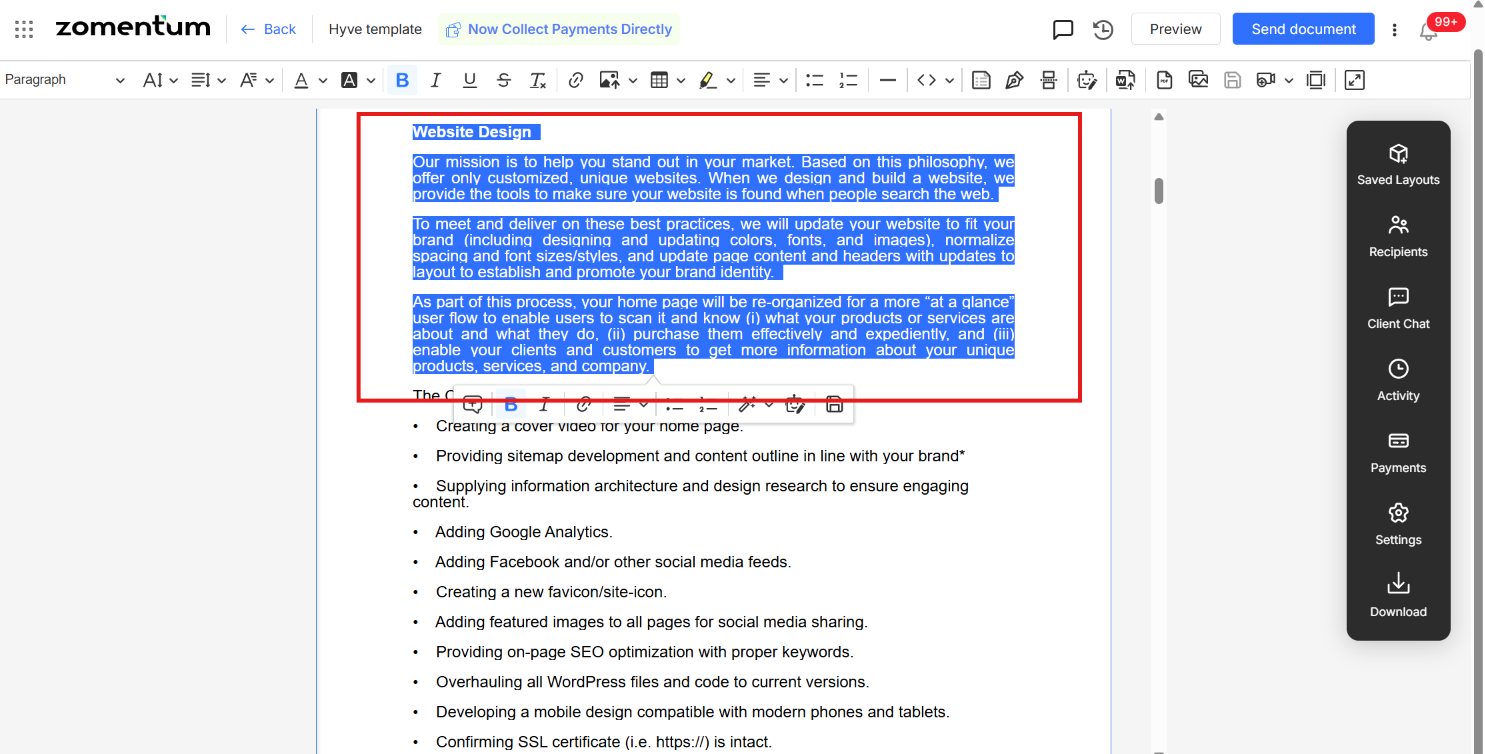
Click the Font family dropdown in the toolbar. You will see a list of fonts with a preview of each.
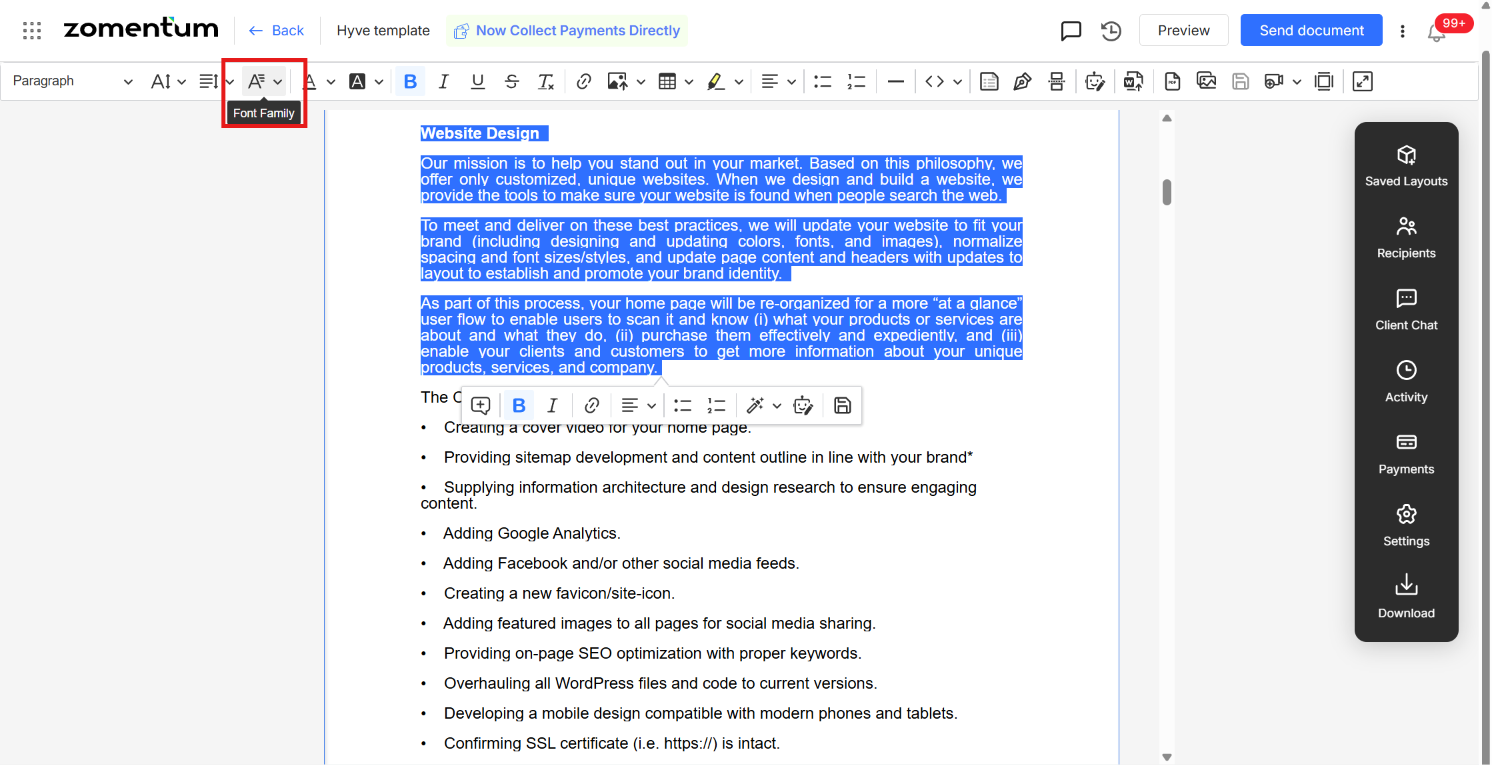
Choose a font. The selected text changes right away. For example, if the text is in one font, pick a different one from the list and the text updates immediately.
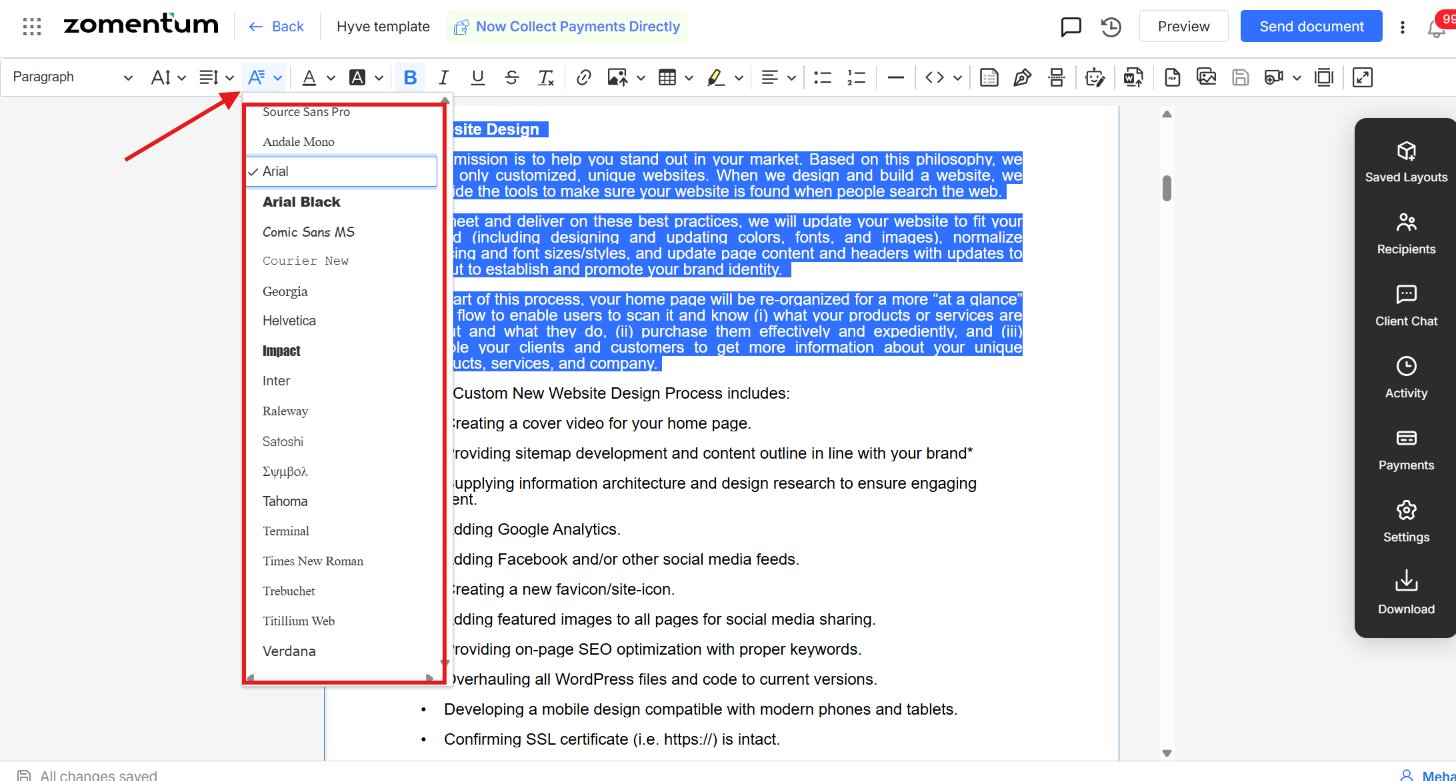
Repeat for other sections. Select more text and choose a different font. Each selection keeps its own font.
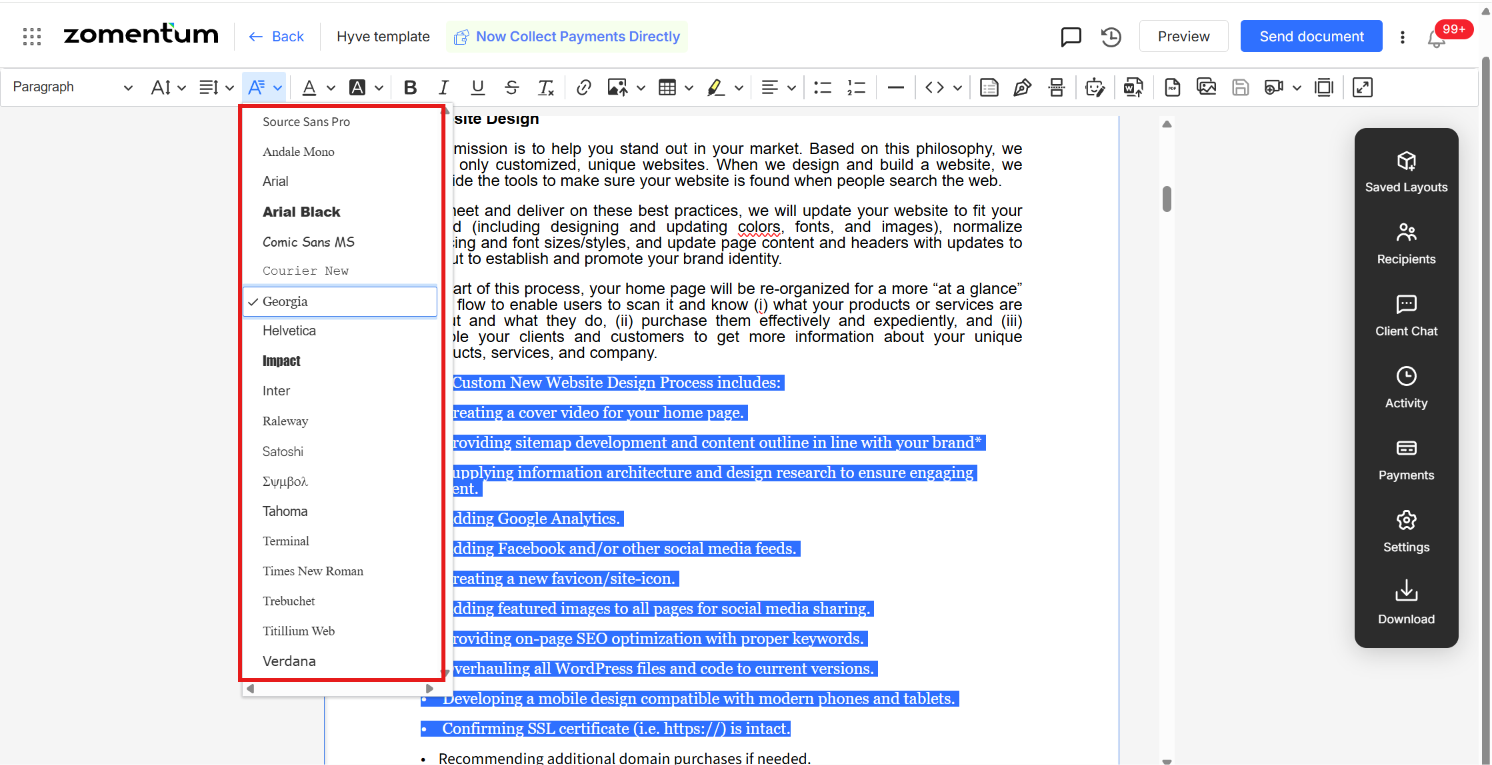
Each paragraph displays in its own font within the same document.
Tips
Select before you change. If no text is selected, the new font applies only to what you type next, from the cursor onward.