
To can restore a previous revision of a document.
Steps to restore a revision
Open the document. At the top, you'll see the revision icon.
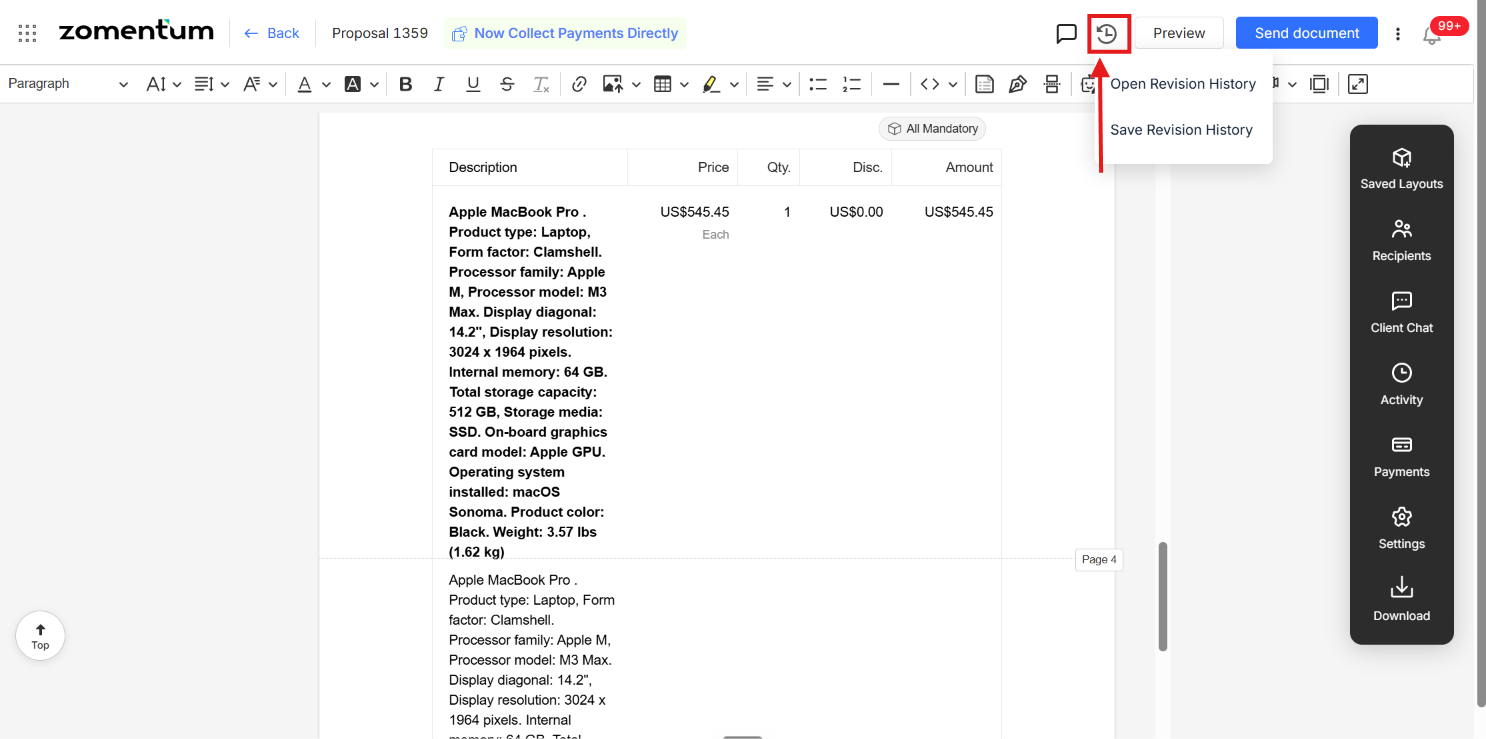
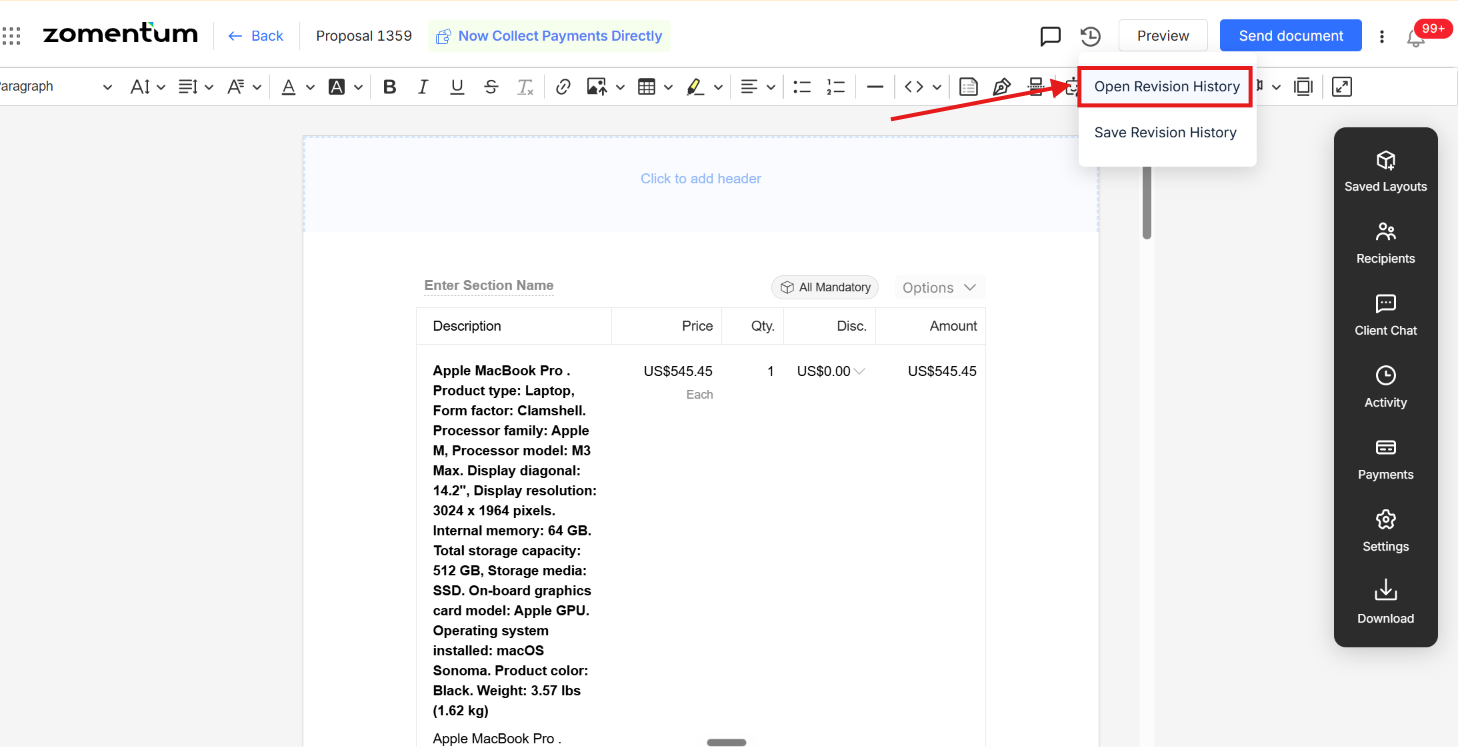
Click Open revision history. A list of every revision made to the document will appear.
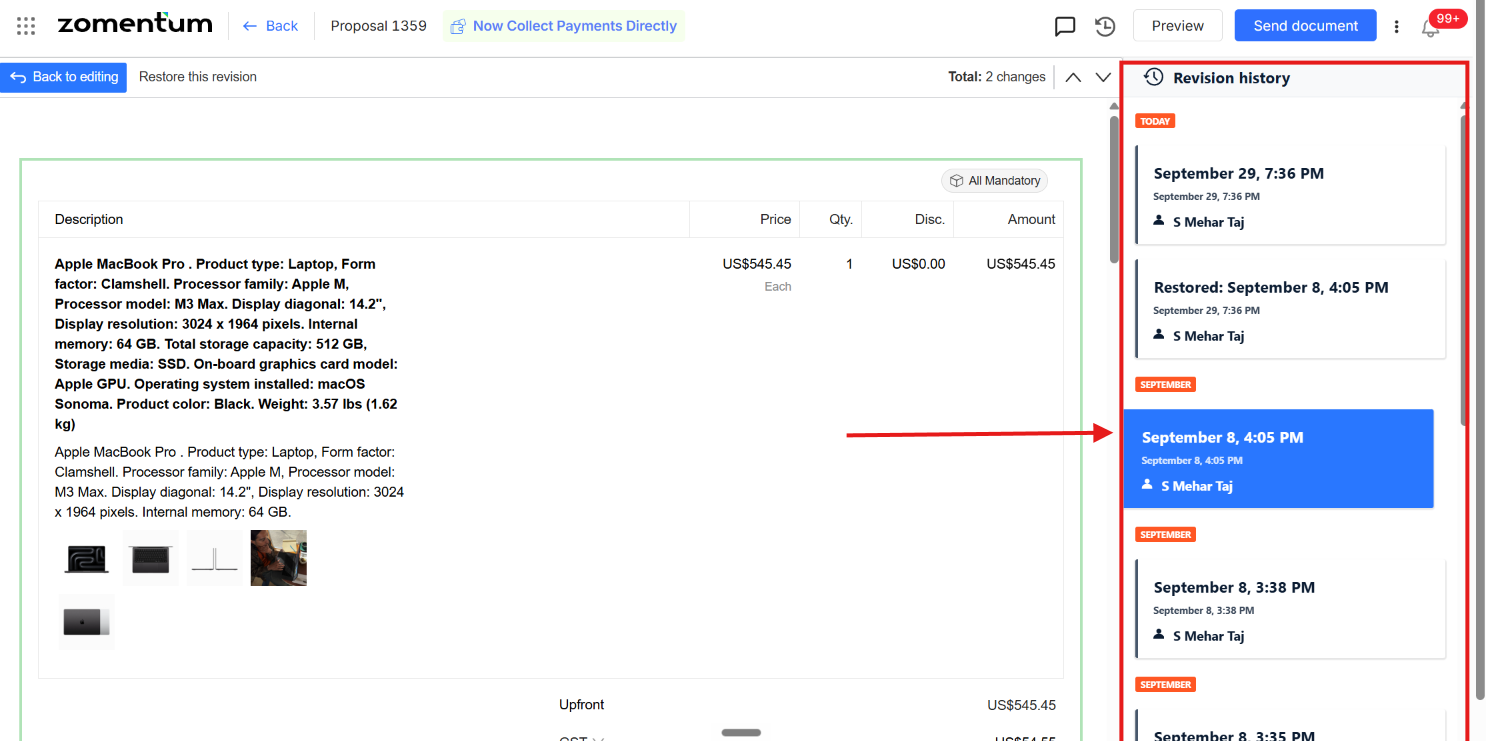
Click the revision you'd like to restore.
Click Restore this revision at the top.
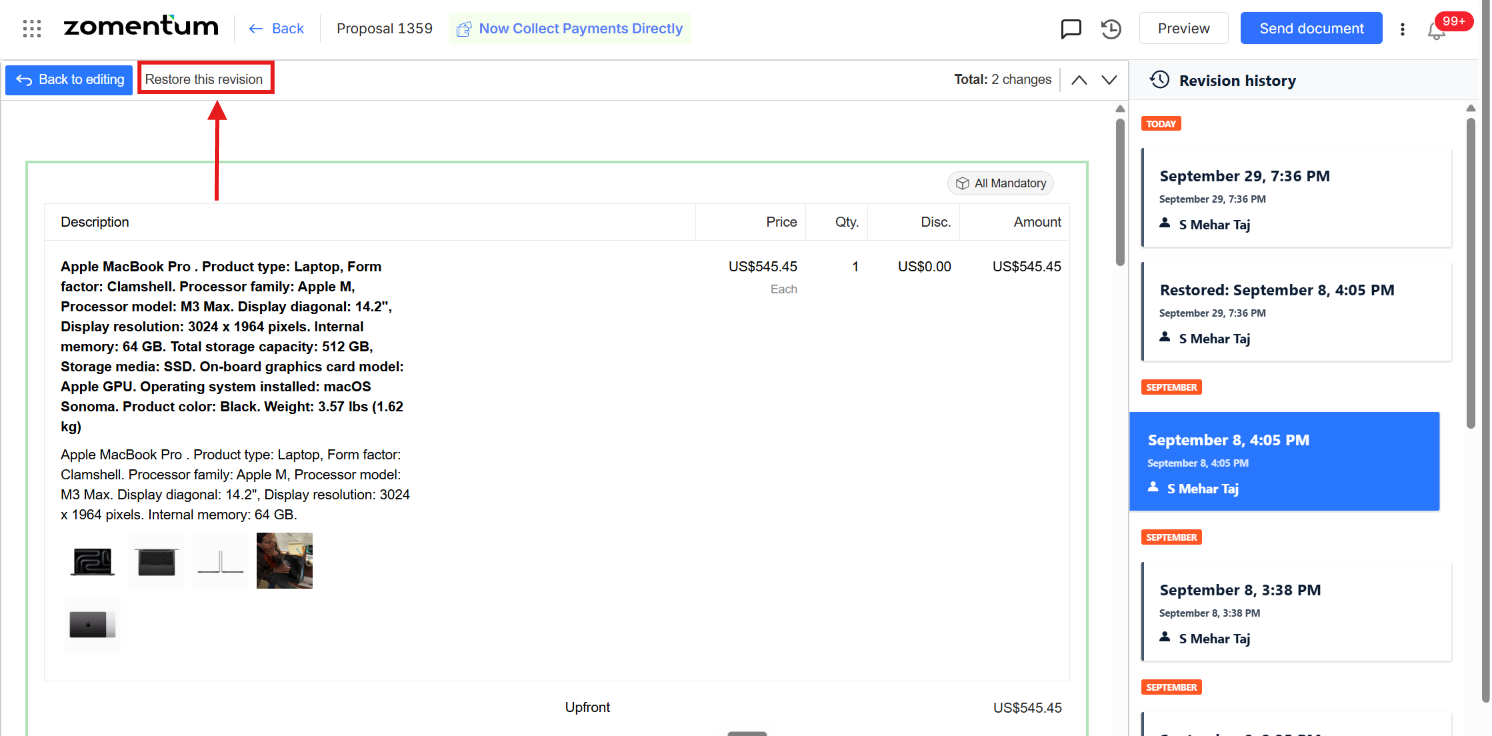
Once the revision is selected, it will be restored and appear in the document frame.
Key Points
The editor keeps a running history of every revision made to the document.
You can select and restore any past revision from that history, not just the most recent one.
This is the fastest way to recover from an accidental deletion or unwanted change in the editor.