
Yes, the sender can see when a client has opened a document, without needing to contact the client directly.
This information is visible only to the sender, it is not shared with or shown to the client.
There are three ways to stay on top of it: the document status, the Activity log, and email notifications.
1. Check the Document Status
You don't need to open the document or its Activity log to know whether a client has viewed it.
Log in and go to the Documents module.
Find the document you sent.
Check its status. Once the client opens the document, the status changes to Viewed.
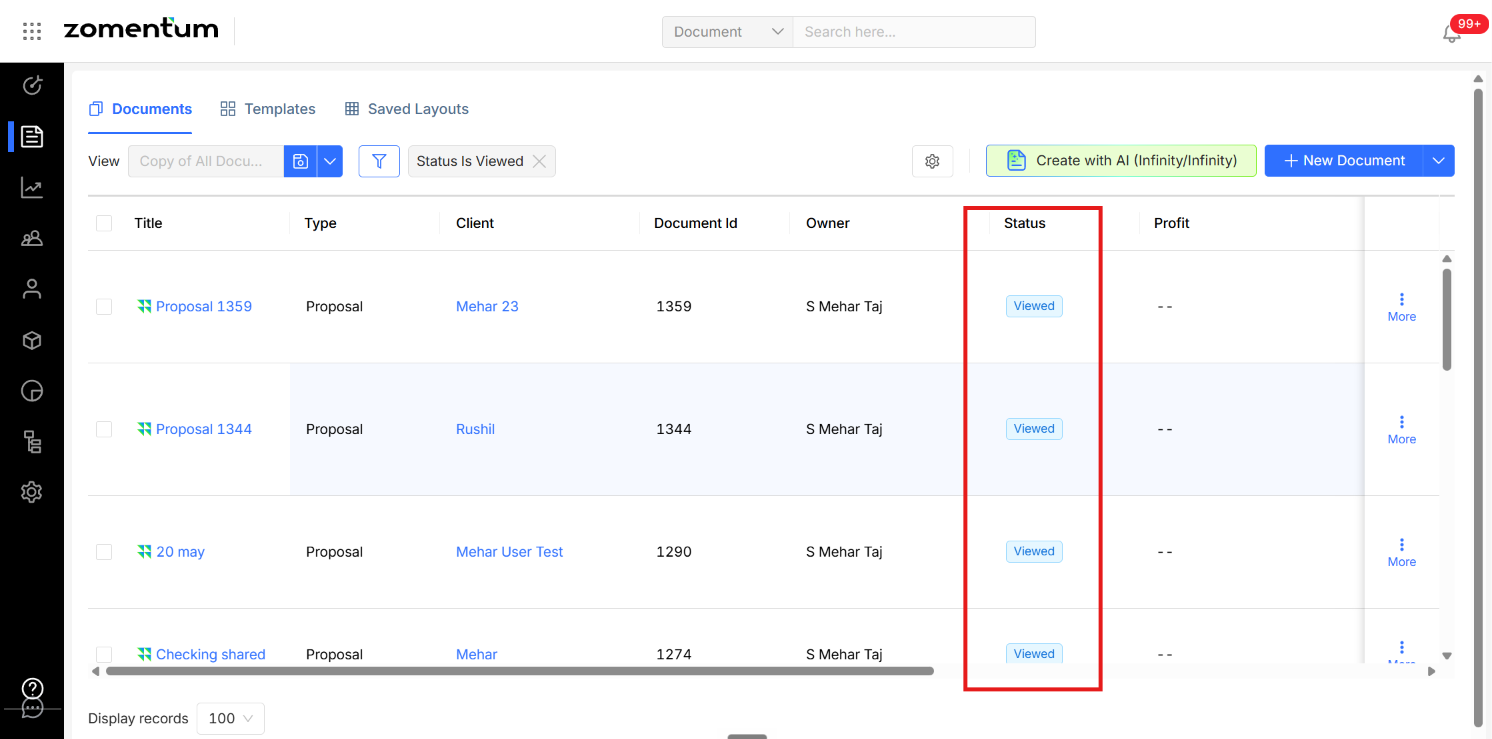
The Viewed status alone confirms that the client has opened the document, so you can follow up right away.
2. Check the Activity Log for Full Details
For a step-by-step view, use the document's Activity tab. It records everything the client has done with the document, not just whether they opened it.
Open the document you sent to the client.
Go to the Activity section.
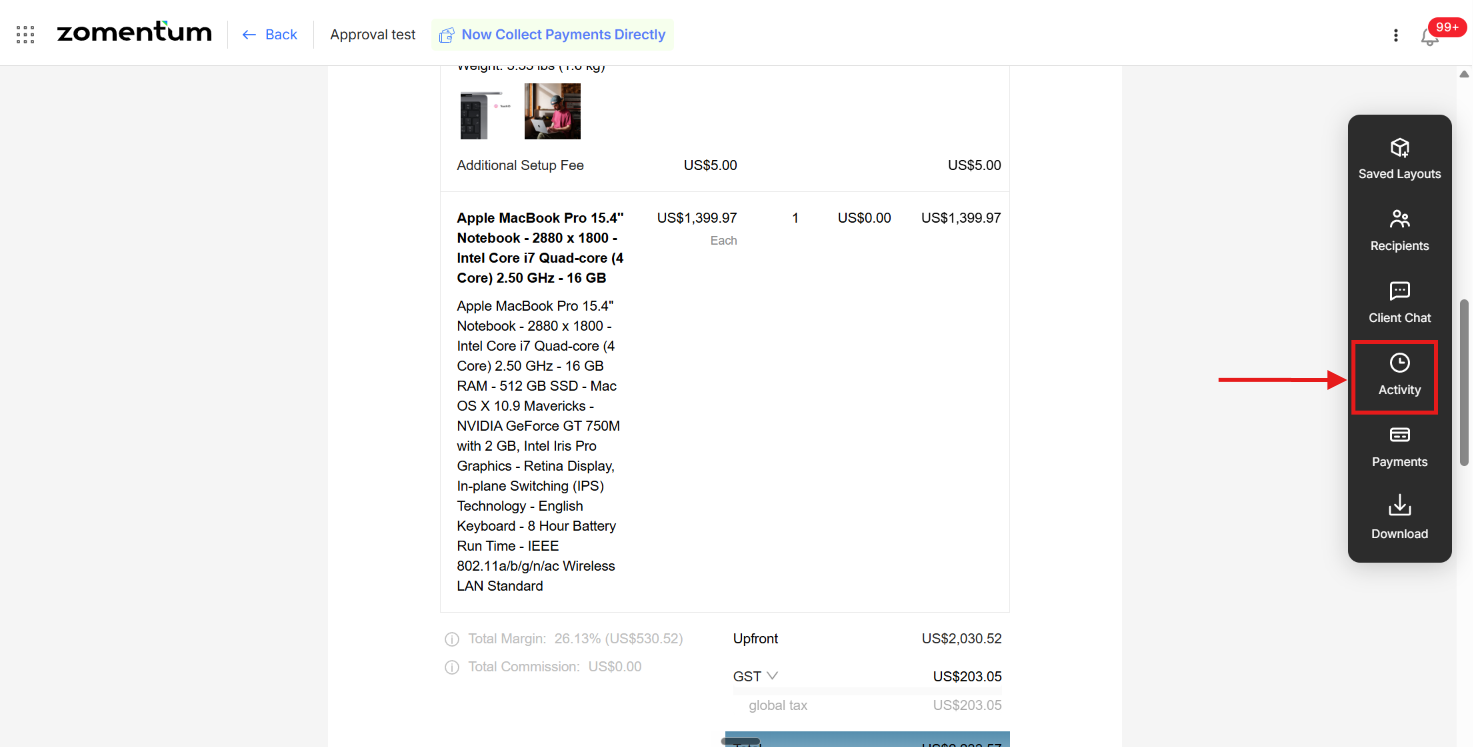
Review the timeline to see exactly what the client did and when, including opening, editing, and signing.
What you can see in Activity
Whether the client has opened the document
Whether the client has signed the document
Any other action the client has taken on the document
3. Get Notified by Email
You don't have to keep checking. Turn on document notifications so you are alerted whenever the status of a document changes.
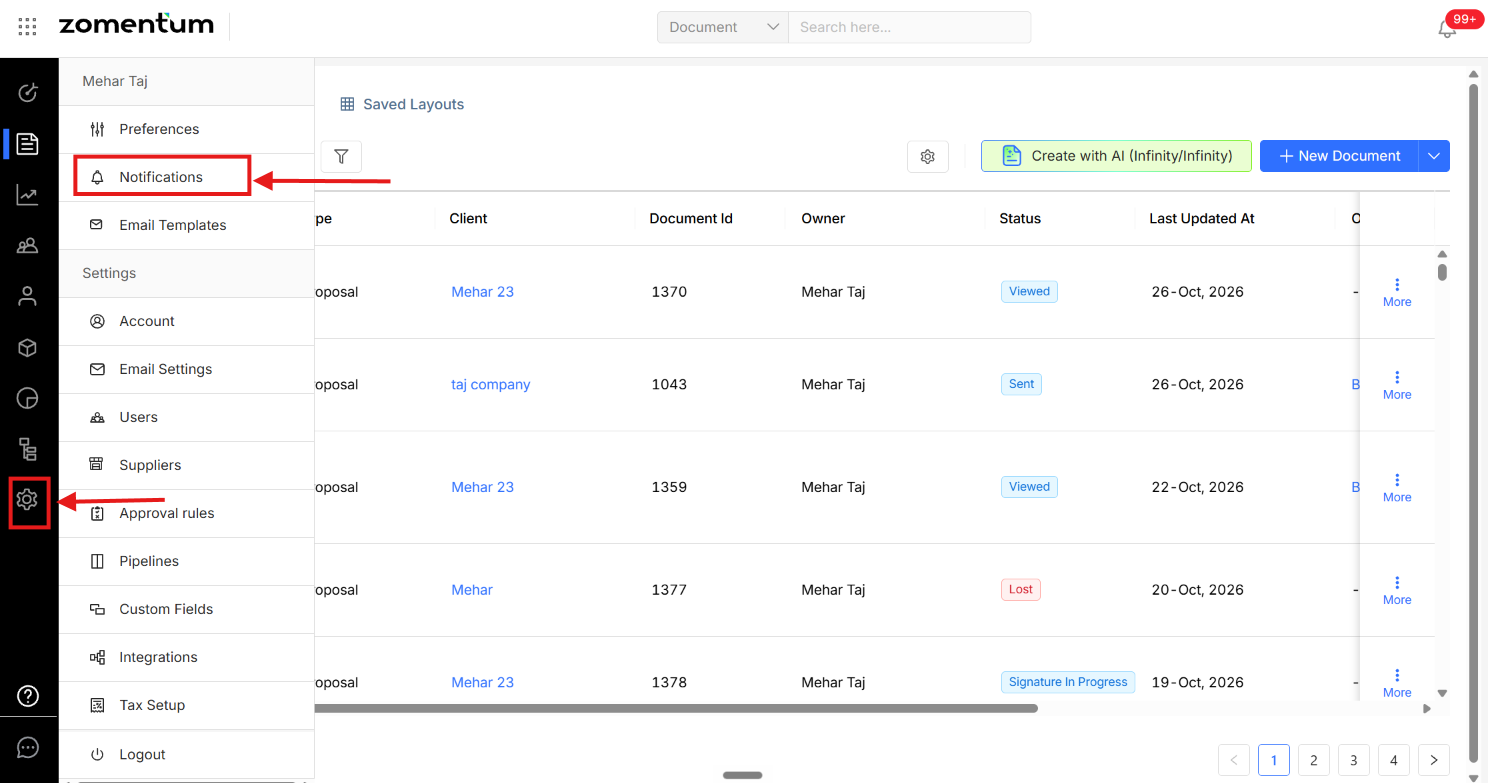
Navigate to Settings > Notifications > Document Notifications.
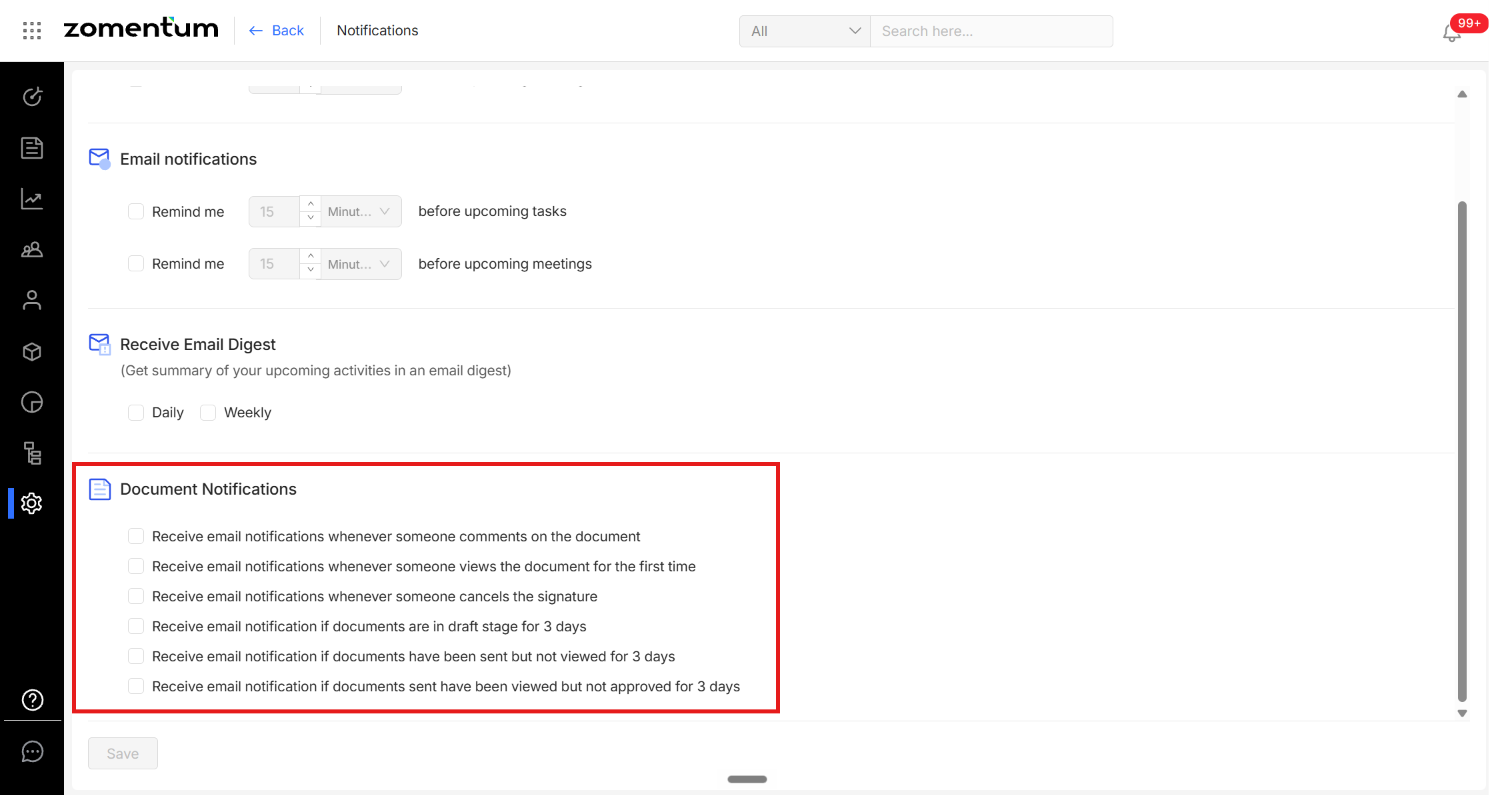
Enable the notifications you want and Save.