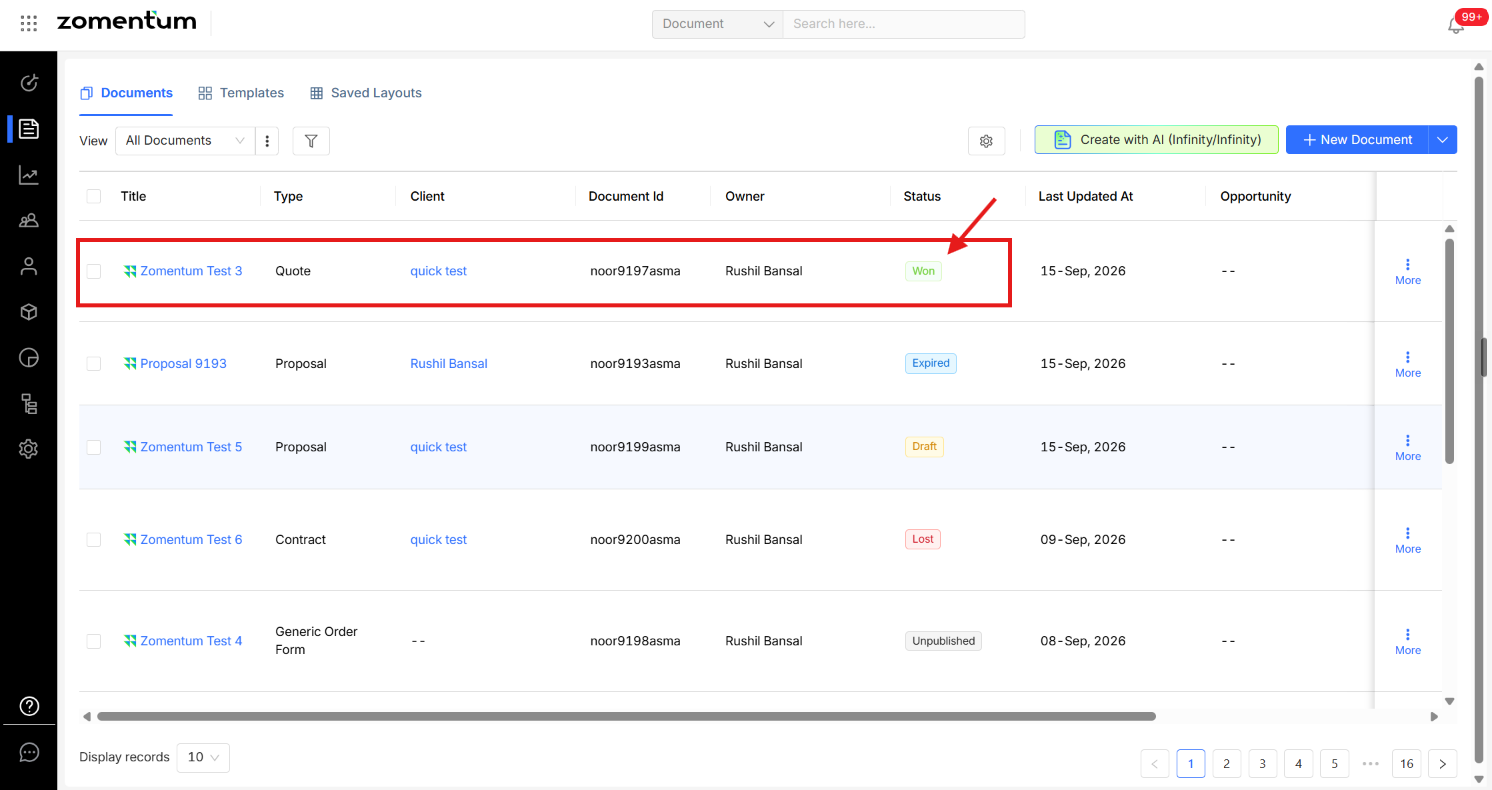
Yes. You can manually mark a document as "Won" without sending it to your client first. This is useful when a deal has already been approved offline and you don't want to send an unnecessary copy to your client.
Marking a Document as "Won" Manually
Go to the Documents dashboard and locate the document you want to update.
Click the three-dot menu icon next to the document.
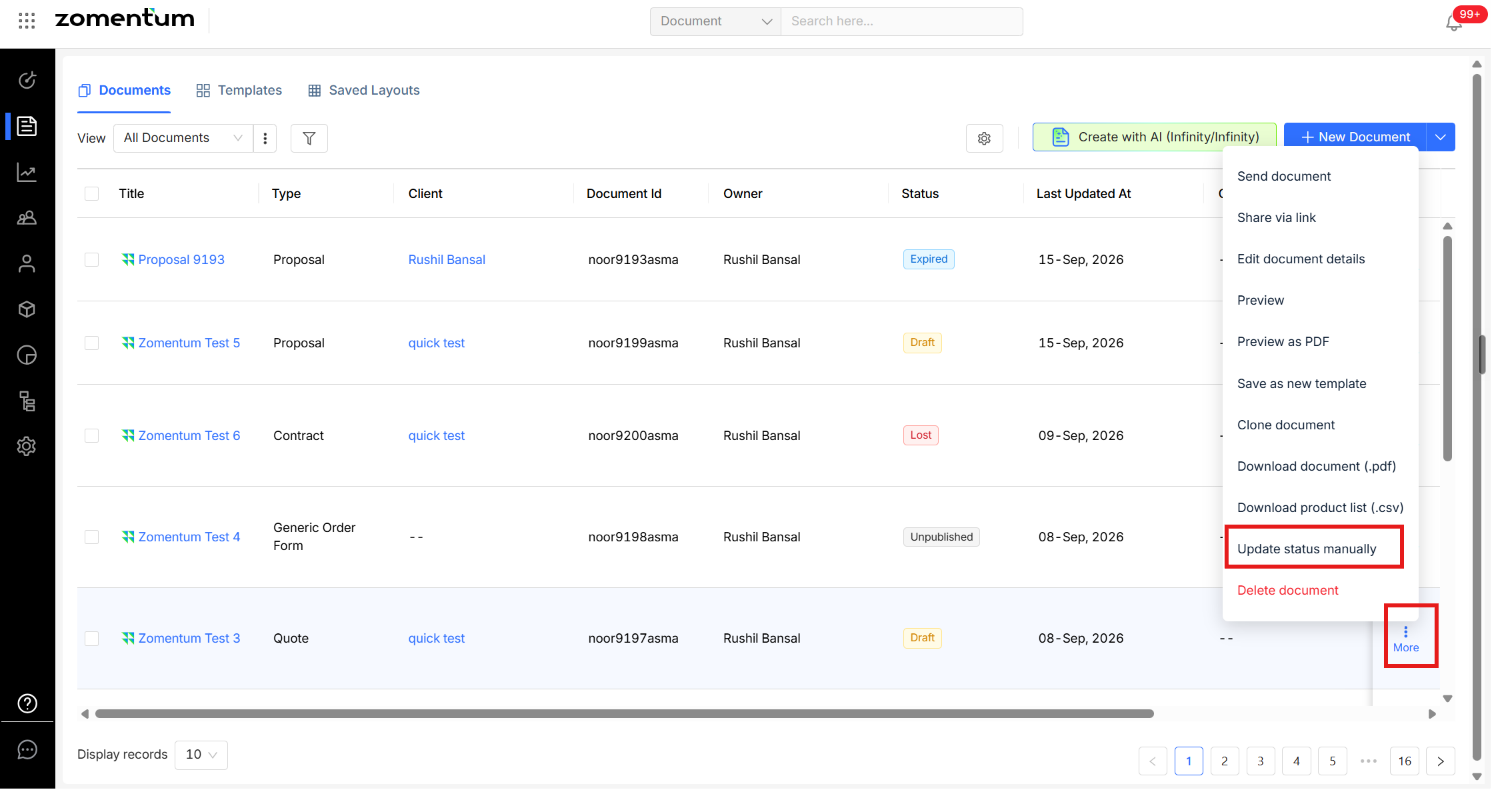
Select the option to change the document status, and set it to "Won".
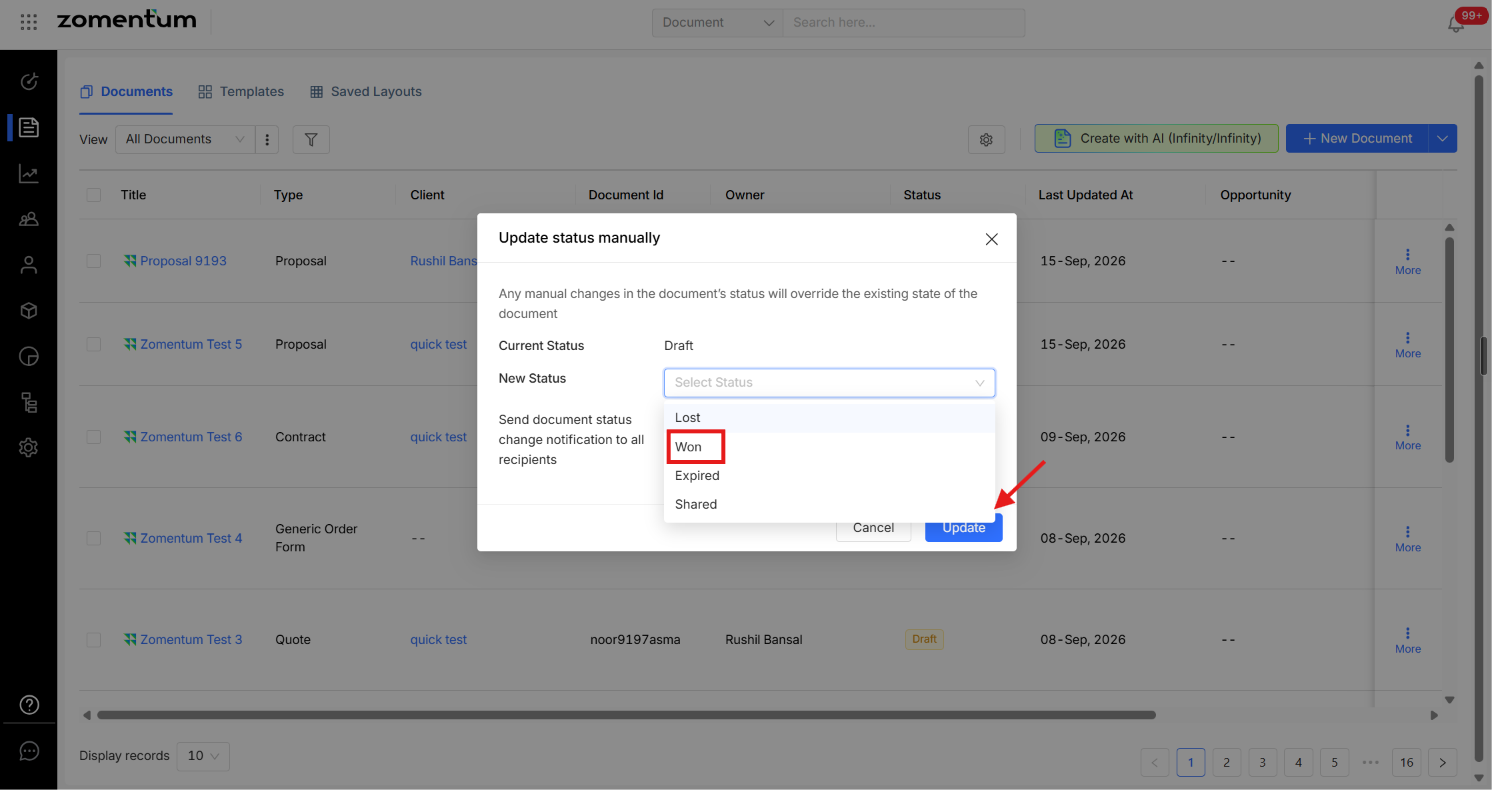
The document's status updates immediately on the dashboard, without going through the Sent or Viewed stages.