
Yes. Instead of setting an expiration date for each document individually, you can configure a default expiry period that automatically applies to every new document you create.
Setting a Default Expiration Period
Go to Settings and select Preferences.
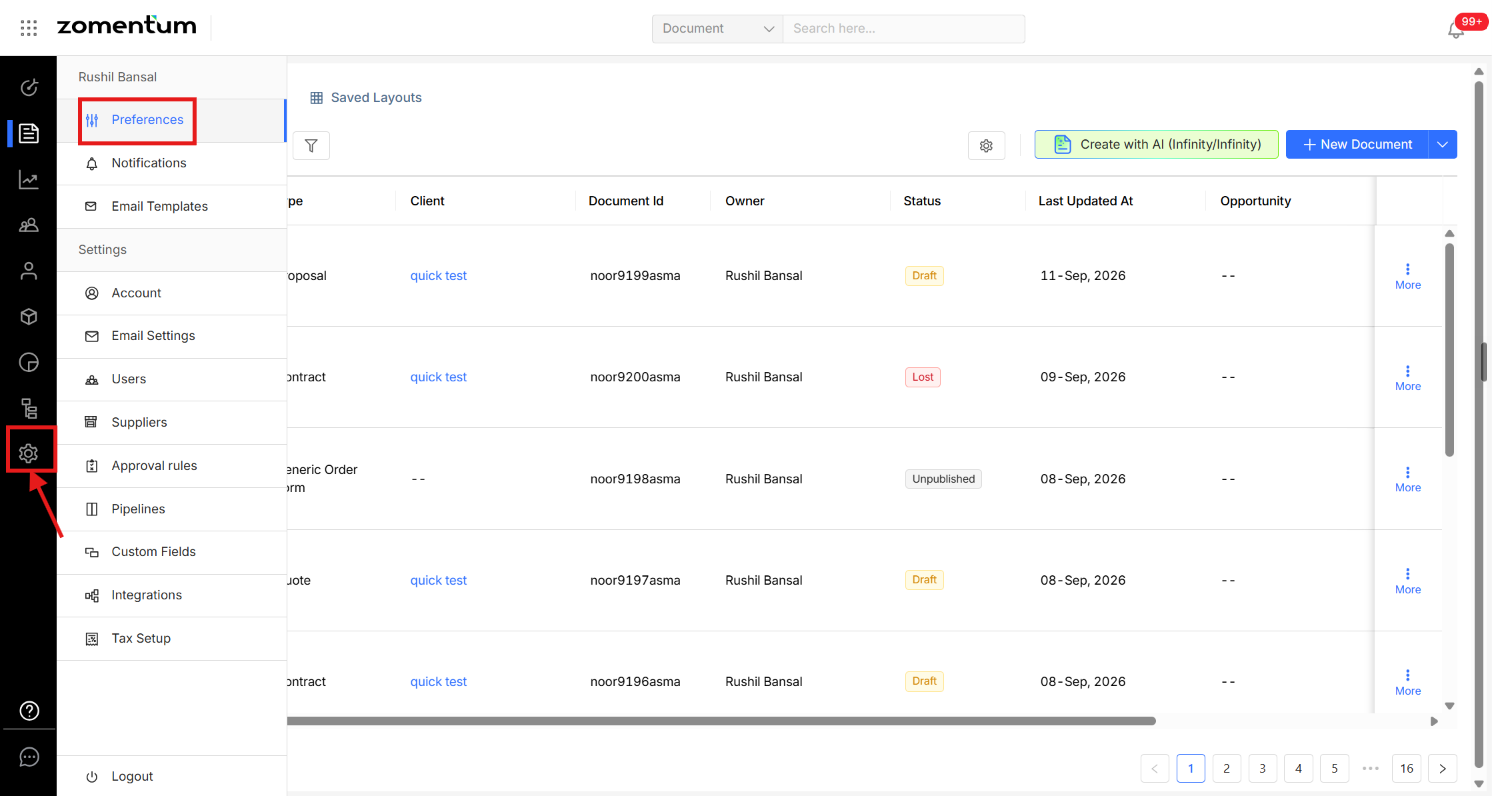
Under Default Document Preferences, toggle Document Expiration on.
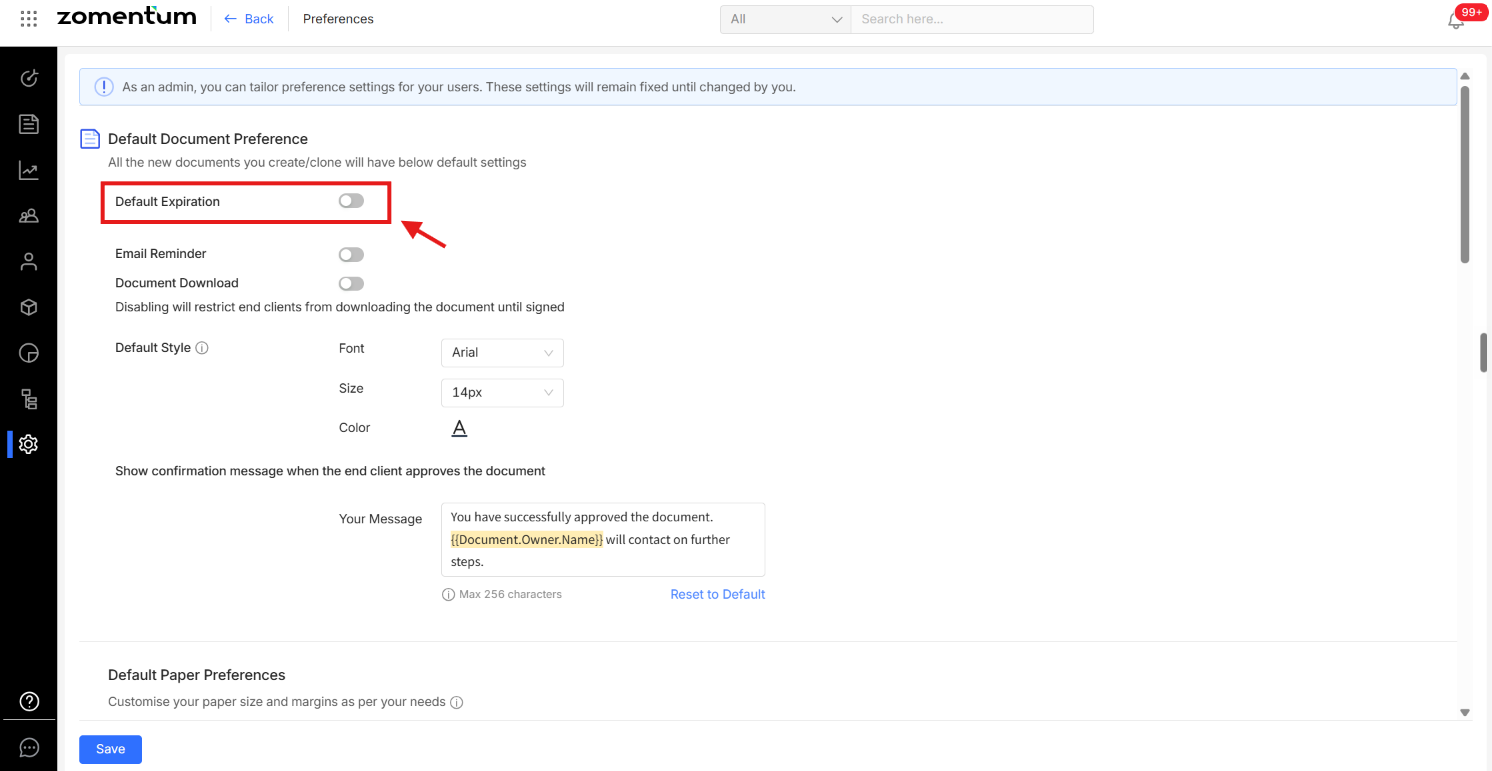
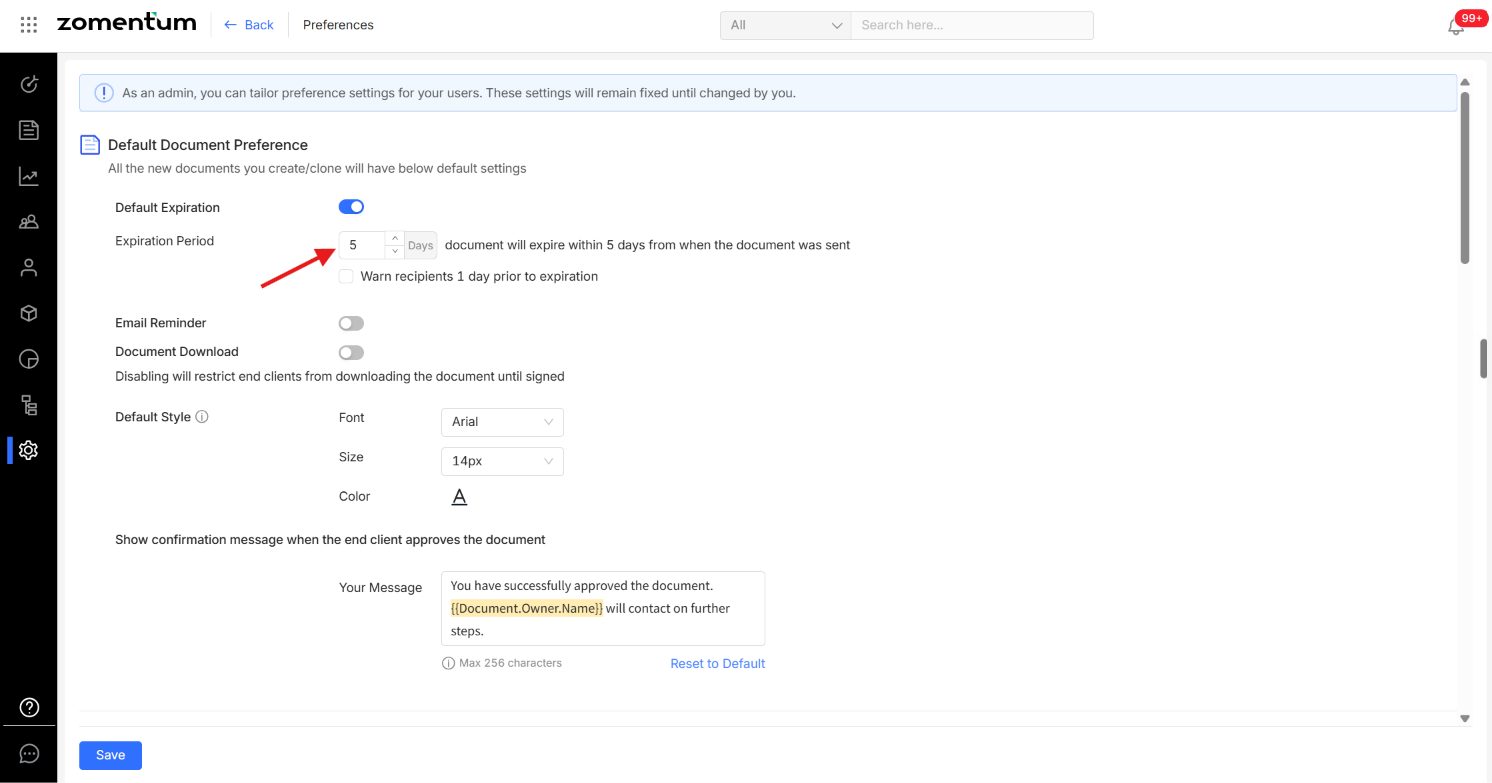
Enter the number of days new documents should remain valid before they expire.
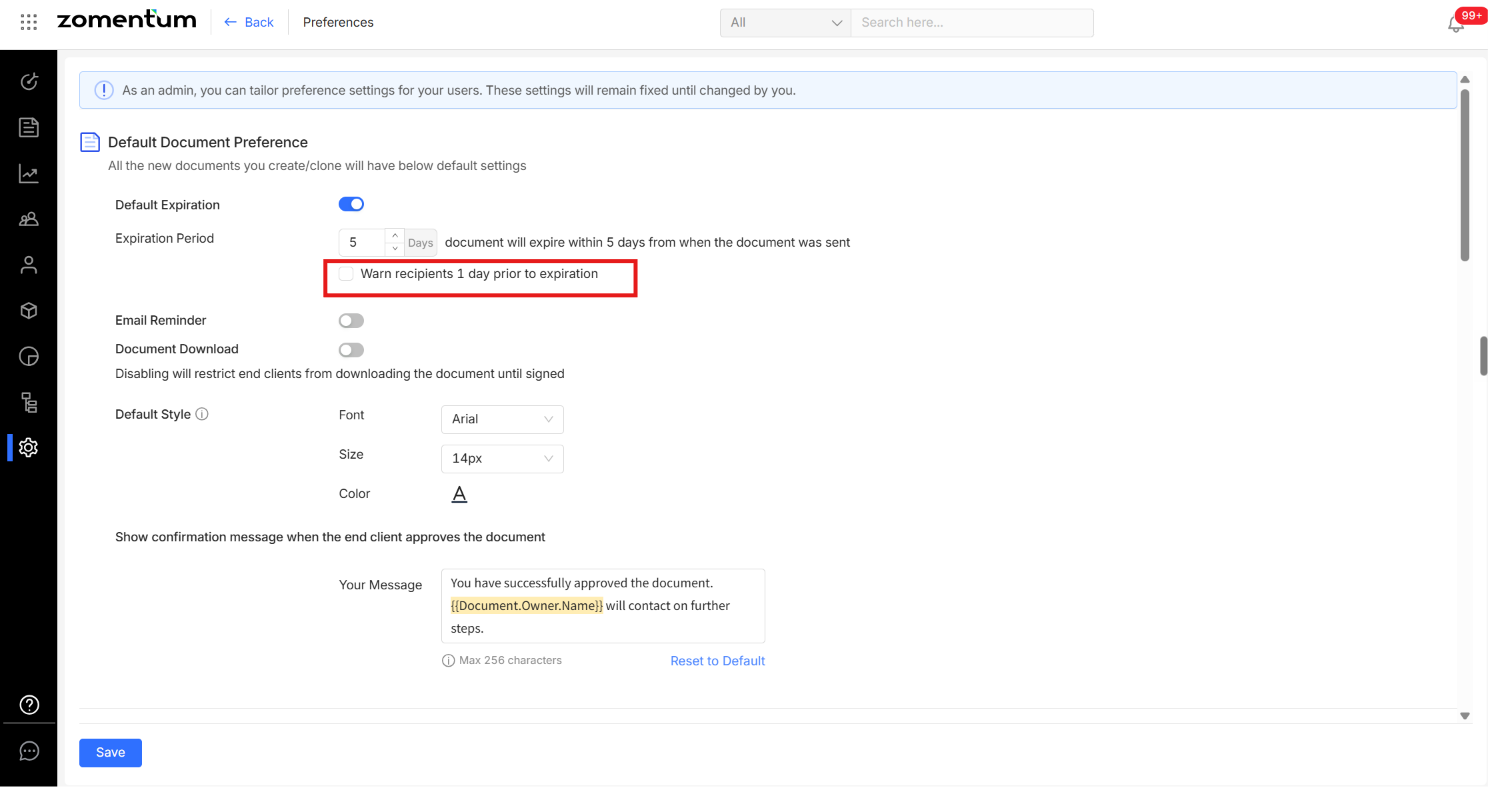
Optionally, enable the option to notify your recipient one day before the expiration date so they're reminded to review and sign the document in time.
Tip: You can still override this default on individual documents at any time.