
Yes, a signee can download a copy of the document, either before or after signing. To make this available to your end clients, you first need to enable it in the document settings.
1. Enable Downloads for Your Clients
If you want your end clients to download the document at their end, turn this on first from the document settings.
Open the document and click Settings.
Click Document Access.
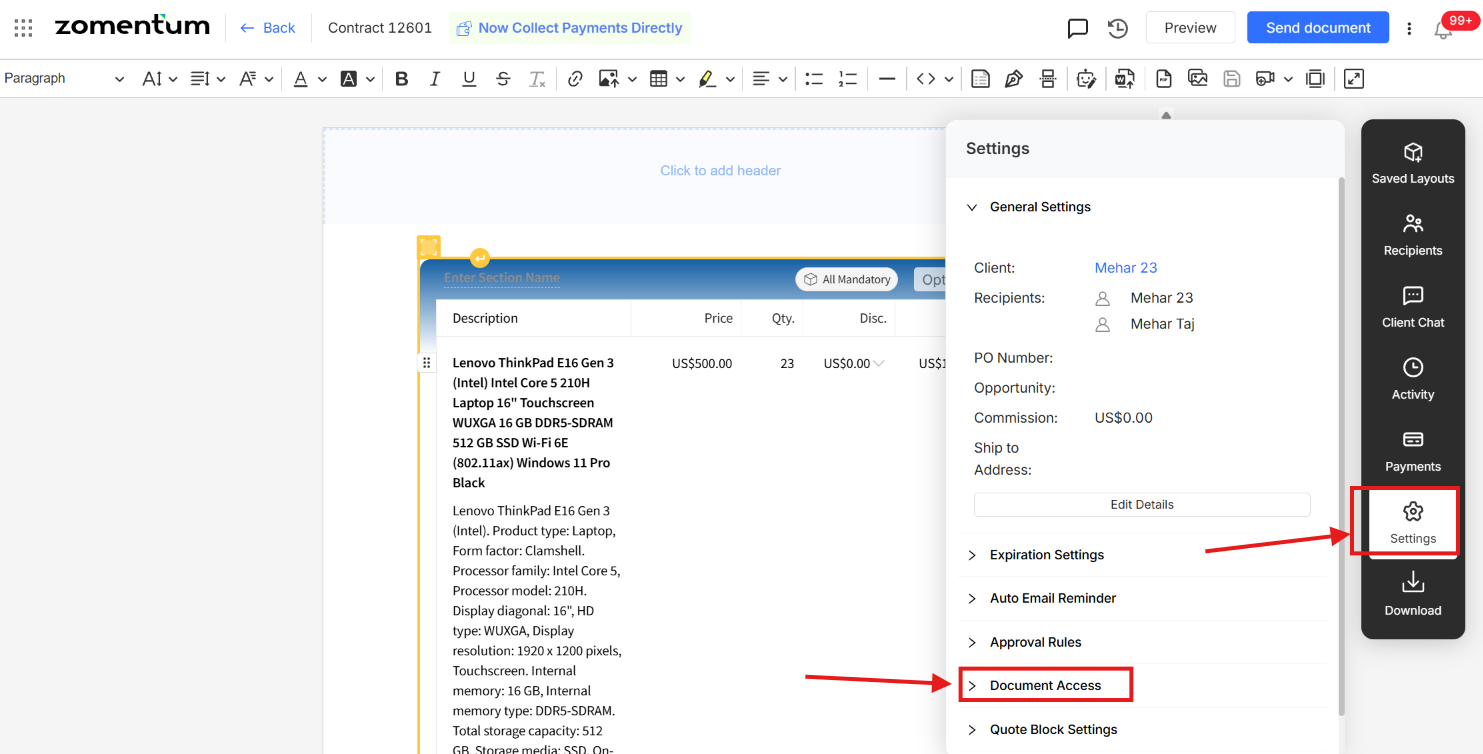
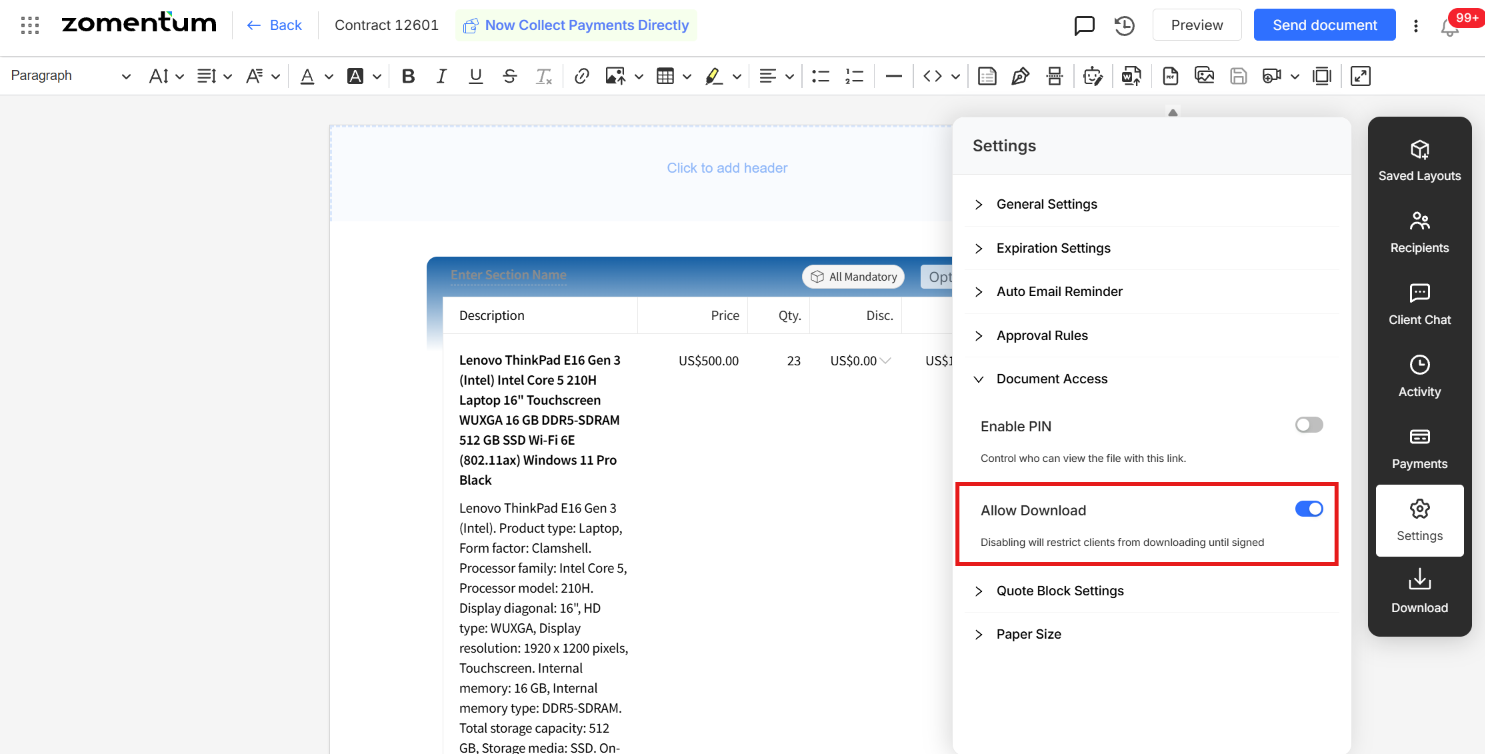
Enable Allow Download.
2. How Signees Download Their Copy
Once downloads are enabled, signees can get their copy at the time they sign. Which option they use depends on when they want the copy.
2.1 Option 1: Sign, then download
Complete and submit your signature on the document.
Once signing is complete, download the signed copy for your records.
2.2 Option 2: Download, then sign
Download a copy of the document before you sign it.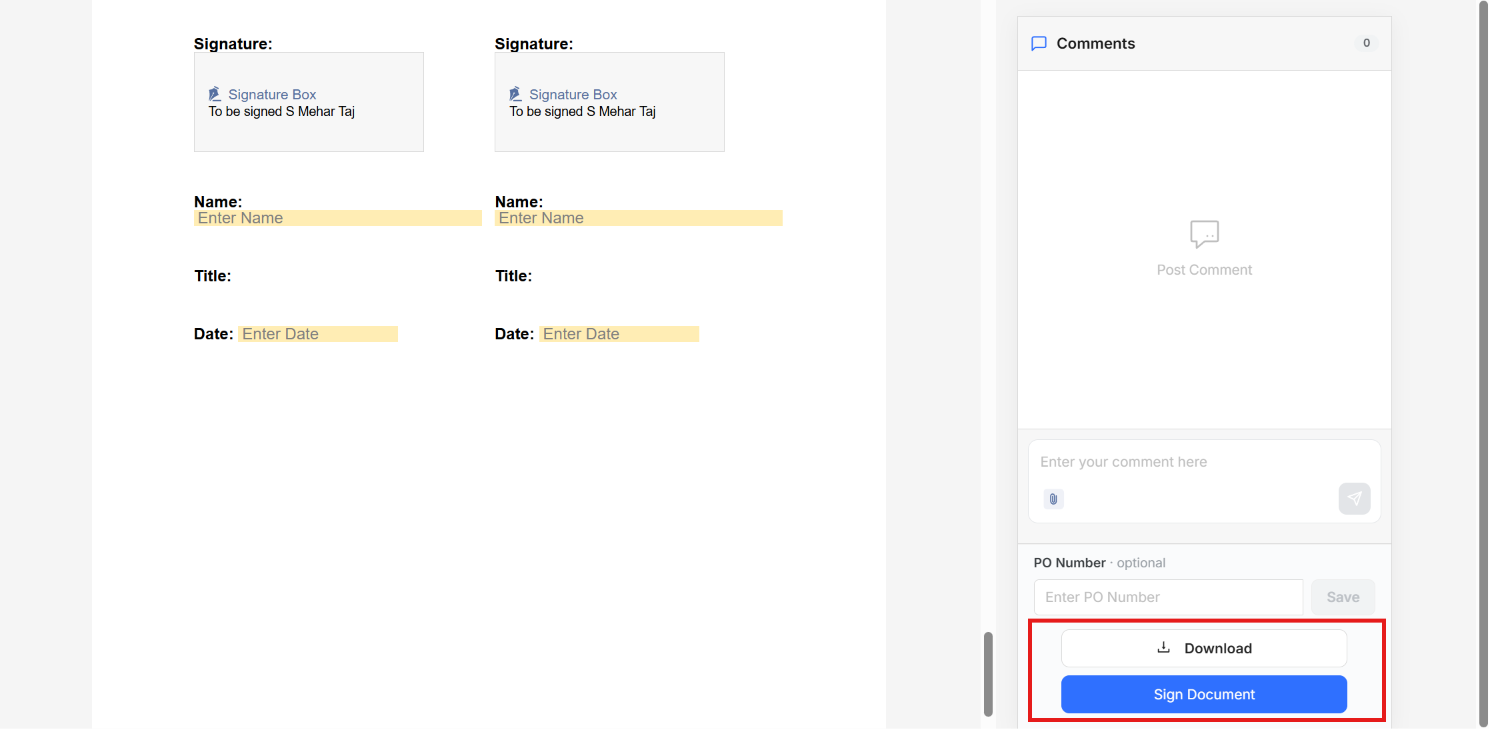
Key Points
If a client says they cannot download the document, check Settings > Document Access first and make sure the option is enabled.