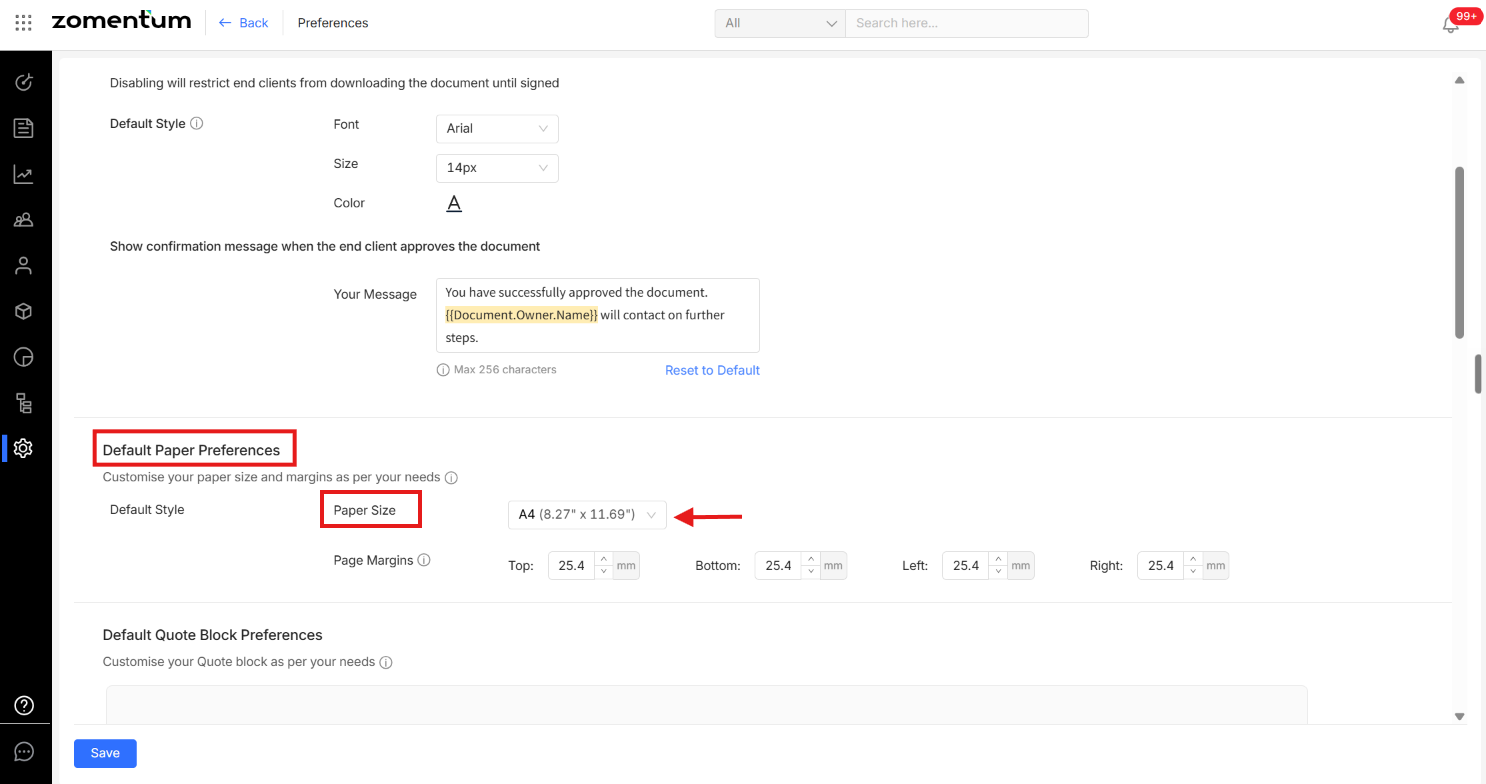
You can choose the page size of a document to match your preferred standard : Letter or A4. This can be set while creating a new document, changed later from within the document, or configured as your account default so every new document uses it automatically.
Option 1: Set the Page Size While Creating a Document
In the document creation form, locate the Paper Size option.
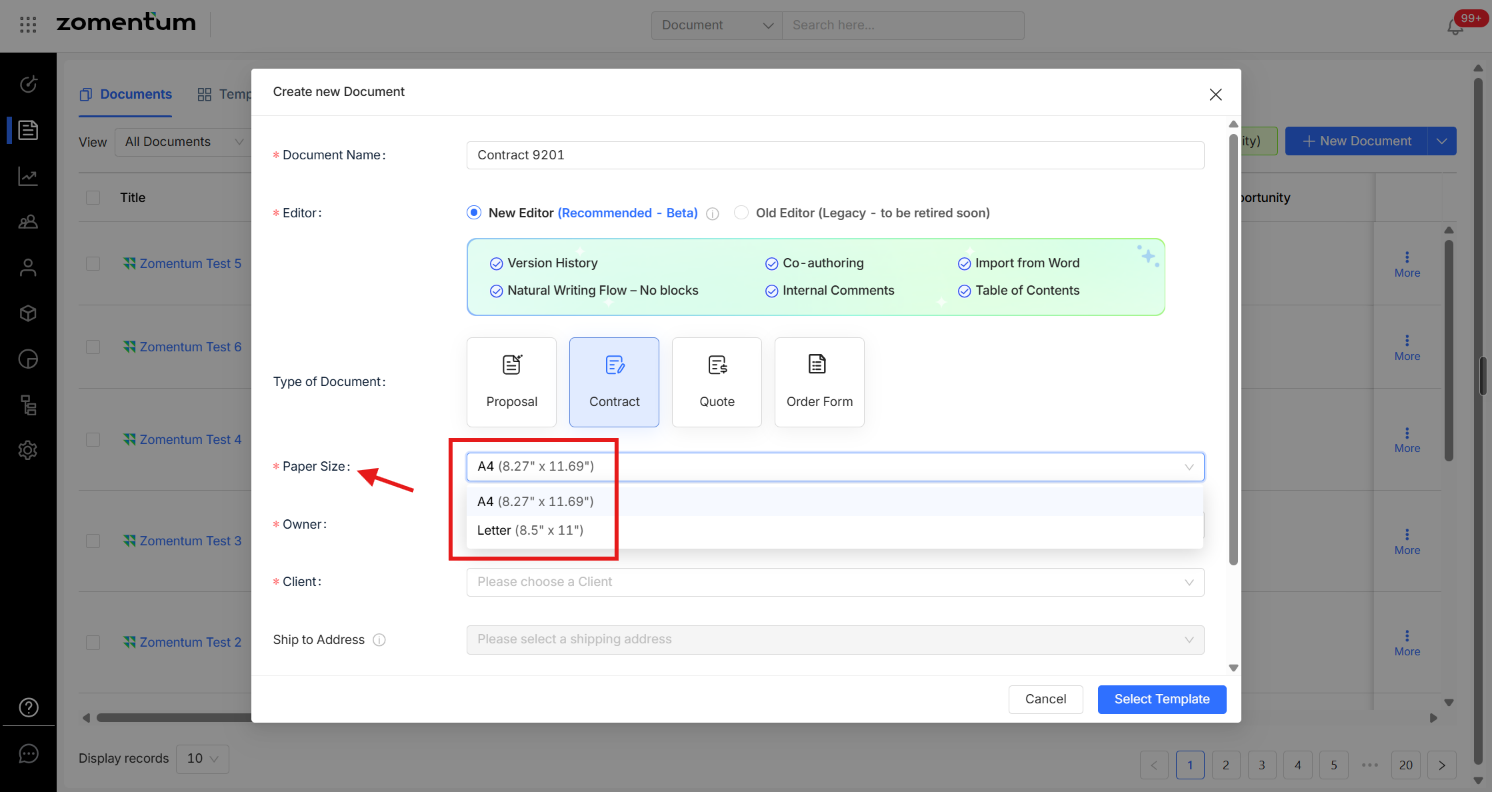
Select your preferred size : A4 or Letter before creating the document.
Option 2: Change the Page Size of an Existing Document
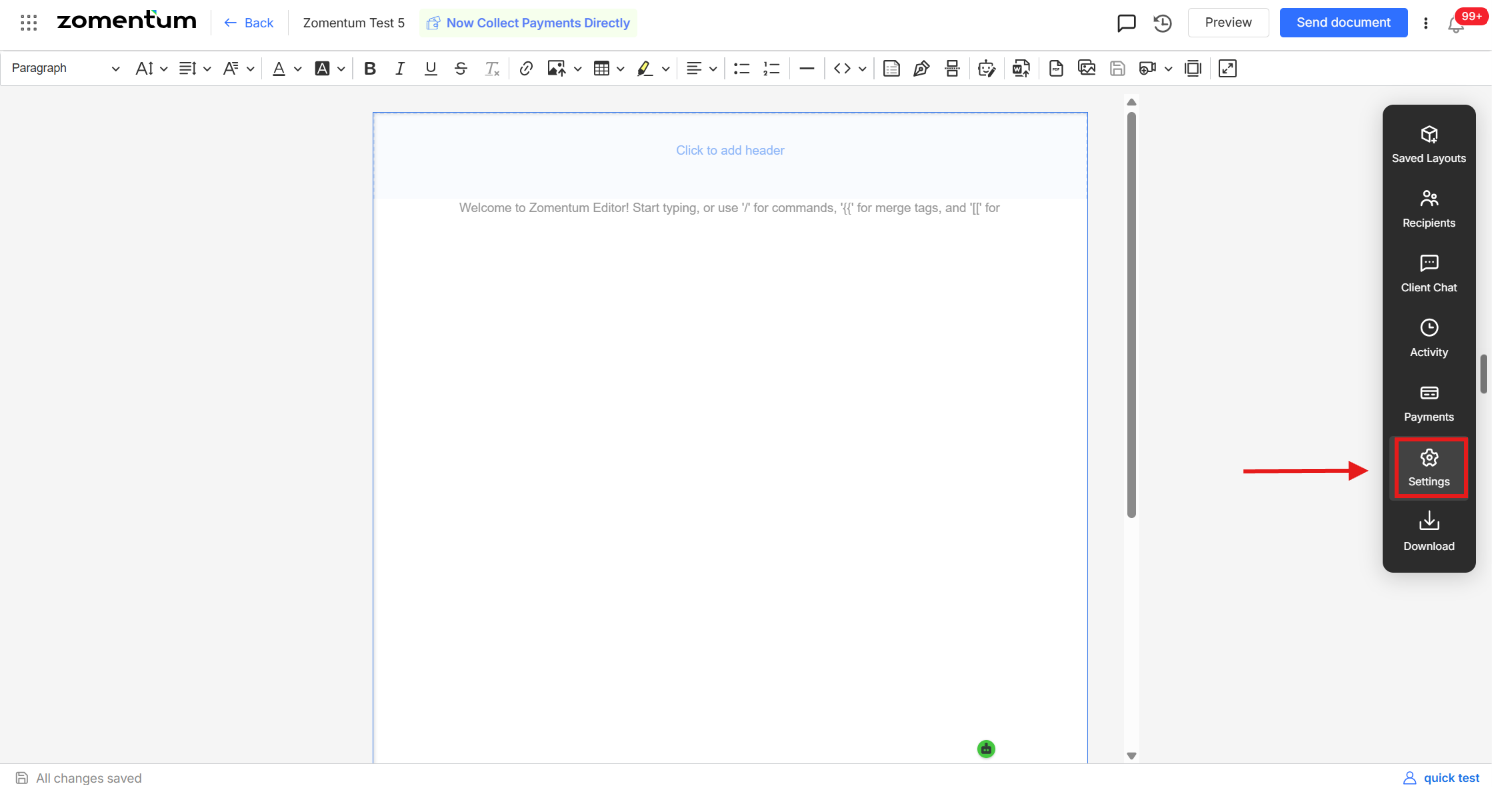
Open the document you want to update.
In the right-hand panel, click Settings.
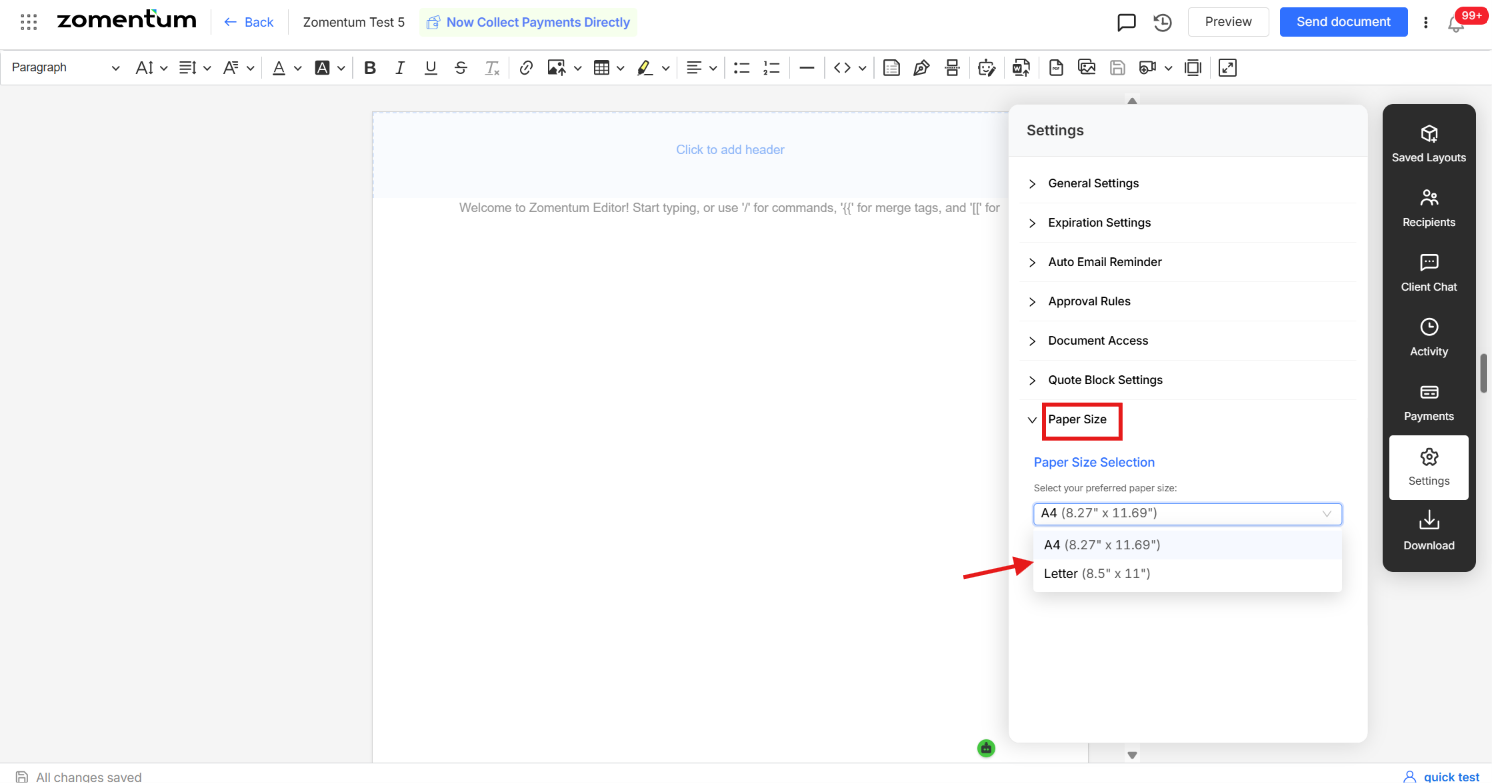
Choose your preferred paper size from the available options.
Option 3: Set a Default Page Size for All New Documents
If you would like every new document to use the same page size automatically, you can set it as your default from your account preferences:
1. Go to Settings.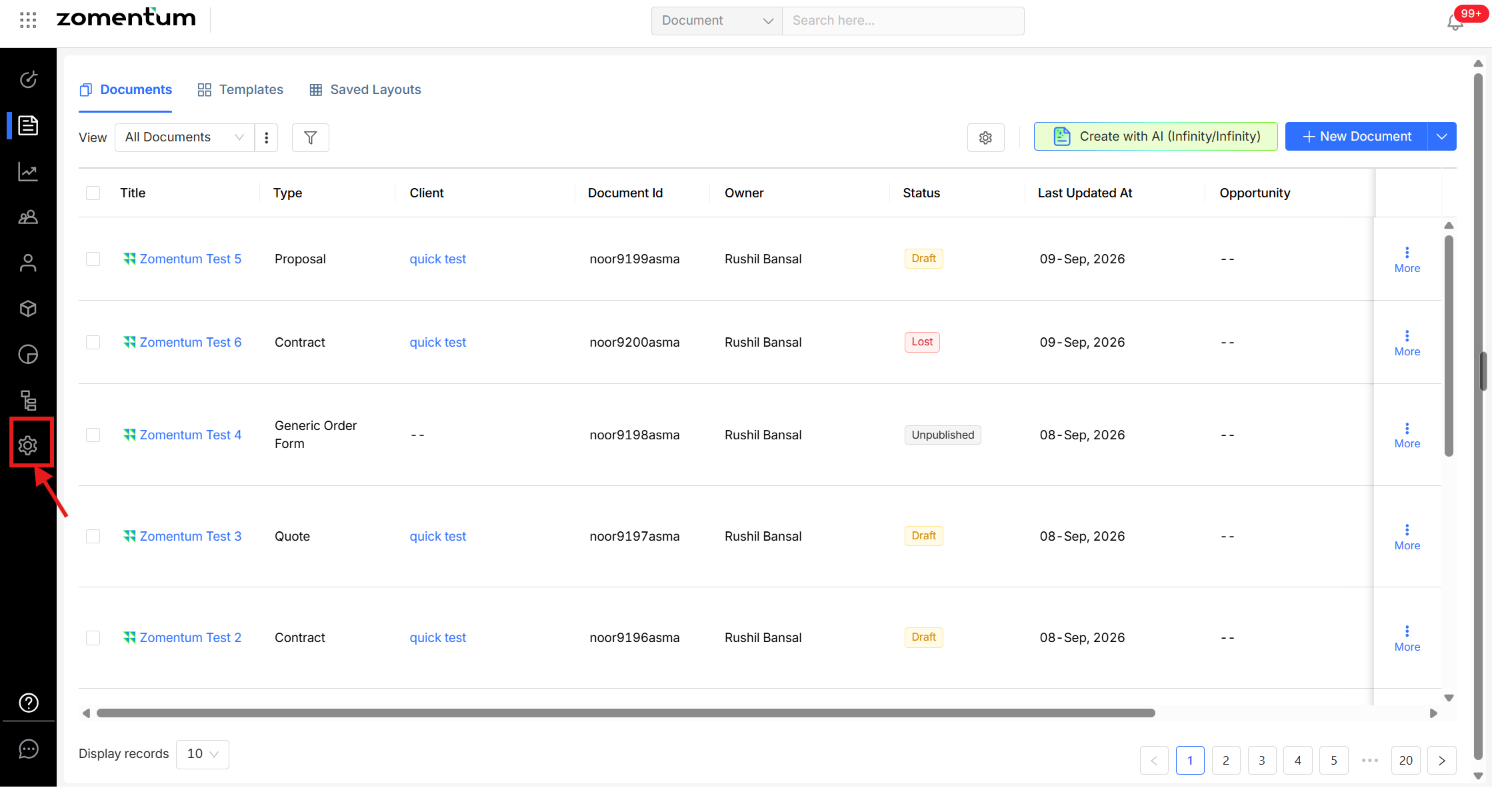
2. From Settings, go to Preferences.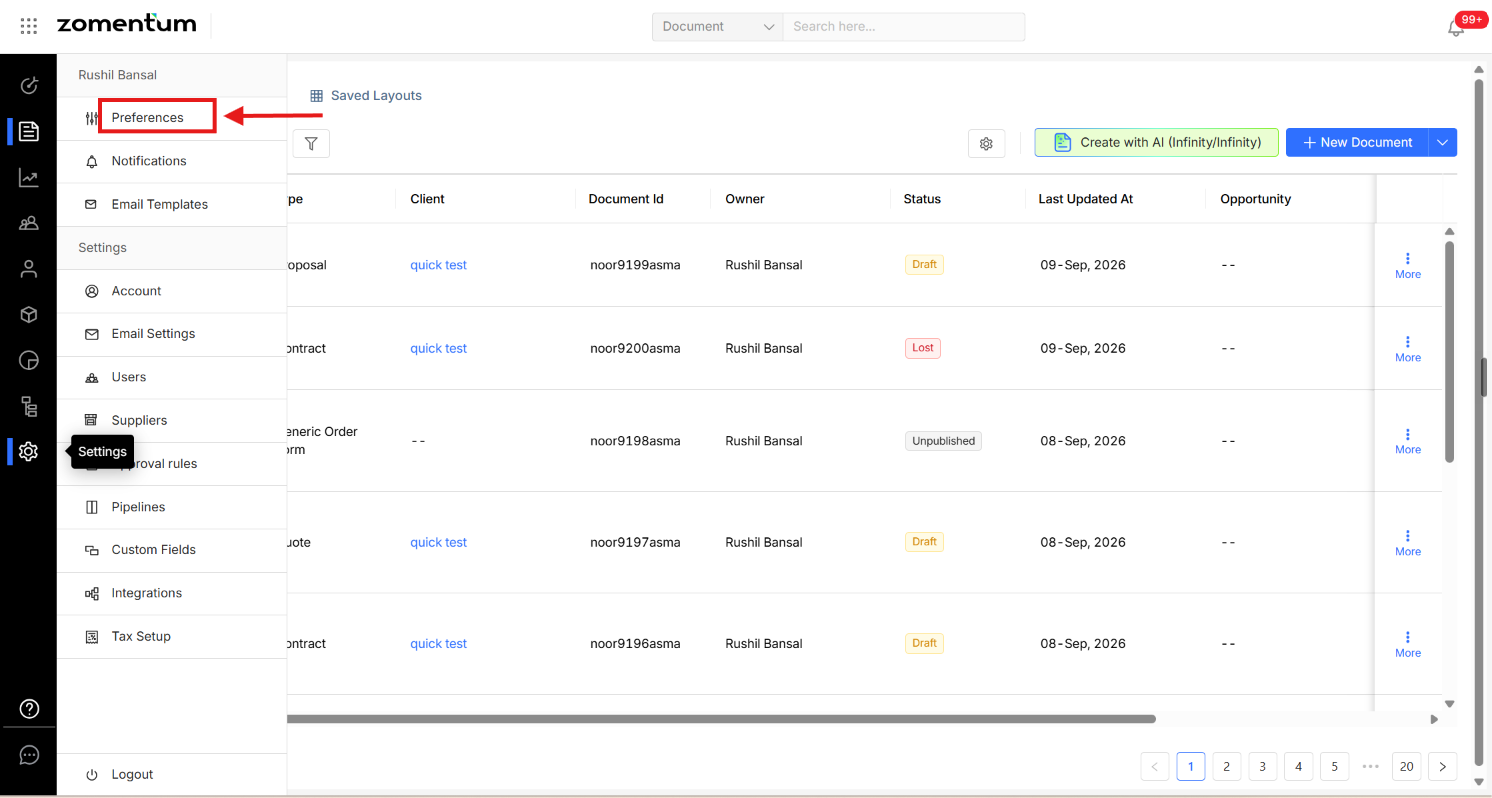
3. In Preferences, go to Default Paper Preference and choose your preferred paper size.