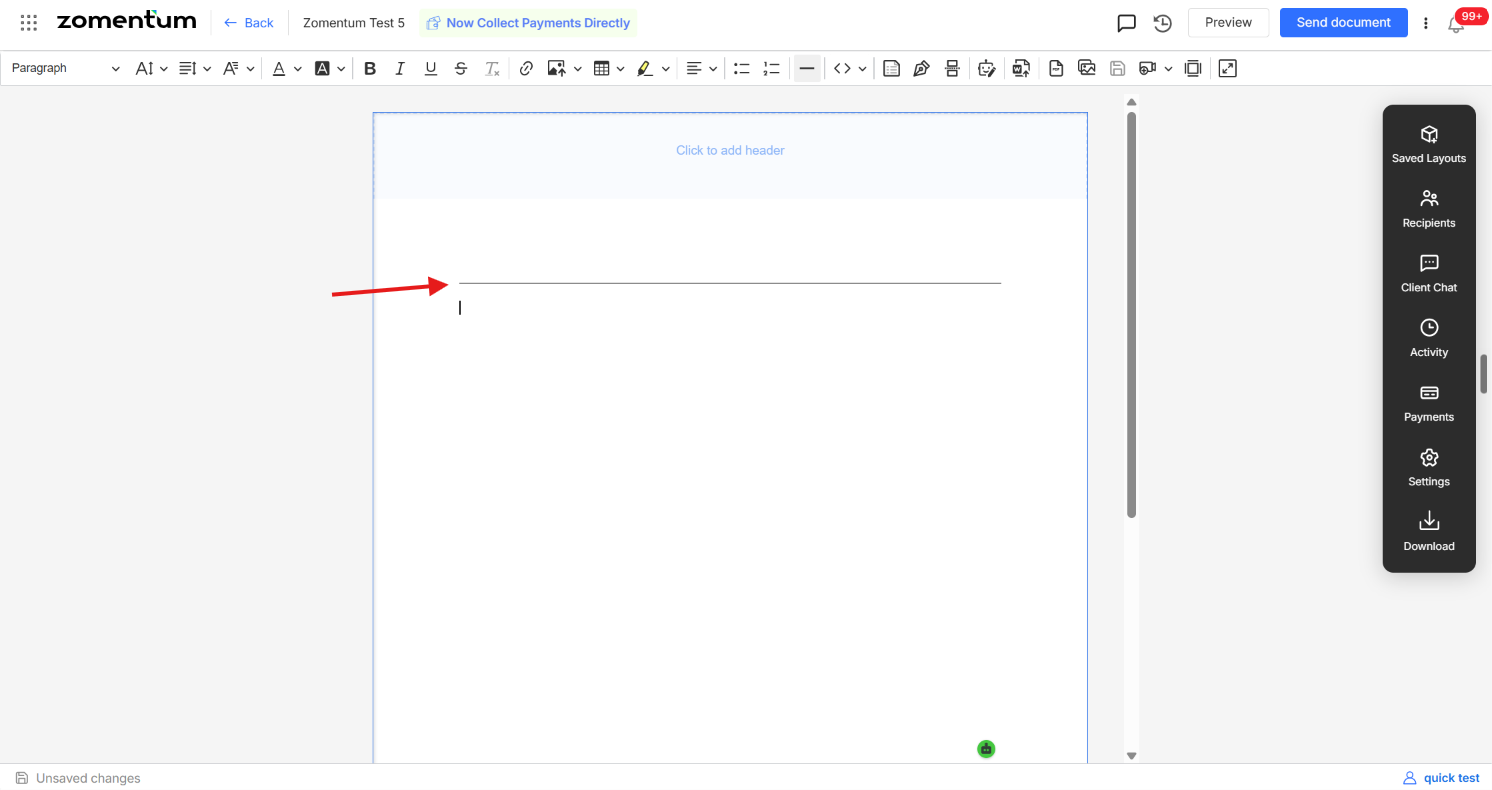
A horizontal divider is a simple line you can place between sections of a document to visually separate content . Adding one takes just a few clicks from within the document editor.
Step 1: Position Your Cursor
Open the document to which you want to add the horizontal line.
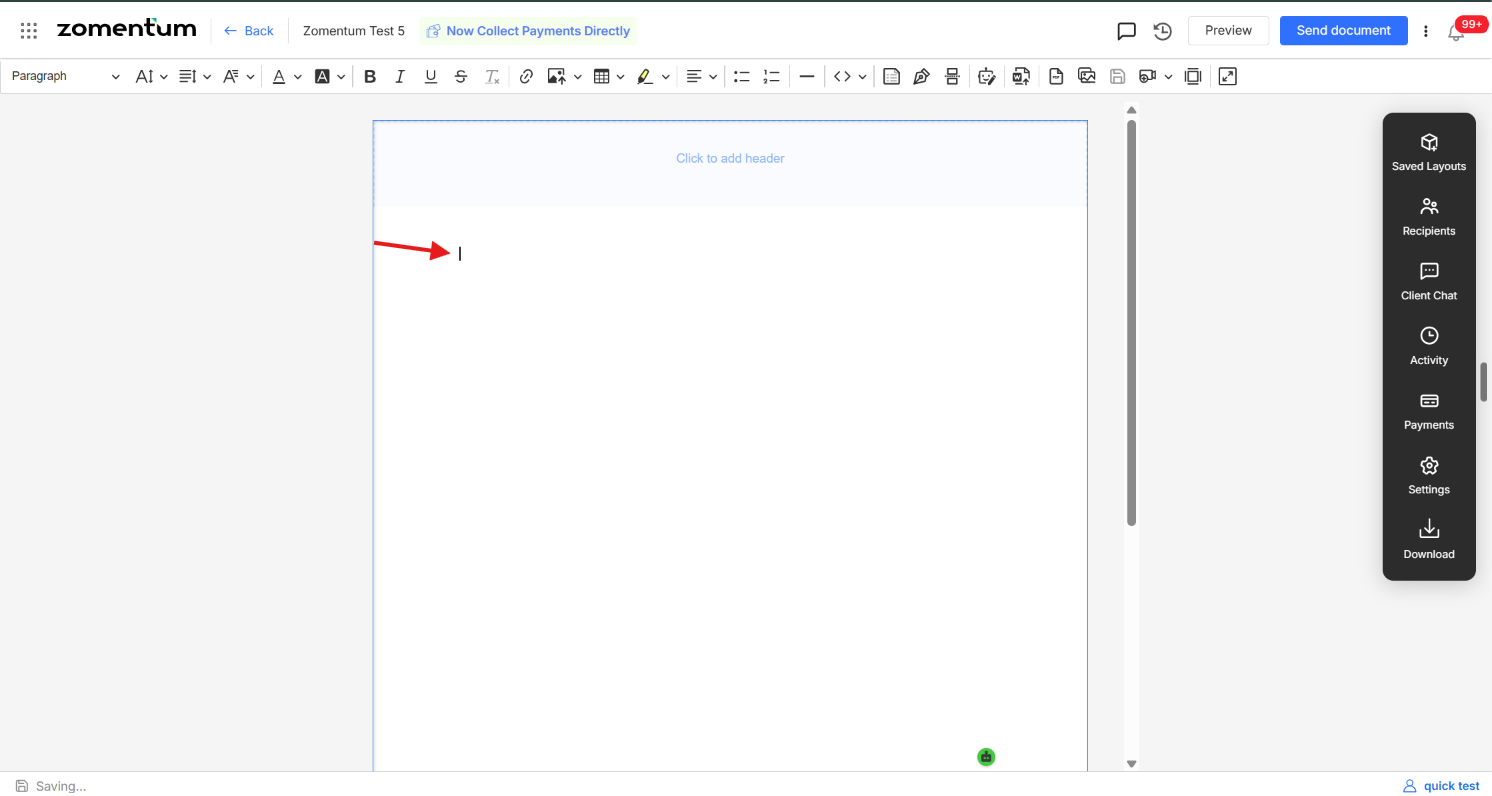
Click inside the document to place your cursor exactly where you want the line to appear .
Step 2: Insert the Horizontal Line
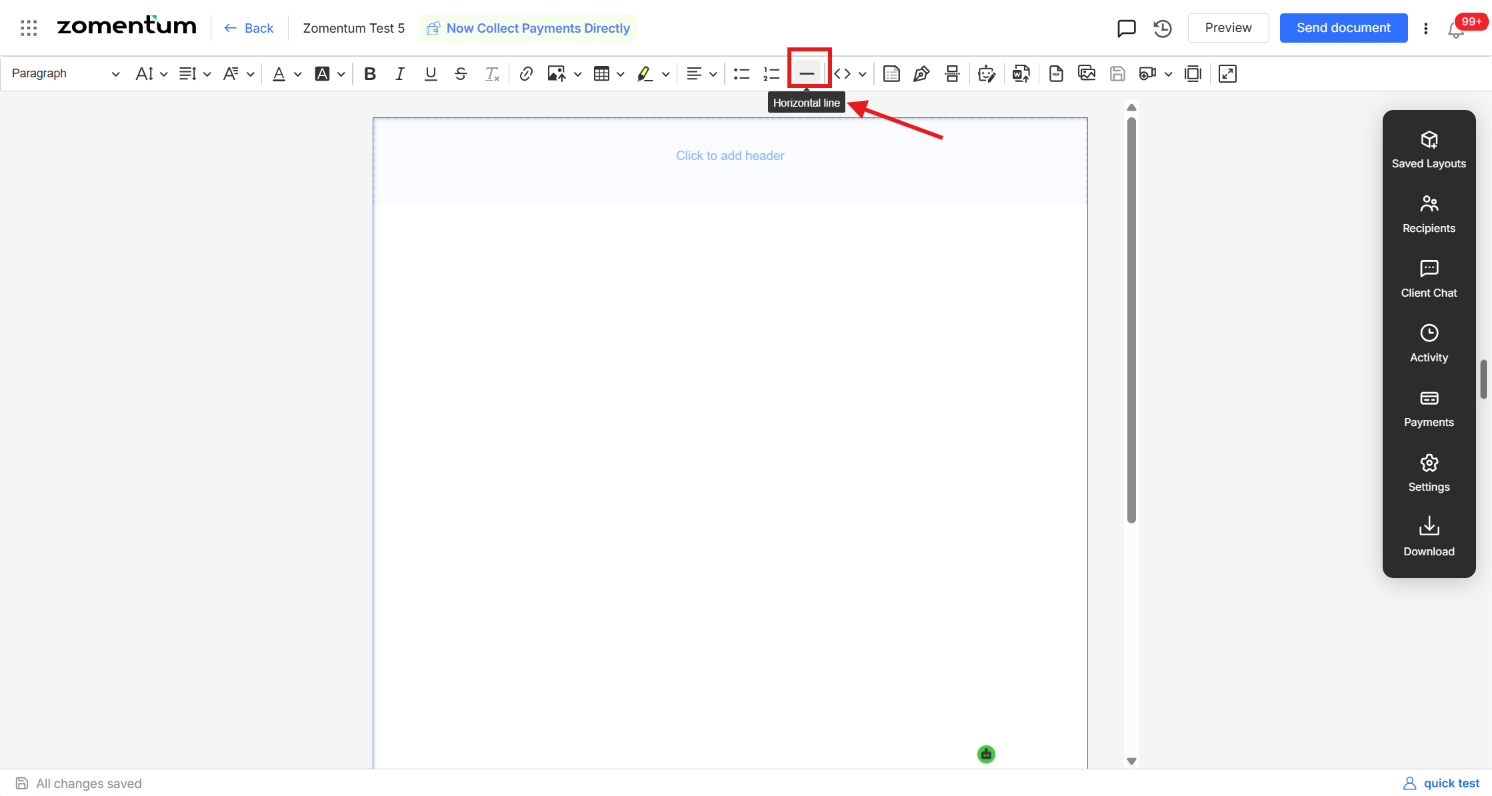
Hover over the navigation bar and choose the horizontal line icon in the navigation bar.
The horizontal divider is added immediately at the selected position, separating the content above it from the content below.