
Yes, you can CC or BCC an internal teammate, or anyone else, when sending a document. You can either add this manually each time, or set a default CC/BCC so it's applied automatically to every document you send.
Option 1: Add CC/BCC Manually While Sending
When sending a document, you can manually add the email address of anyone you'd like to CC or BCC on that specific document.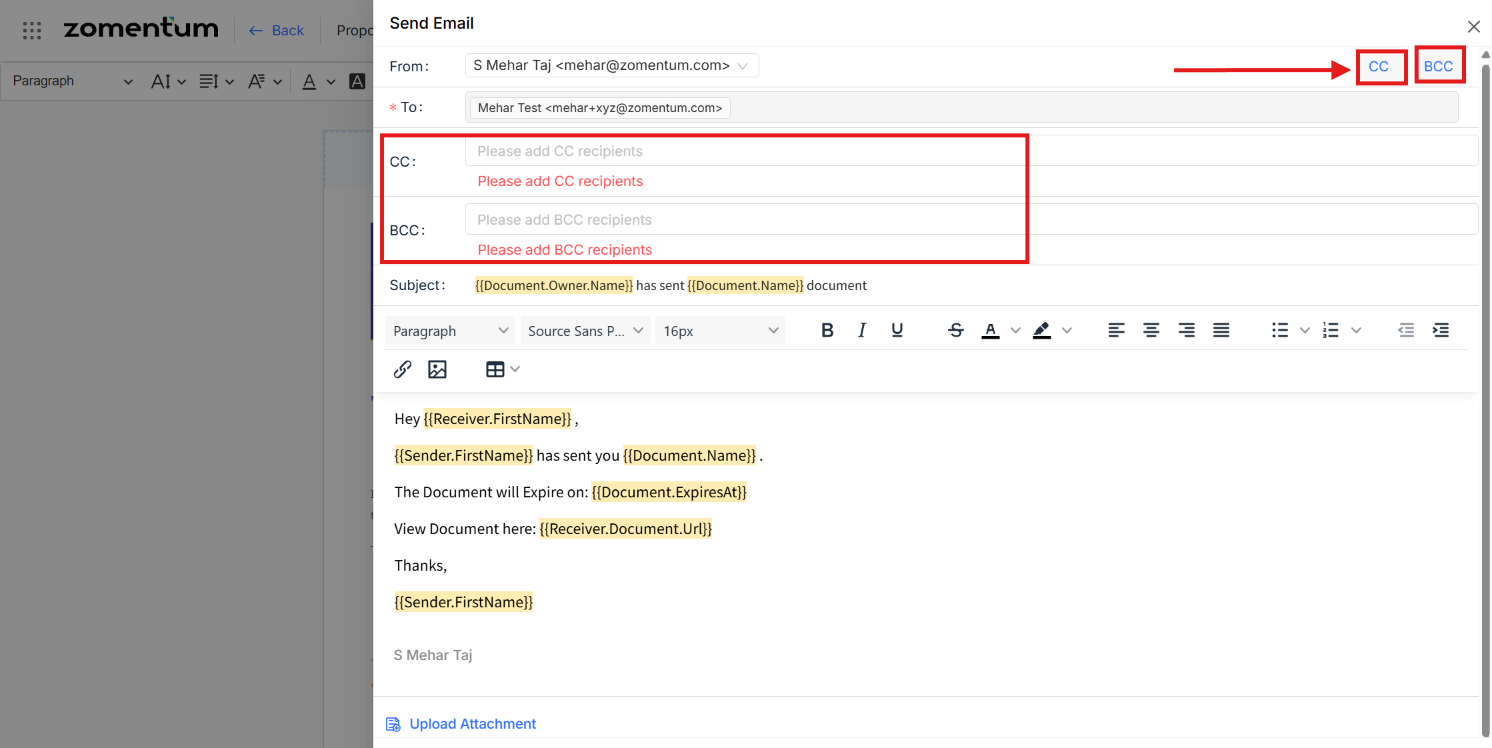
Option 2: Set a Default CC/BCC
If you'd like a CC or BCC to be applied automatically every time you send a document, you can set this as a default:
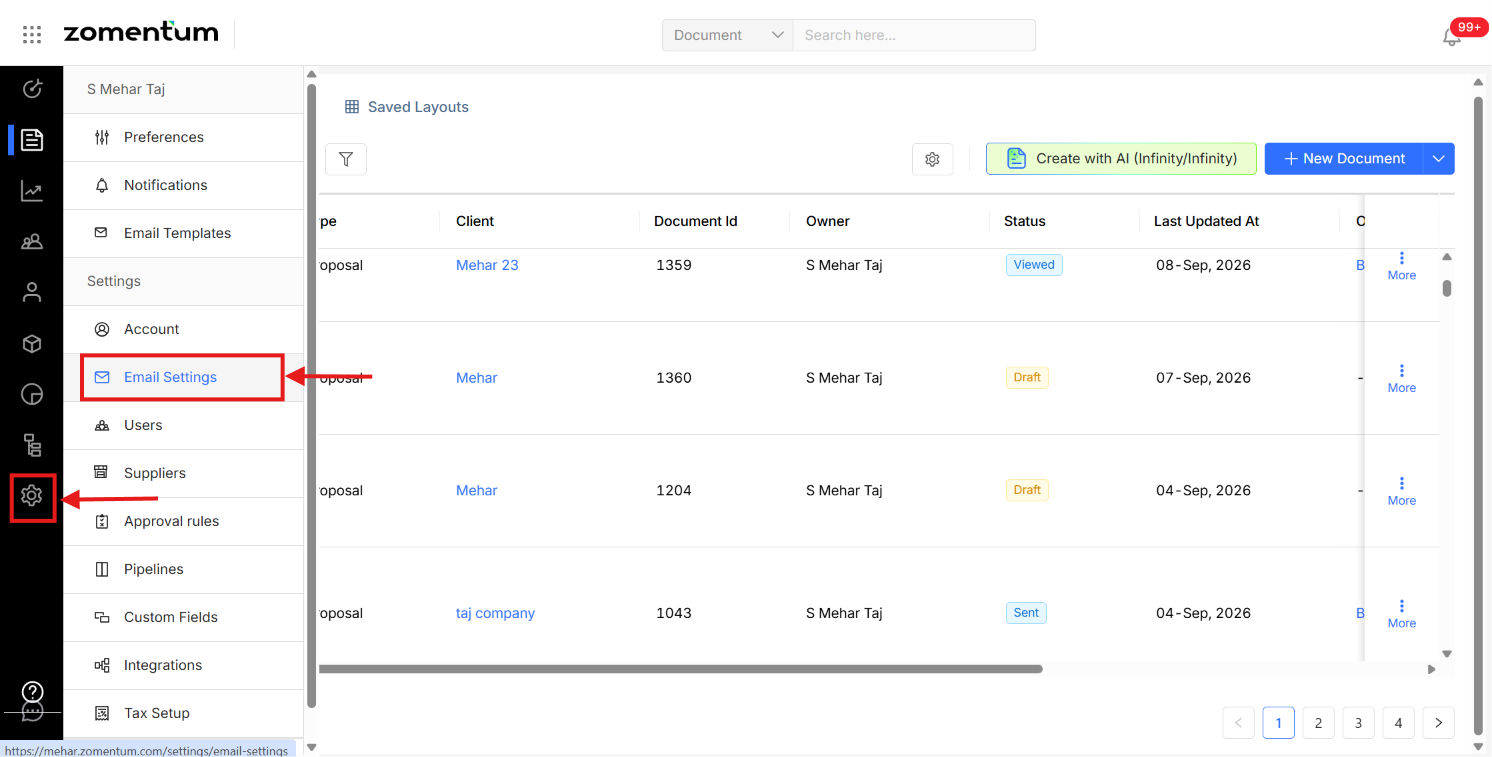
Go to Settings > Email Settings.
Scroll down to find the CC and BCC options.
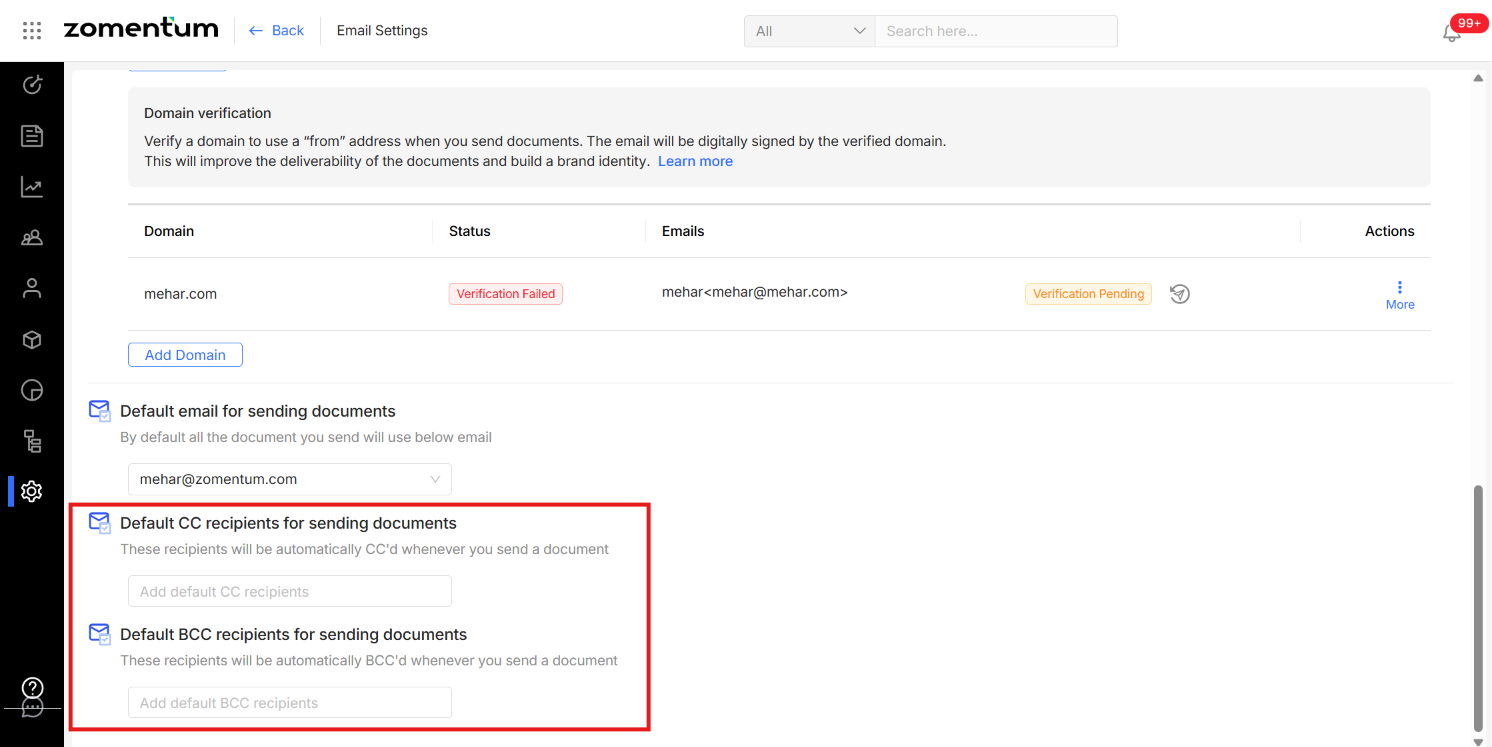
Add the email address(es) you'd like set as default under CC and/or BCC.
Not Sure You Want a Default?
If you don't want to keep an address as a permanent default, you can leave these fields blank and simply add CC/BCC manually per document instead, as shown in Option 1.