
To import an existing Word document directly into Zomentum.
Step 1: Open the Import Option
In the editor, click the import from word in the toolbar.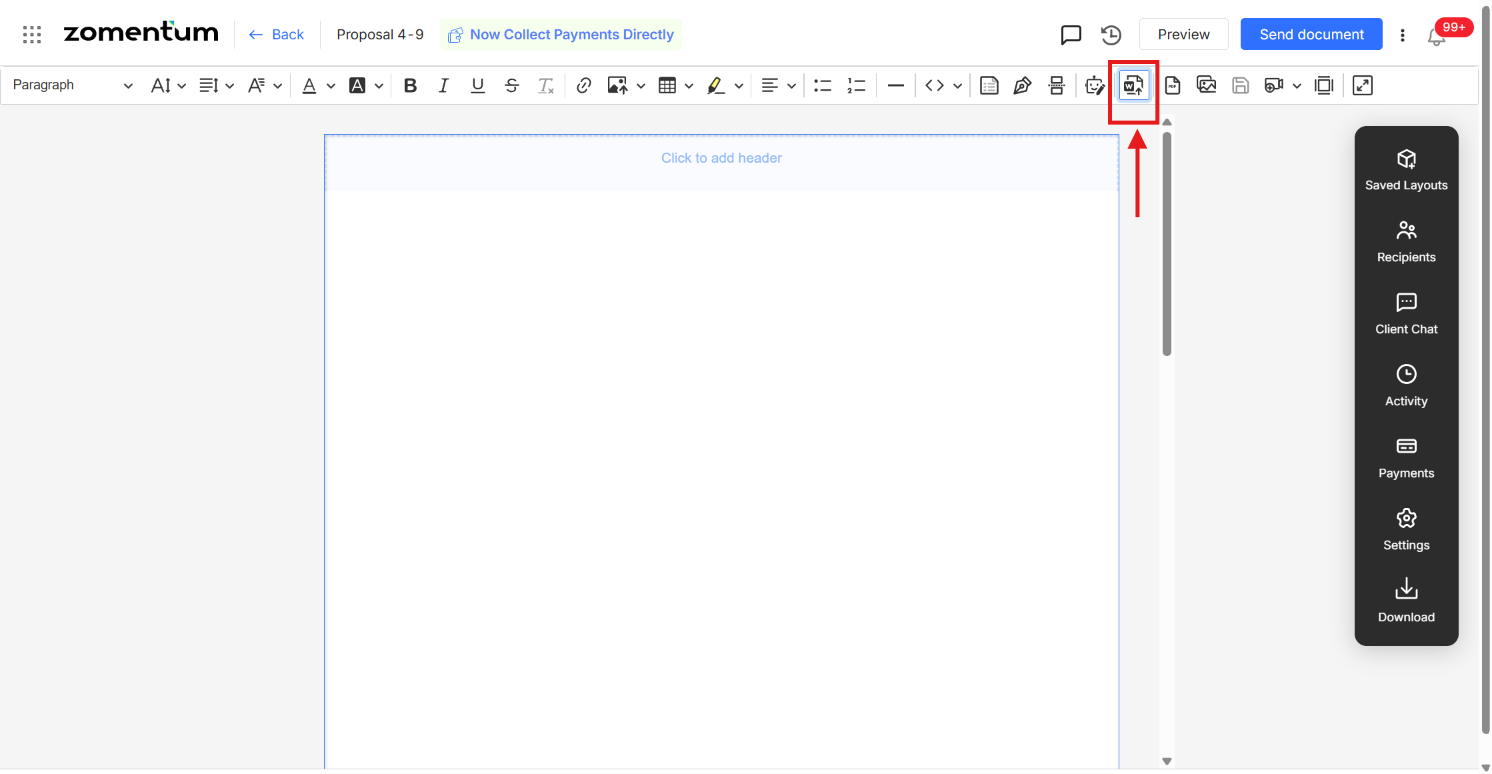
Step 2: Upload Your Word Document
Select the Word document you'd like to upload from your device.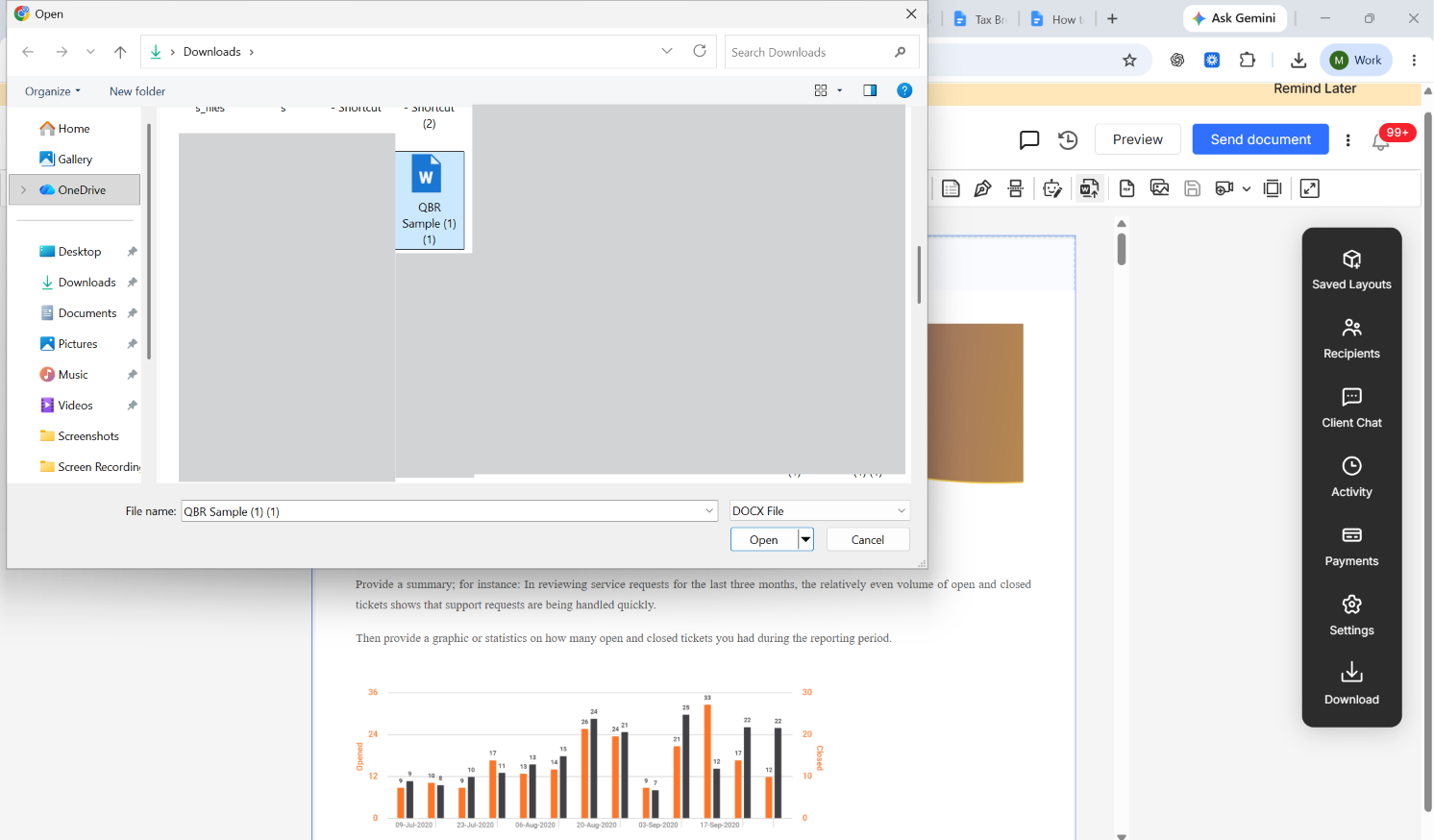
Step 3: Review and Edit
Once uploaded, your entire document appears in the editor. From here, you can make any modifications you'd like edit existing blocks, add new blocks, or insert images according to your preference.
Step 4: Send the Document
Once you're happy with the changes, send the document to your client as usual.