Cloning a document lets you reuse an existing document's structure and content as the starting point for a new one, saving you the effort of rebuilding it from scratch.
Method 1: From the Documents Module
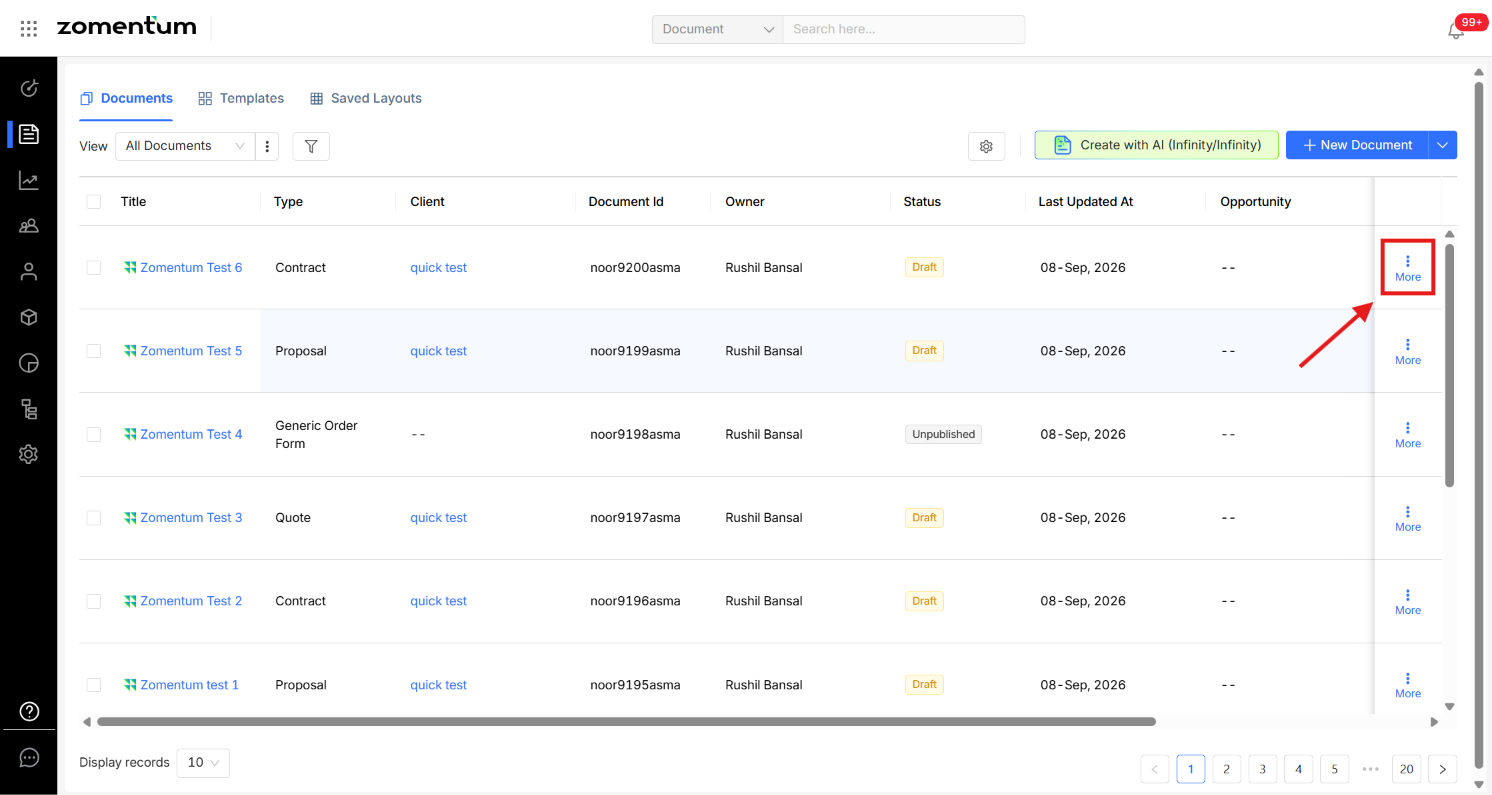
In the Documents module, click the three-dot menu (⋮) next to the document you want to clone.
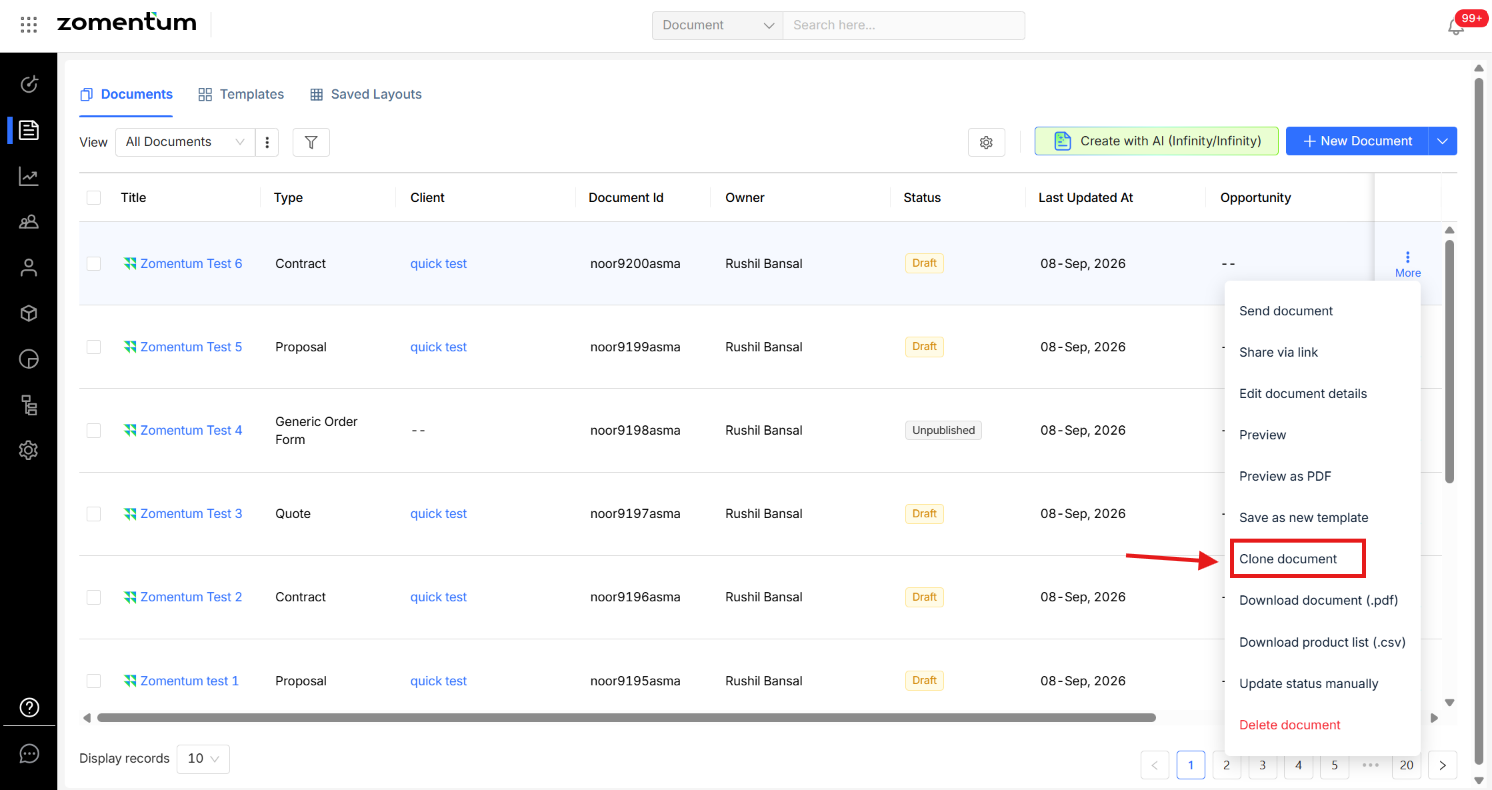
Select Clone Document.
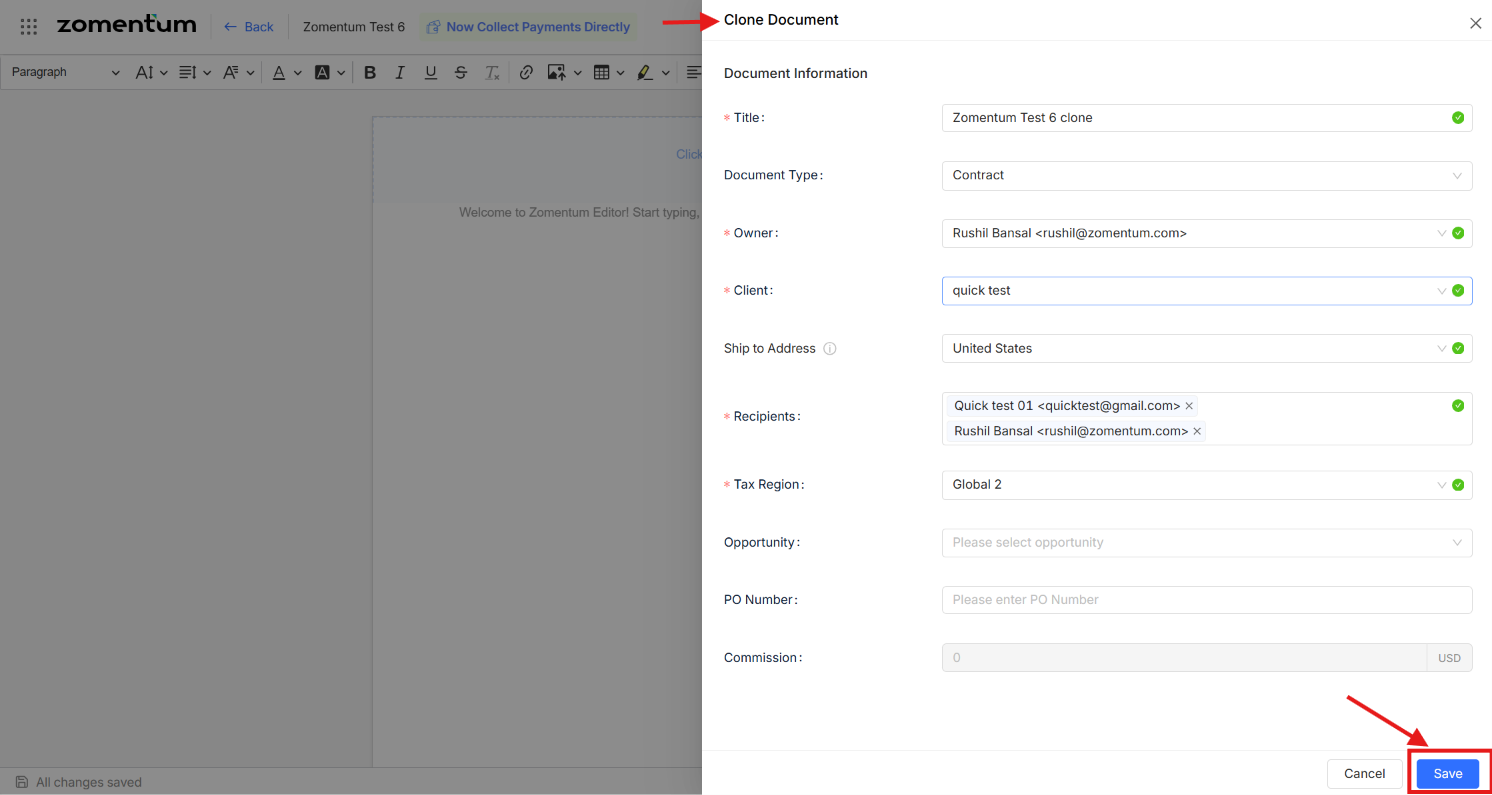
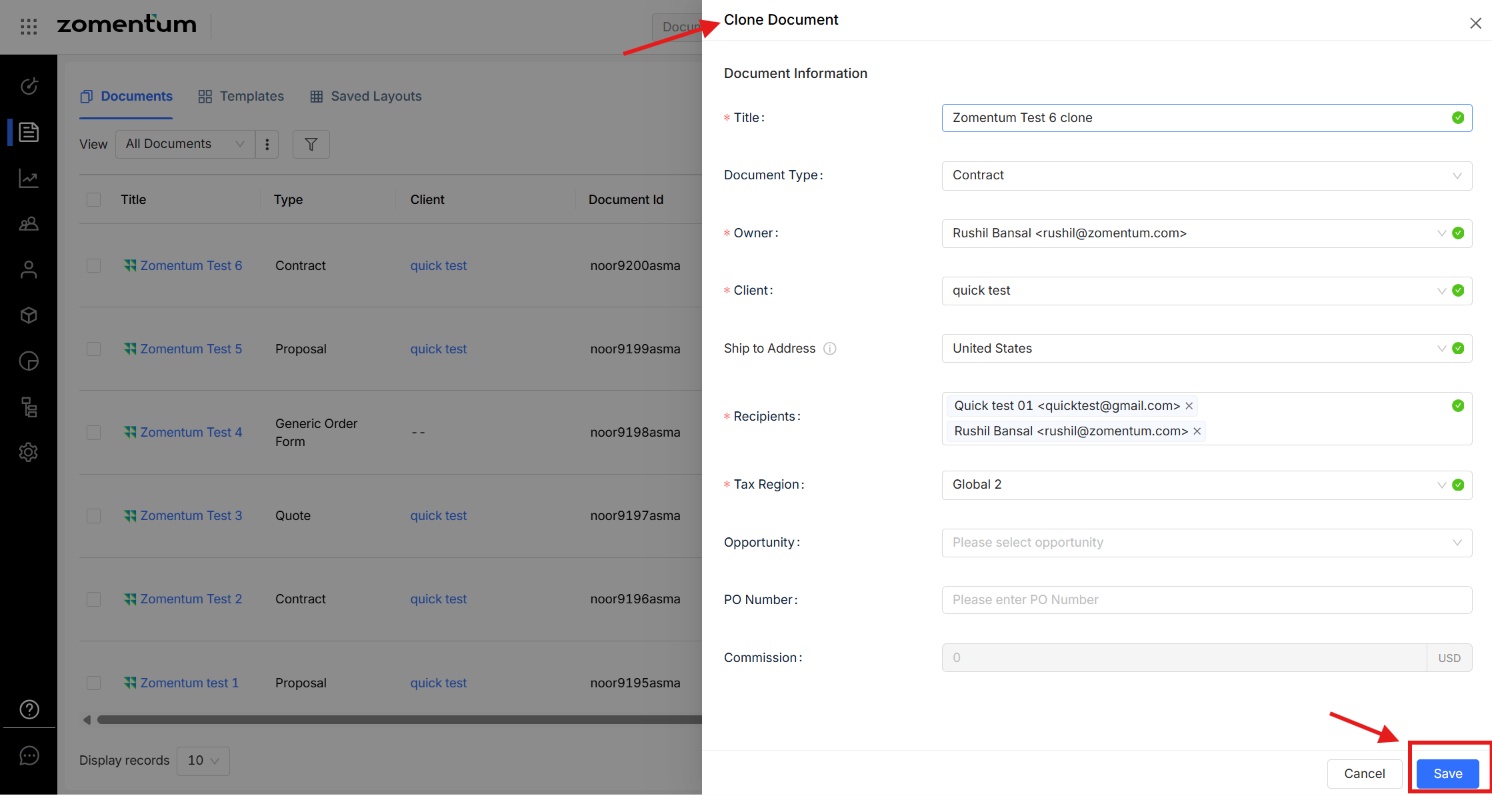
A Clone Document form appears, pre-filled with the original document's information. You can update the title or any other details as needed, then click Save. A new, independent copy of the document is created.
Method 2: From Within the Document
Open the document you want to clone.
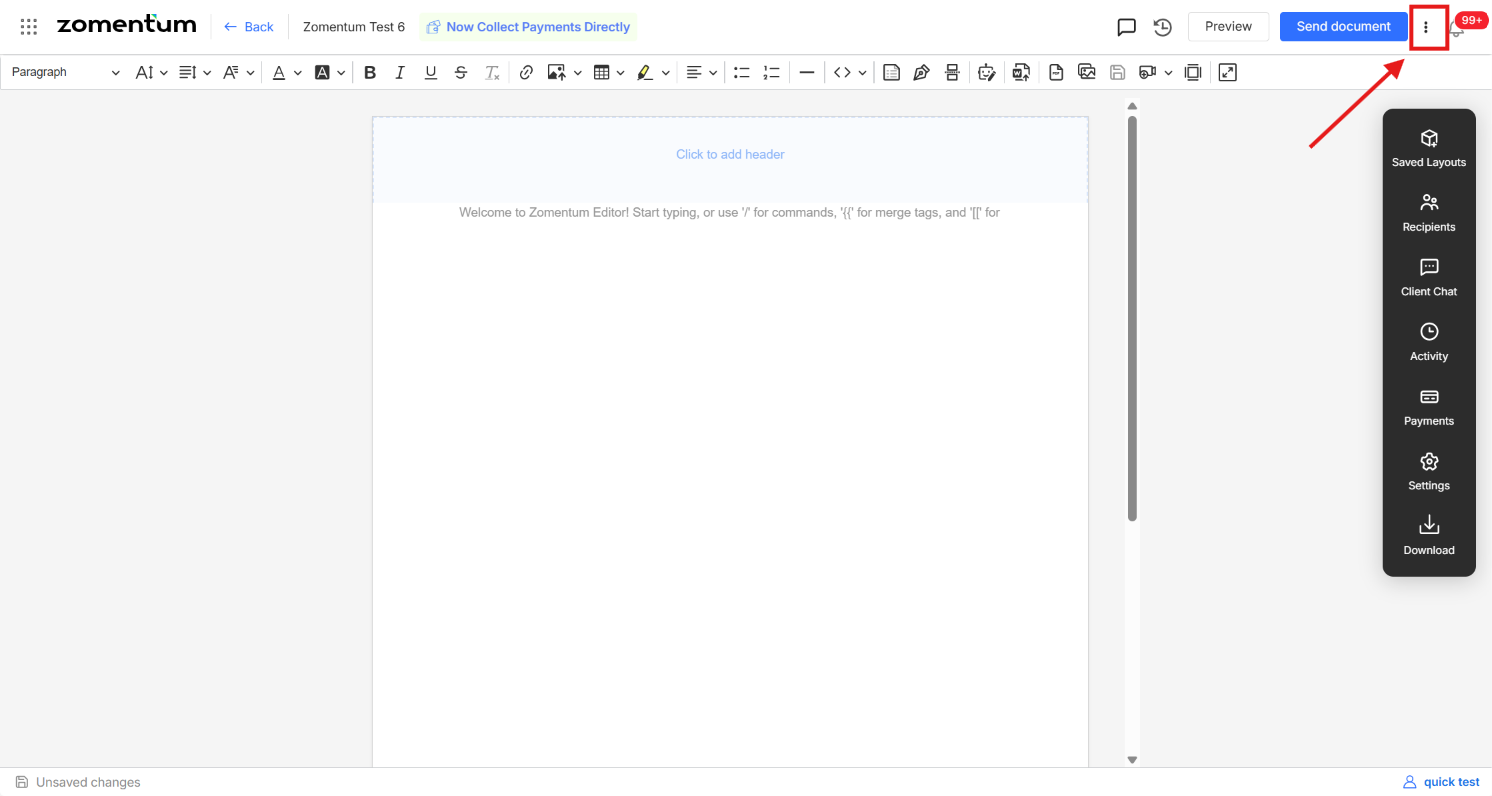
Click the three-dot menu (⋮) in the top-right corner.
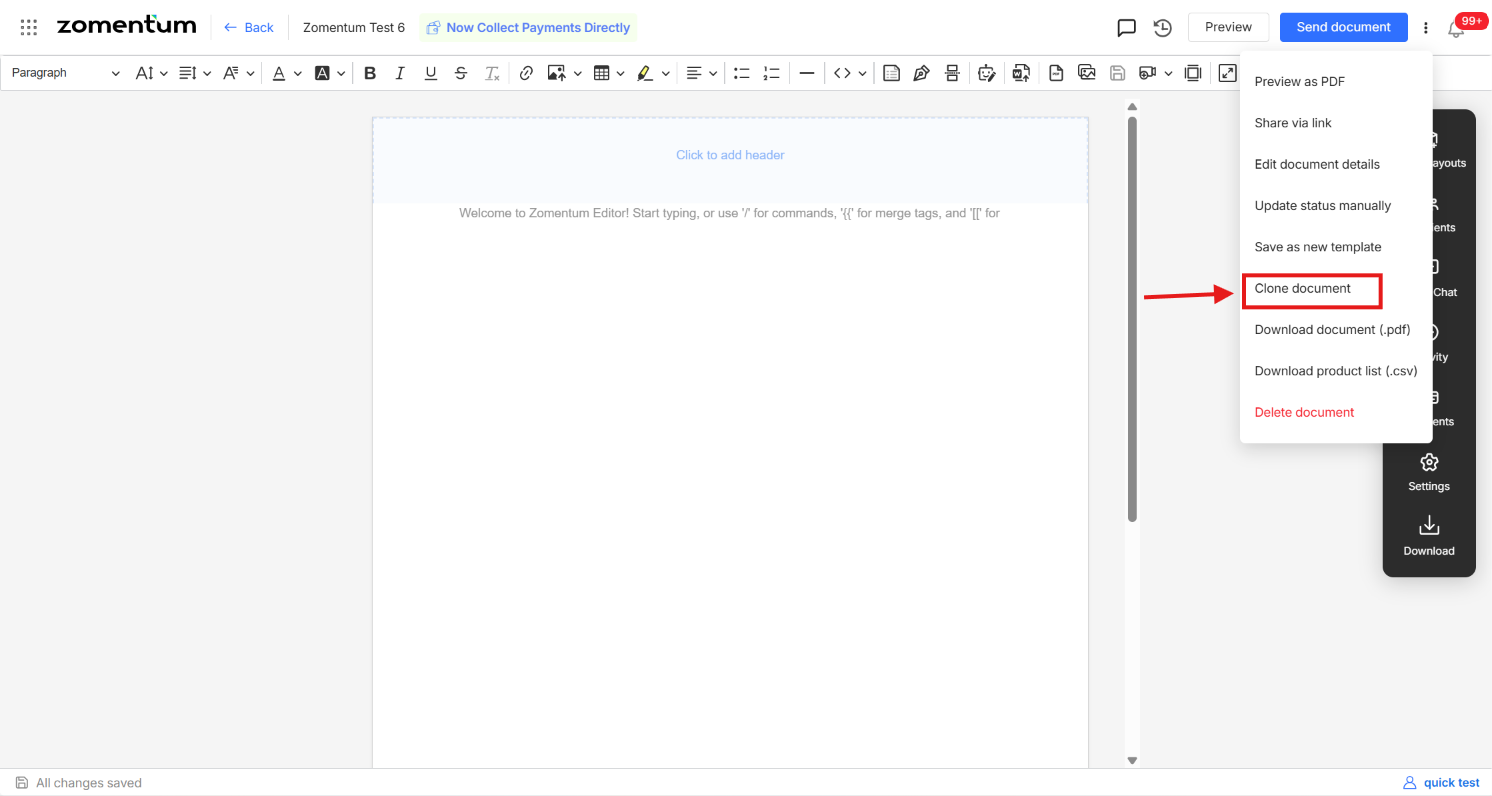
Select Clone Document.
Follow the same steps as above to update the details and save the cloned document.