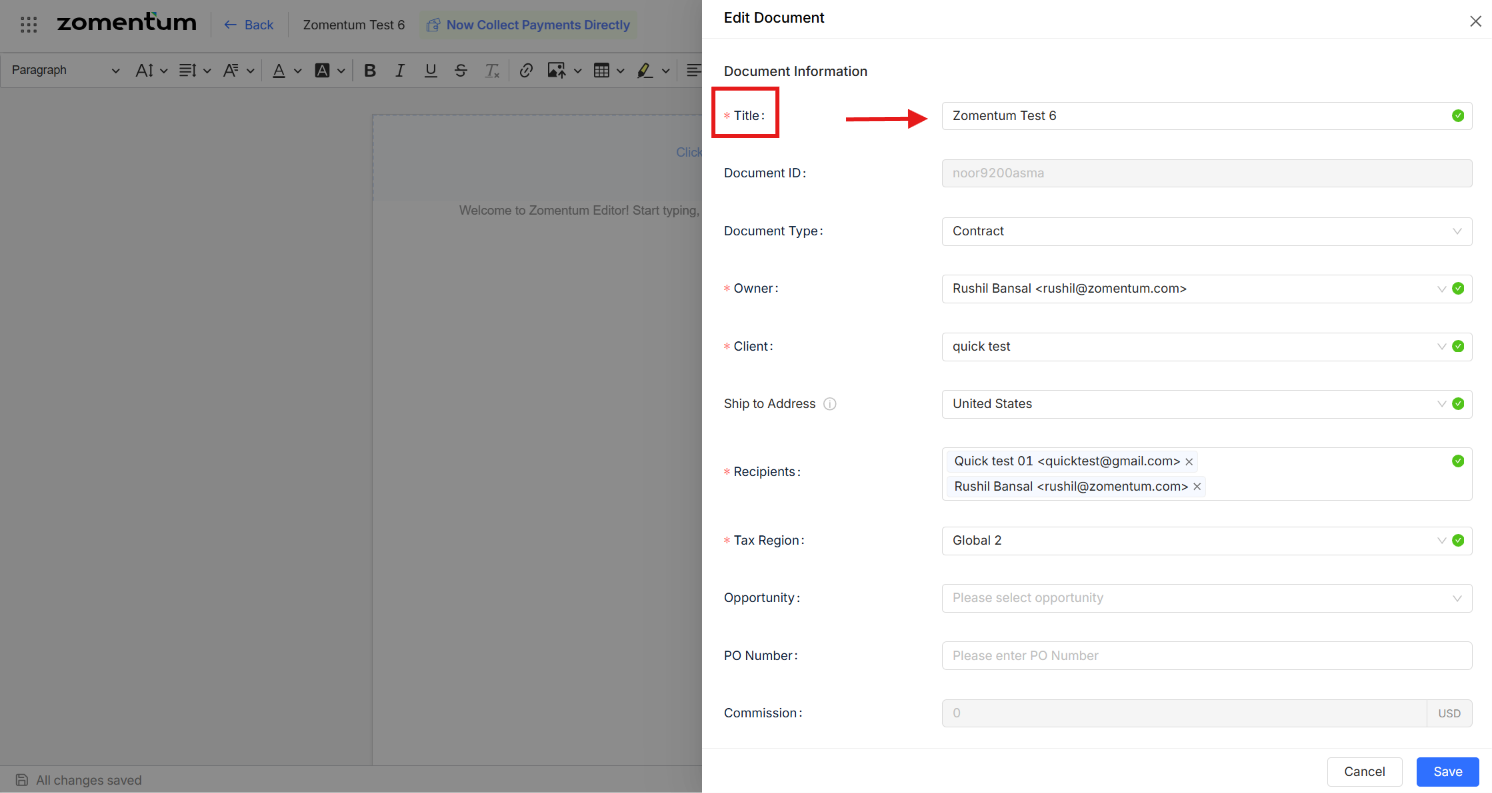
You can rename a document at any point after it has been created, without affecting its content, status, or activity history. There are two ways to do this.
Note: Documents in Won or Lost status cannot be renamed.
Method 1: From the Documents Module
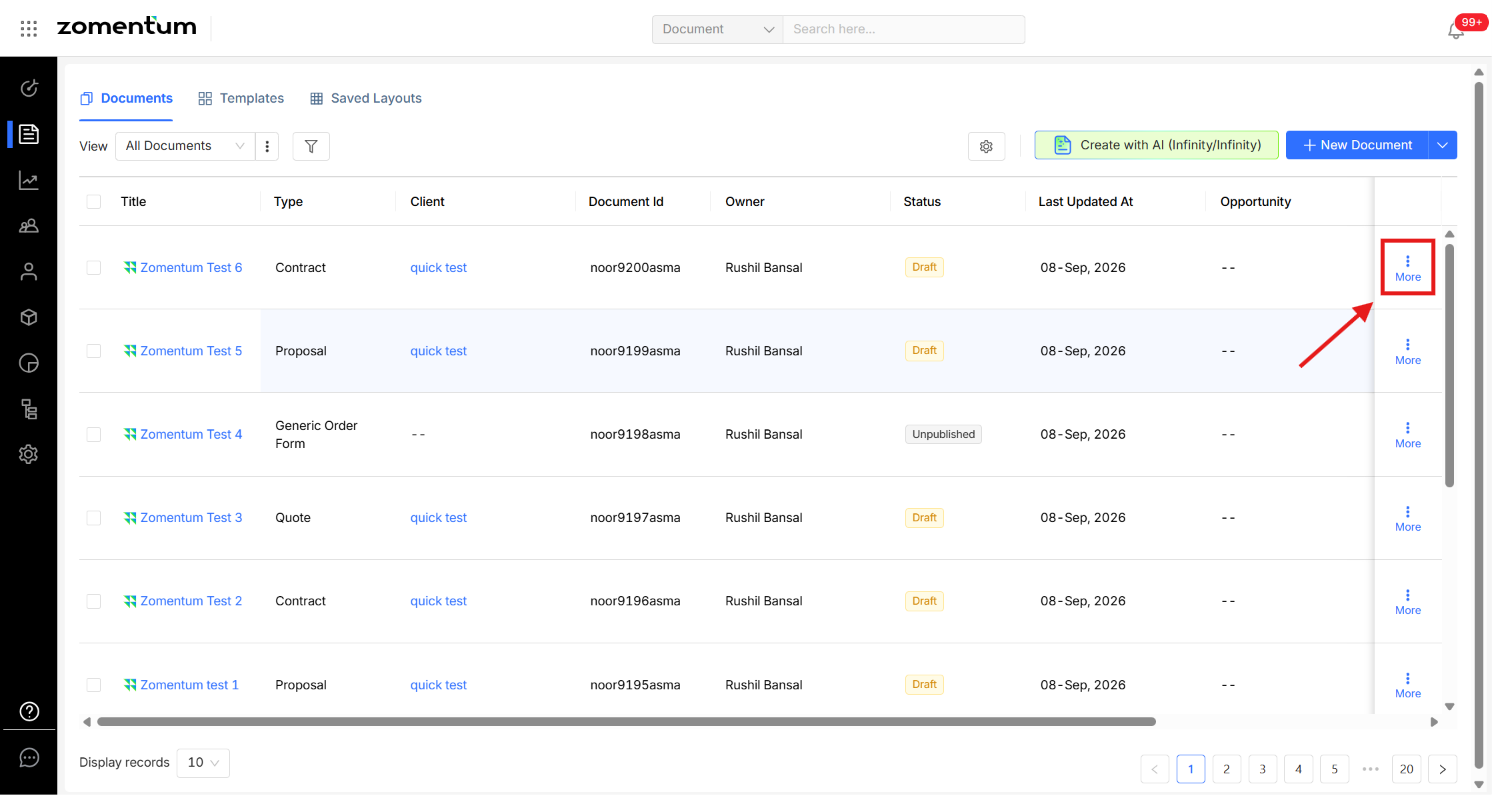
In the Documents module, click the three-dot menu (⋮) next to the document you want to rename.
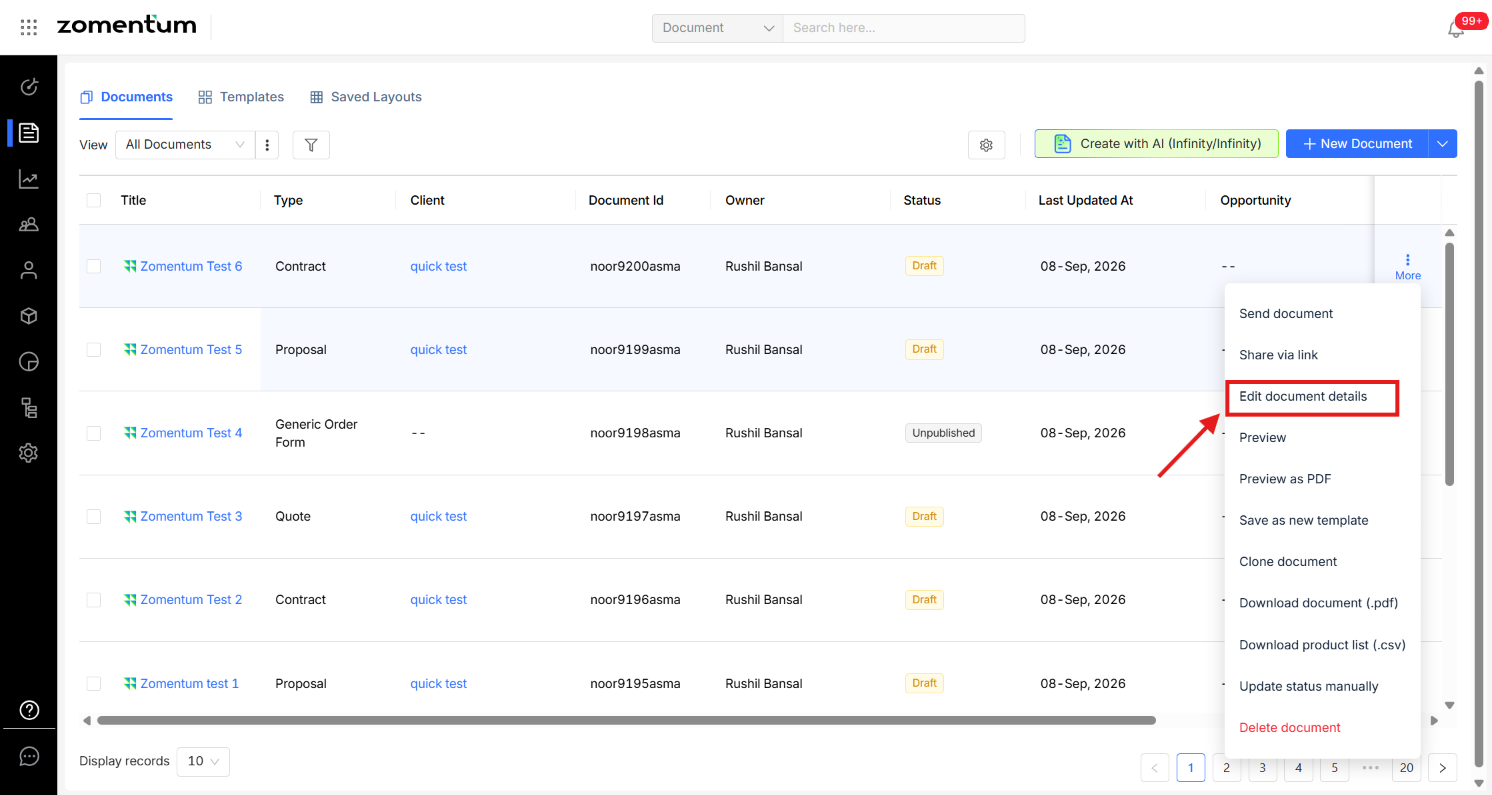
Select Edit Document Details.
In the form that appears, update the Title field with the new document name.
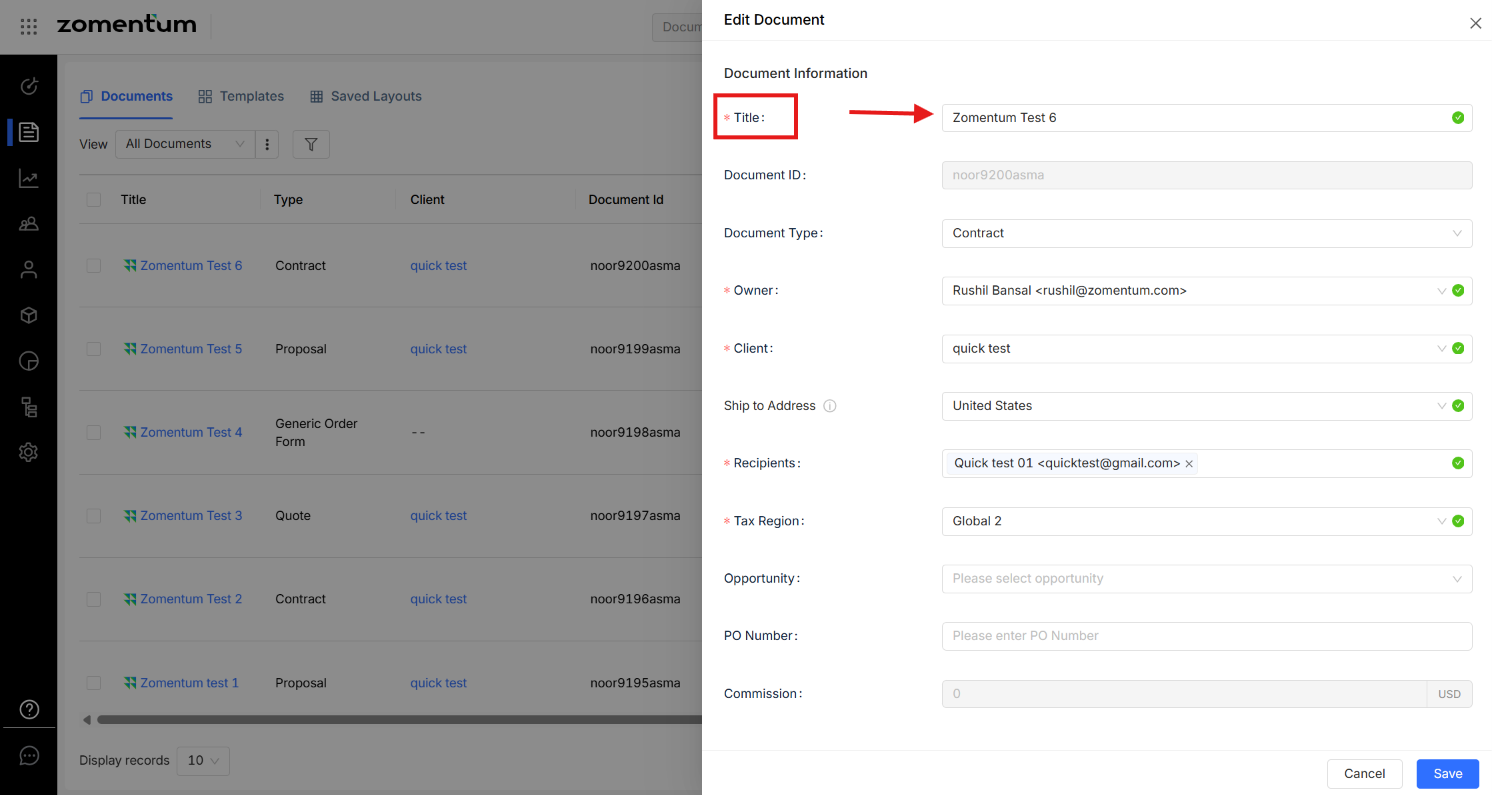
Save your changes.
Method 2: From Within the Document
Open the document you want to rename.
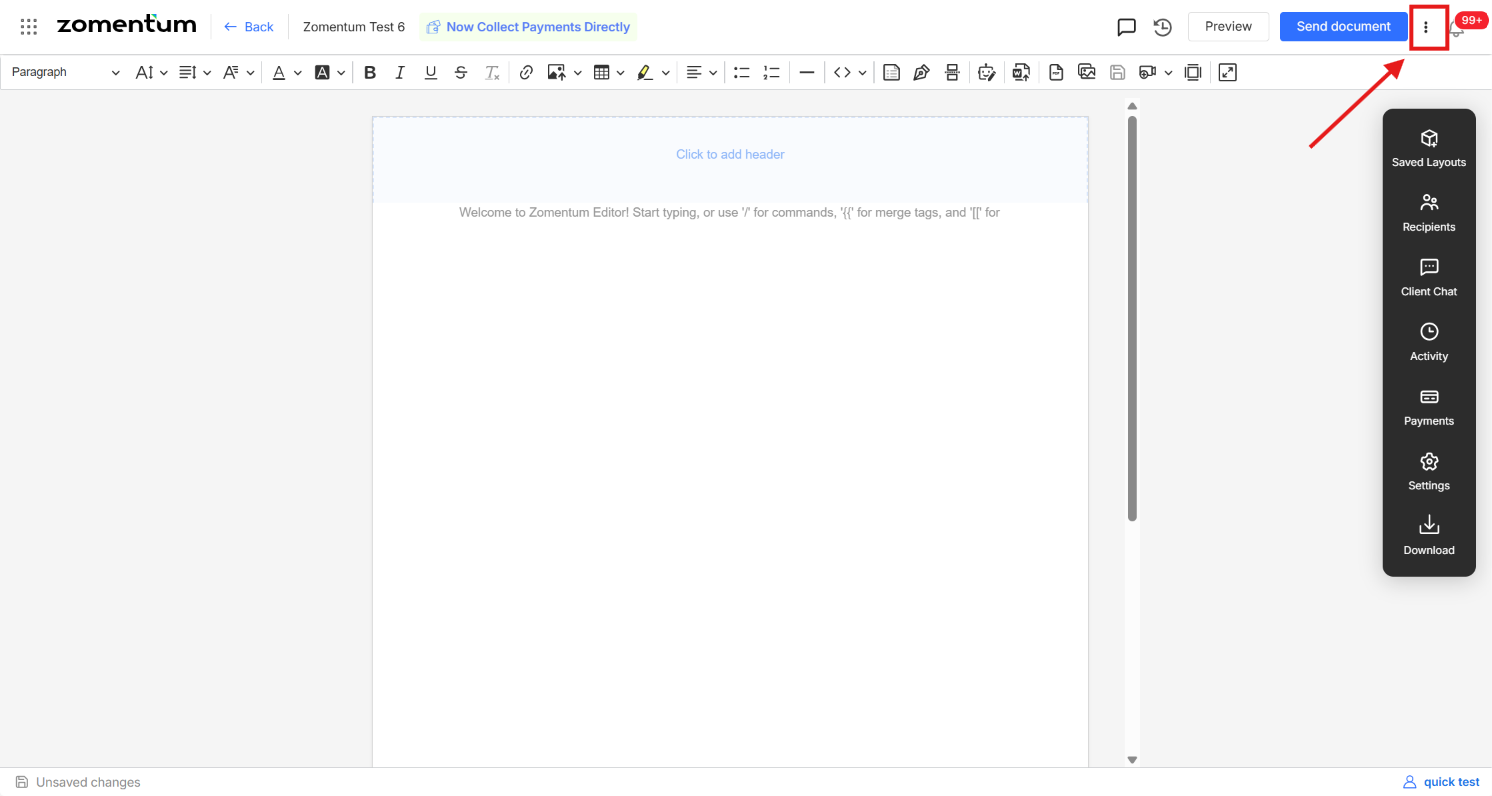
Click the three-dot menu (⋮) in the top-right corner.
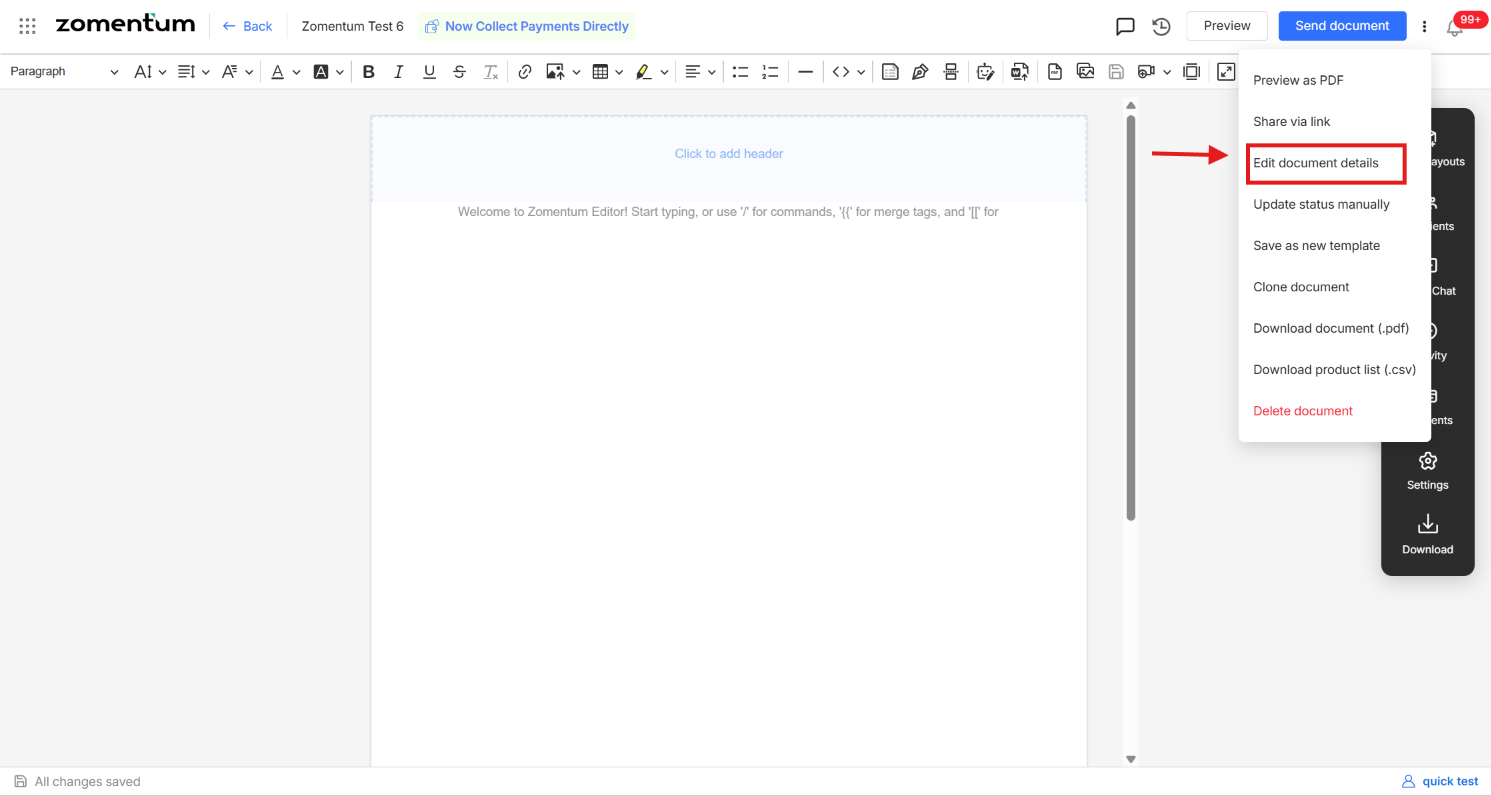
Select Edit Document Details.
Update the Title field and save.