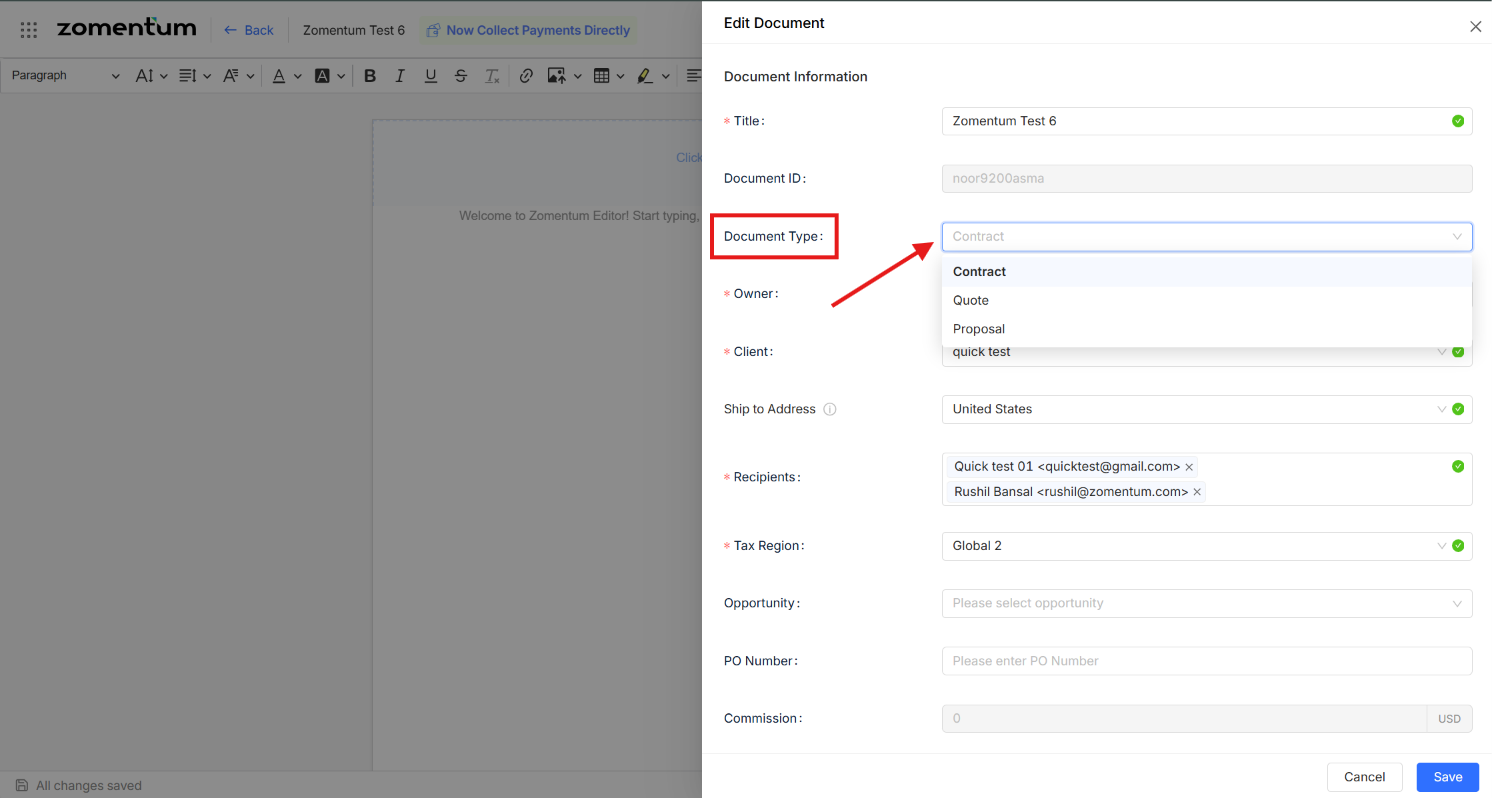
Once a document has been created, you are not locked into its original type. Whether you started a Quote that now needs to become a Proposal, or you simply need to reclassify a document, you can update its type at any time using either of the following methods.
Method 1: From the Documents Module
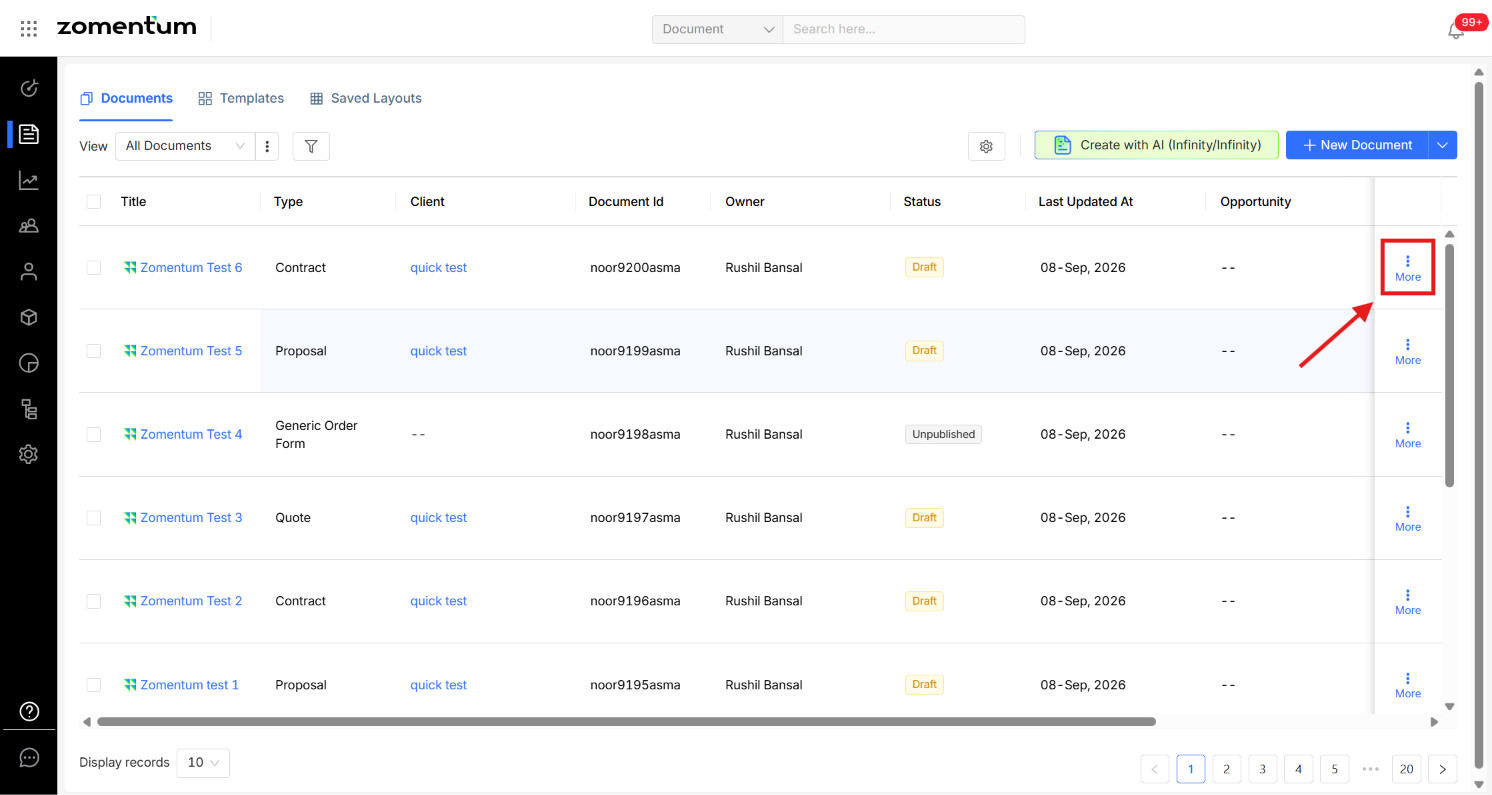
In the Documents module, click the three-dot menu (⋮) next to the document you want to update.
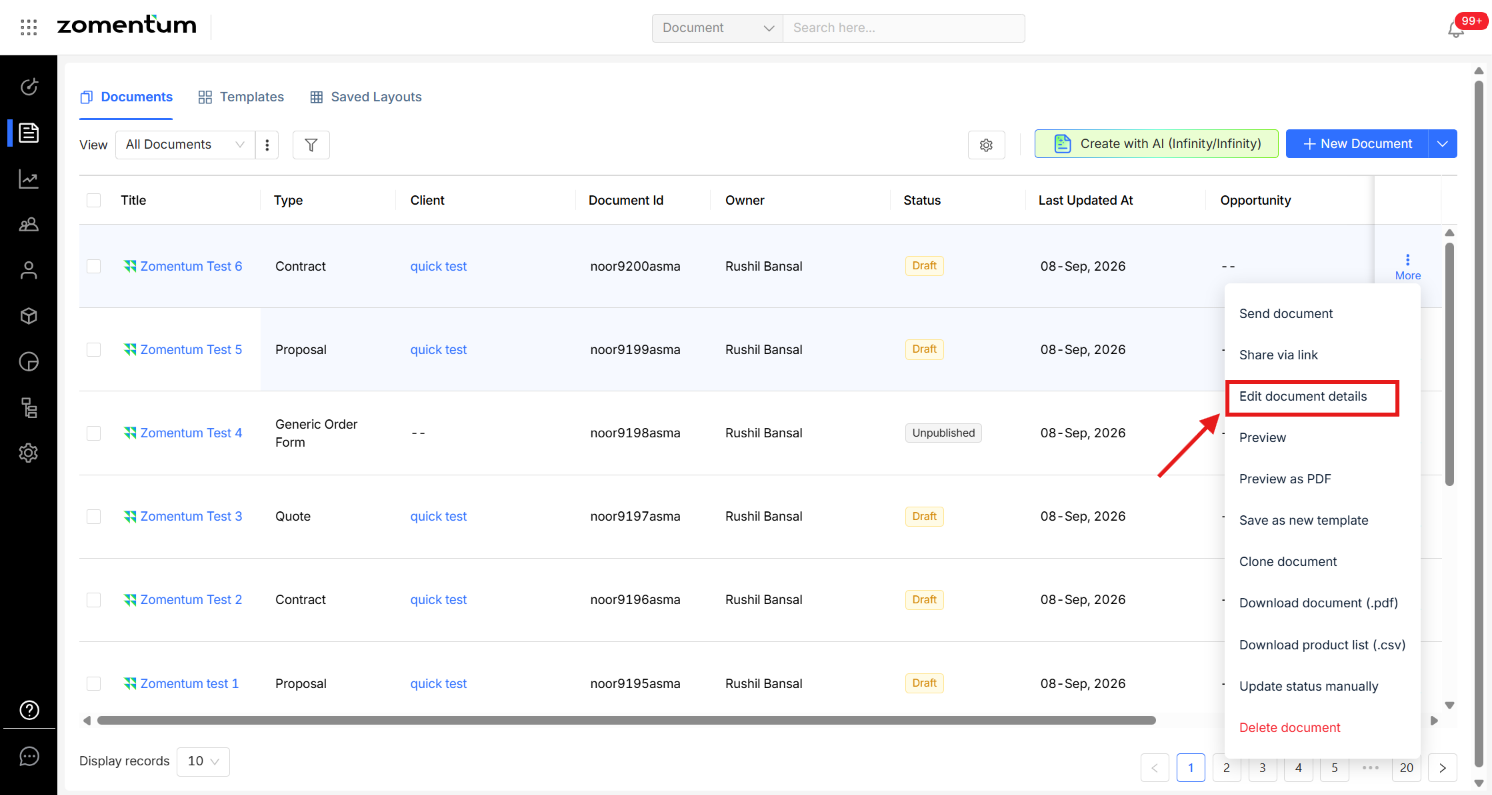
Select “Edit Document Details”
In the form that appears, update the Document Type field to the new type.
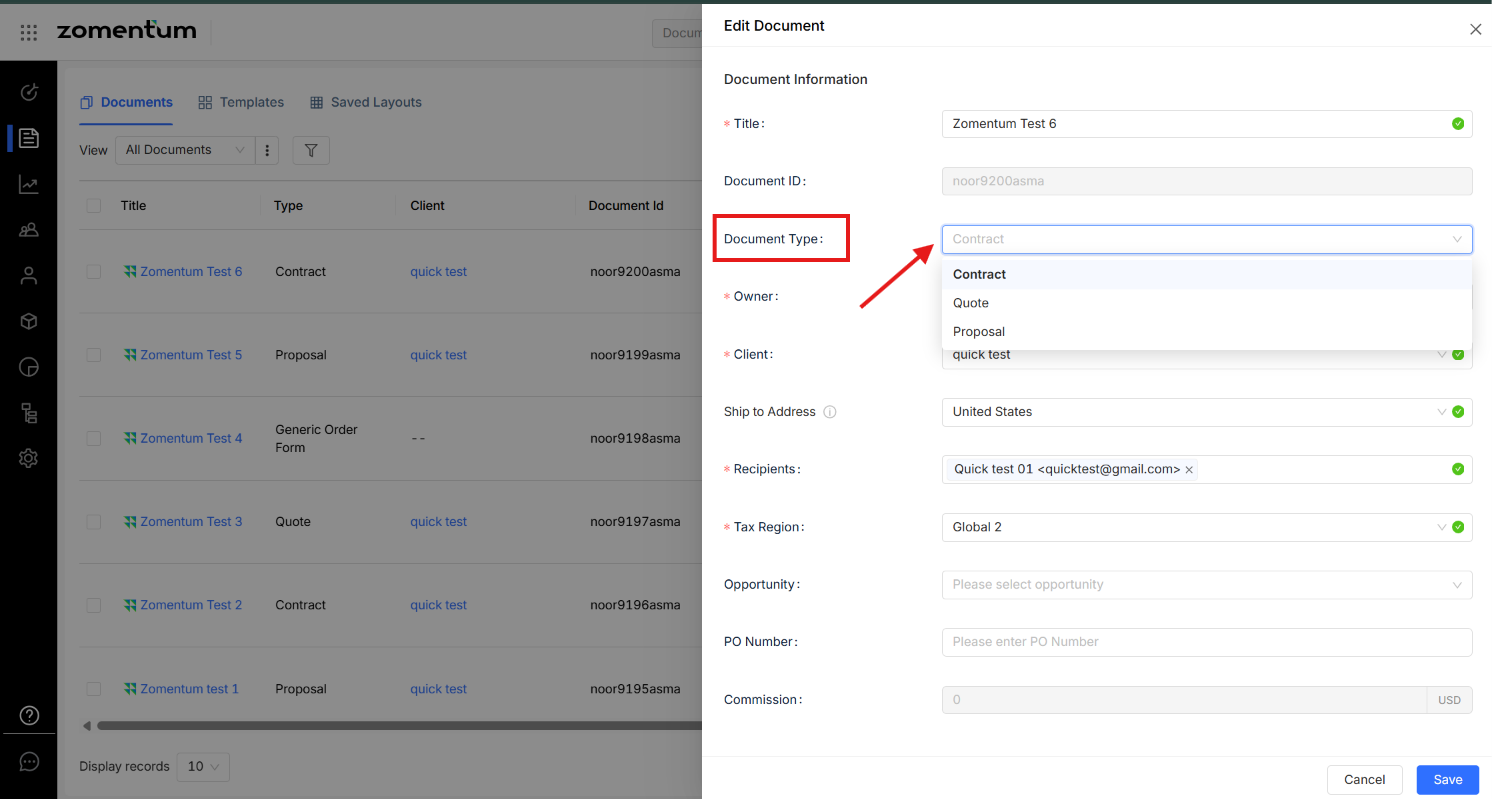
Save your changes.
Method 2: From Within the Document
Open the document you want to update.
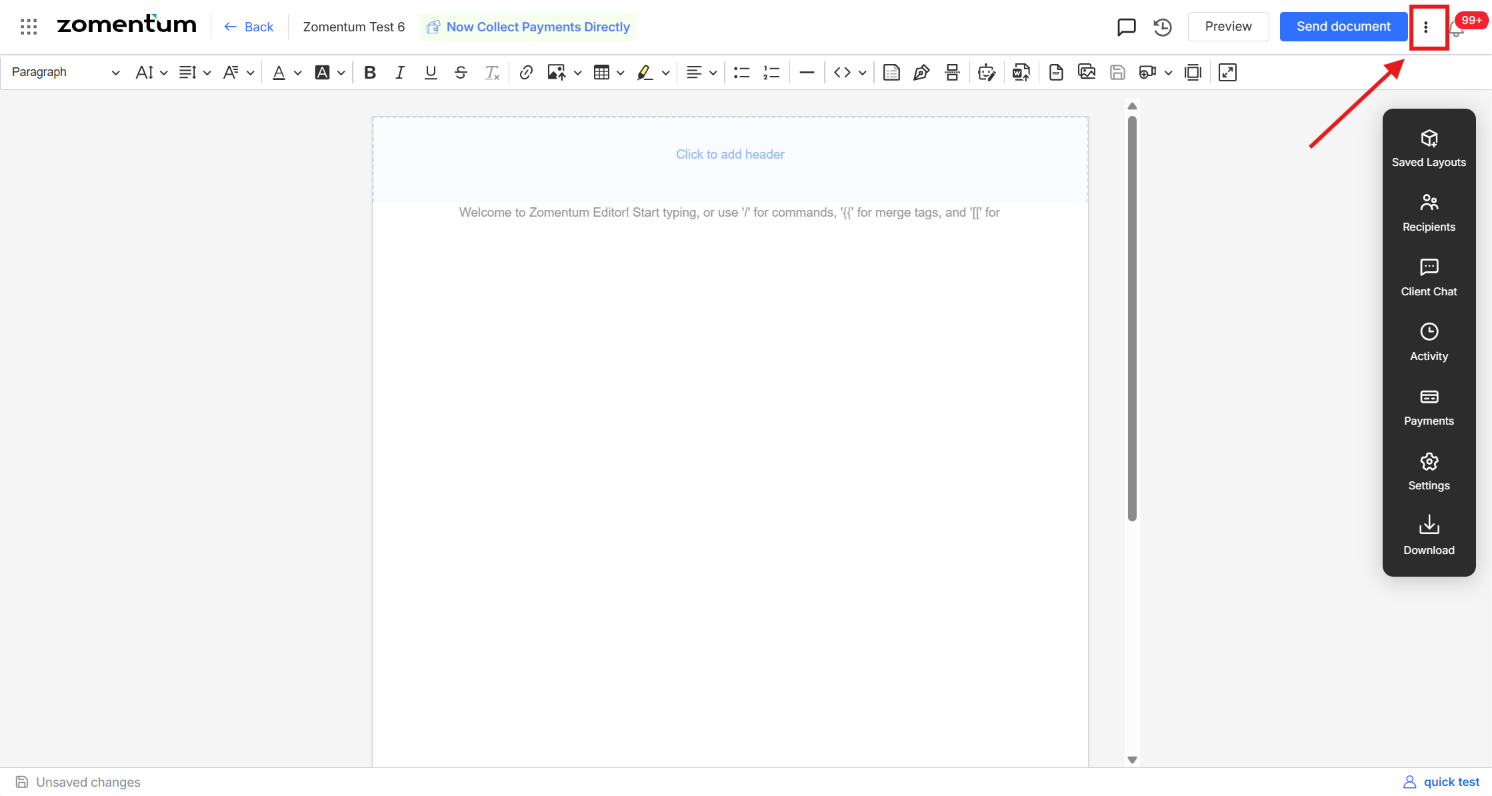
Click the three-dot menu (⋮) in the top-right corner.
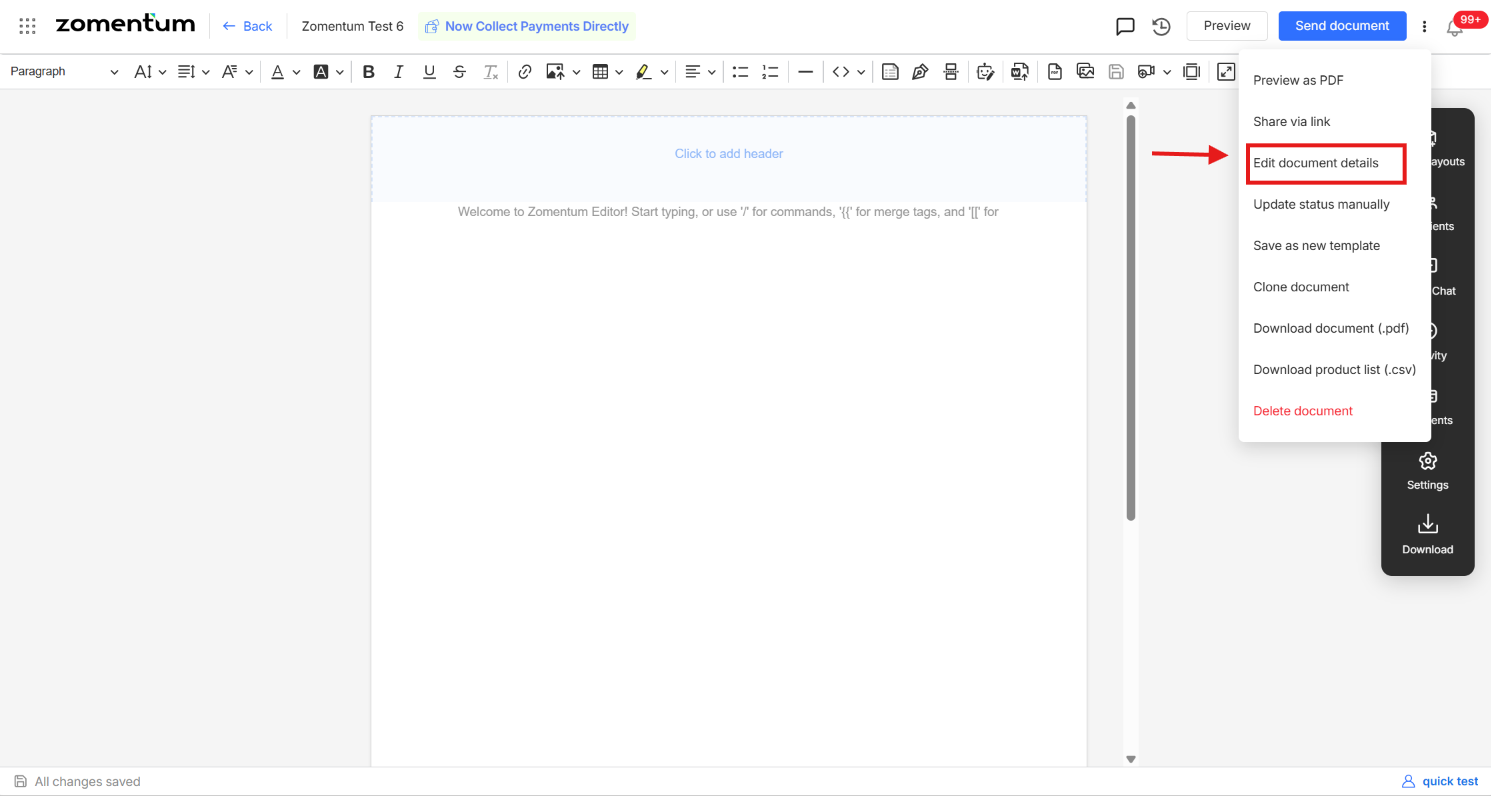
Select Edit Document Details.
Update the Document Type field and save.