
When working with Opportunities in Kanban View, each card shows a value alongside the Opportunity by default, this is the Estimated Value. You can change which value is displayed to better match how your team tracks deals.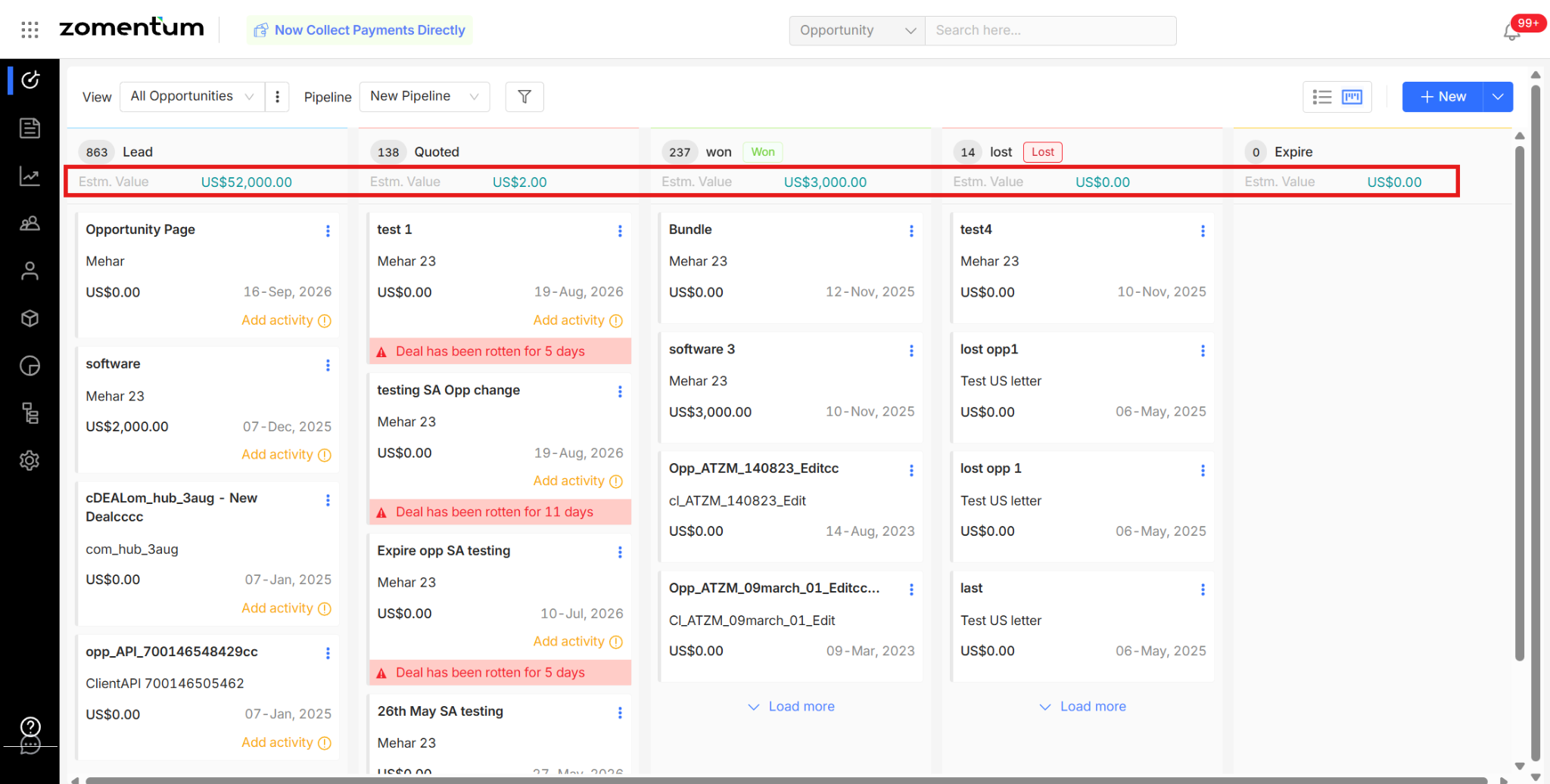
Available Value Options
You can choose to display any one of the following on the Opportunity cards:
Estimated Value - Manually entered. It's the expected value (EV) — an anticipated deal value at some future point, entered by the user rather than calculated by the system.
Forecasted Value - Estimated Value × Close Probability. Since Close Probability is a percentage indicating the likelihood of closing the deal, this weights the estimated value by how likely it is to actually happen.
Revenue - The total revenue of the opportunity, calculated from one-time revenue plus weekly, monthly, quarterly, half-yearly, and yearly revenue components, each scaled to the number of months set to calculate totals.
  Total Revenue = One-time revenue
    + (Weekly revenue × 4 × Number of months)
    + (Monthly revenue × Number of months)
    + (Quarterly revenue / 3 × Number of months)
    + (Half-yearly revenue / 6 × Number of months)
    + (Yearly revenue / 12 × Number of months)
Cost - The same structure as Revenue, but for cost inputs
How to Change the Displayed Value?
You can get to this setting in either of two ways:
Option 1: Via the Kanban Menu
Go to Settings > Pipeline.
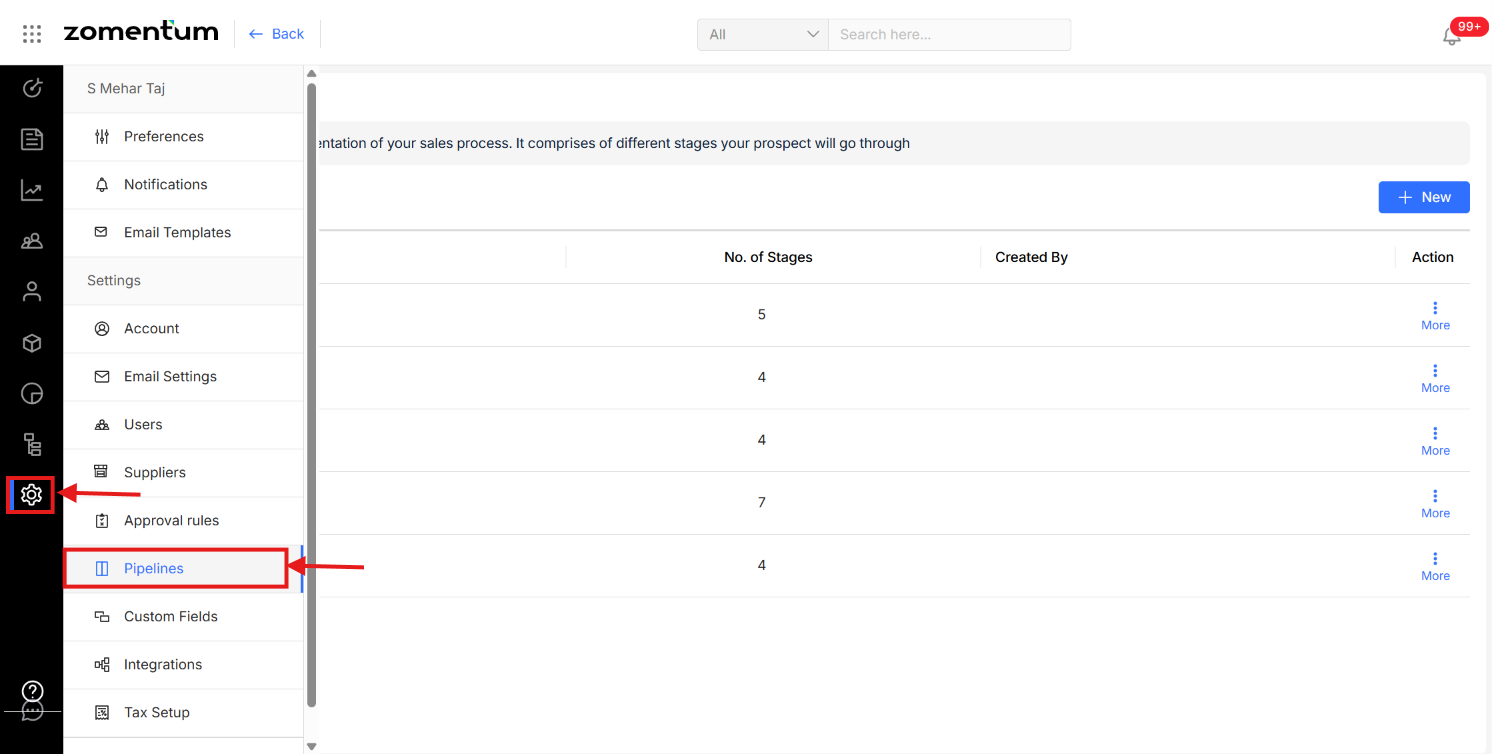
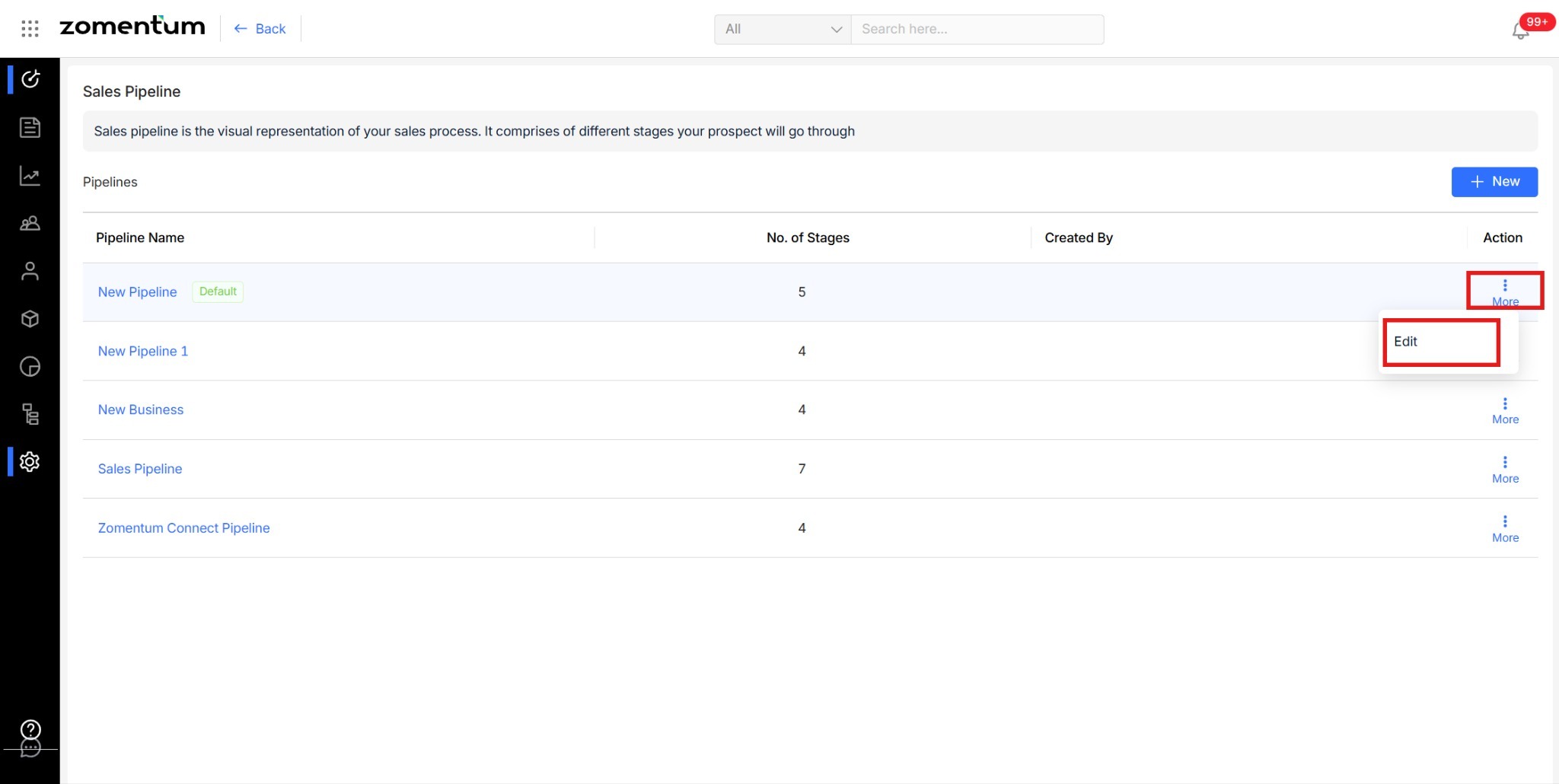
Choose the pipeline you want to update.
Click the more menu (⋮) next to it and select Edit.
Select the value you want displayed on the Opportunity cards.
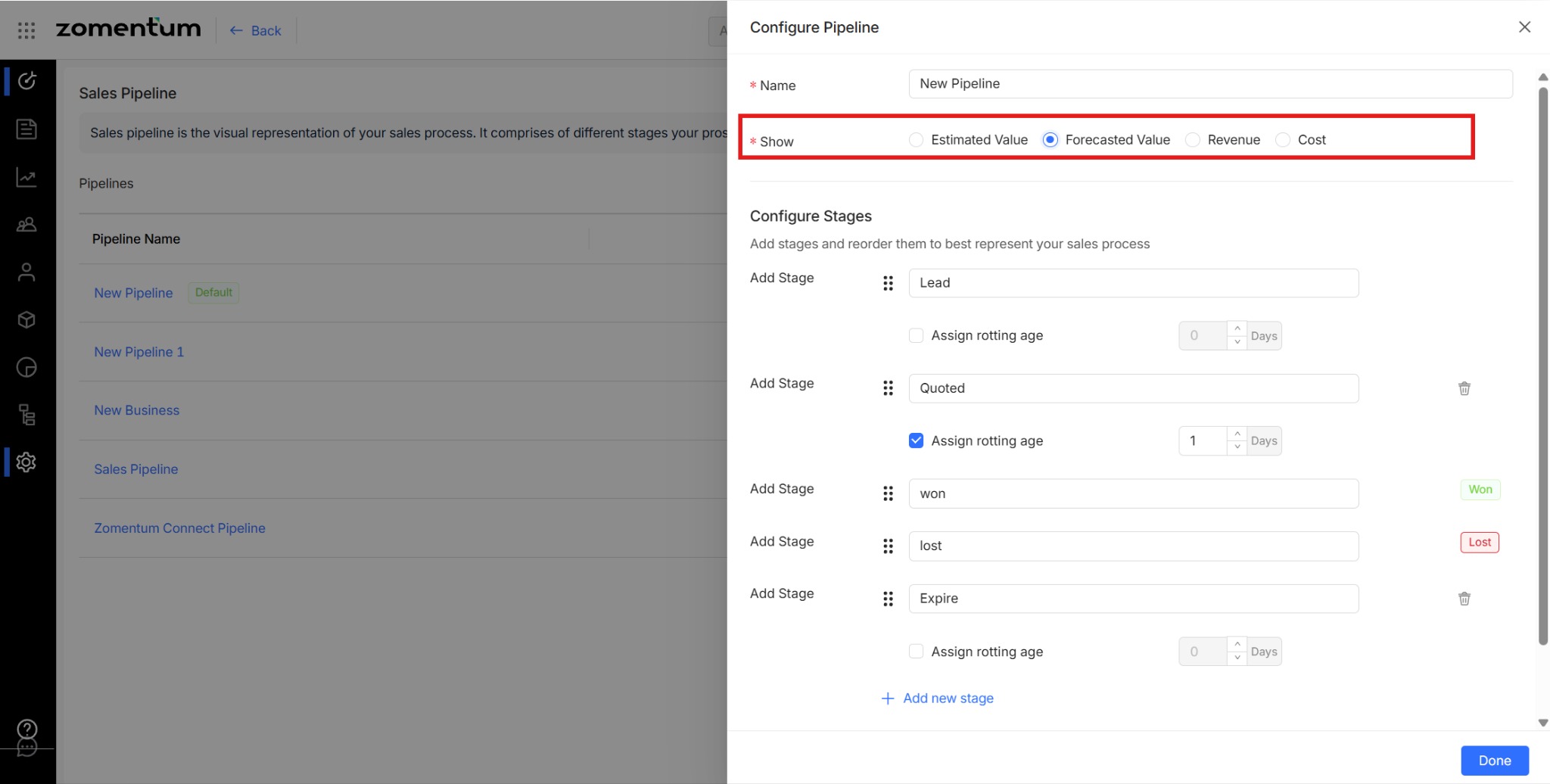
Save your changes.
Once updated, the selected value will appear on all Opportunity cards for that pipeline in Kanban View.