
Table of Contents
1. Add or View Opportunity Type Field
2. Delete an Existing Opportunity Type
Opportunity Type is a category or classification for an opportunity. This article walks you through adding, reordering, and deleting Opportunity Type values.
1. Add or View Opportunity Type Field
Navigate to Settings.
Click on Custom Fields.
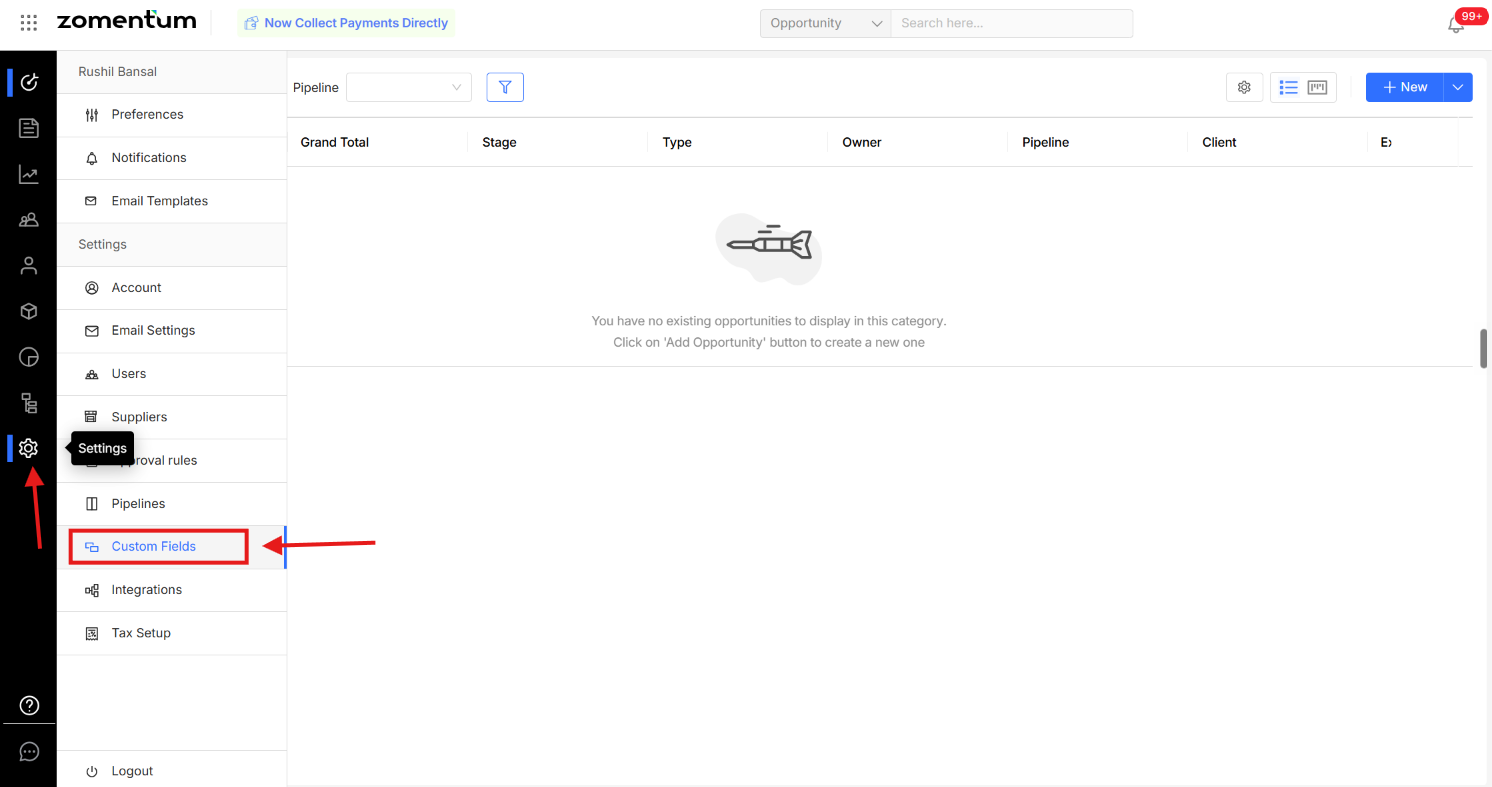
Select Opportunity Fields.
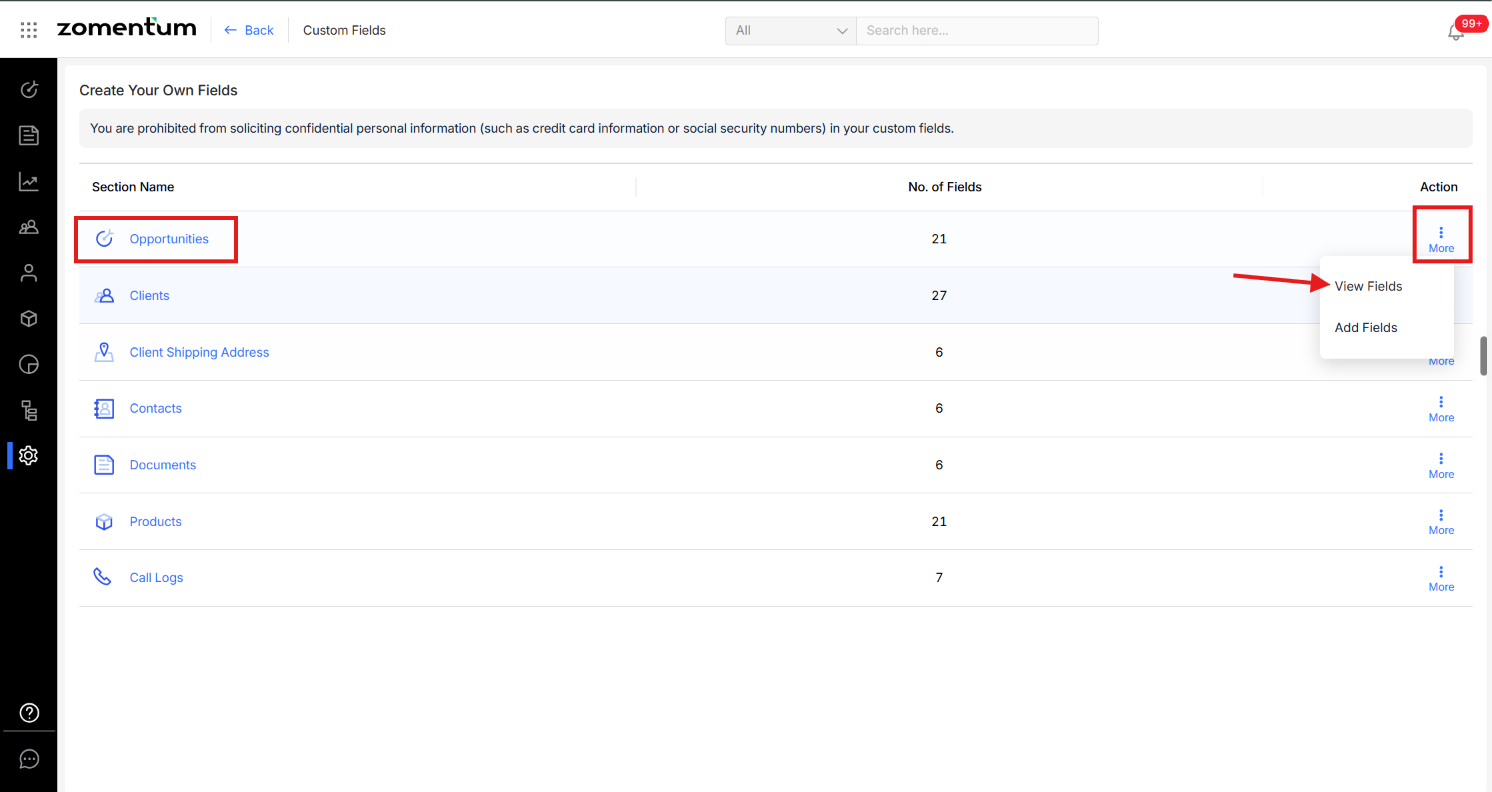
Click the three dots next to Opportunity Type:
To view existing values, choose View Fields.
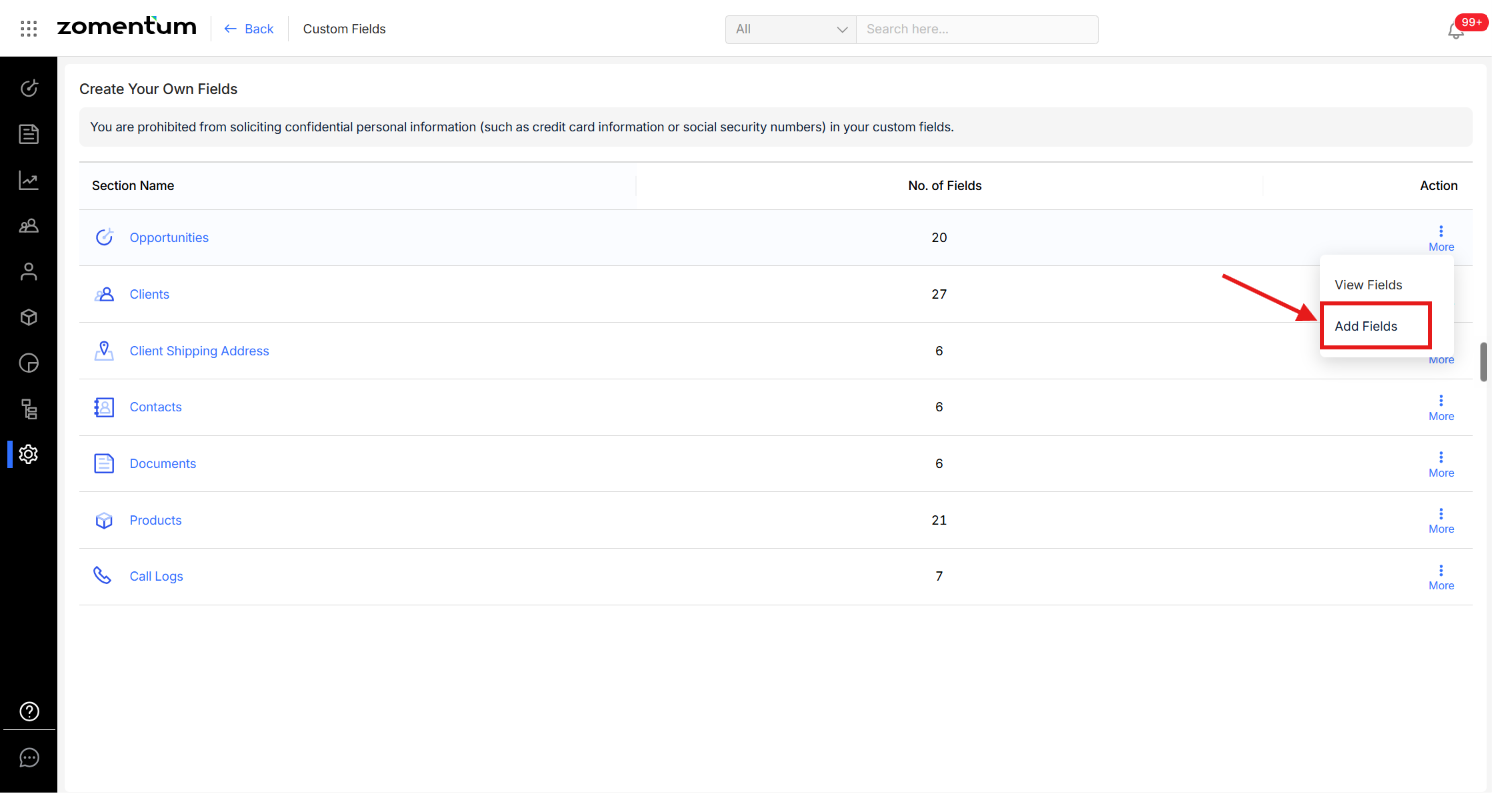
To add new values, choose Add Fields.
This opens the Add Custom Field form, where you can set: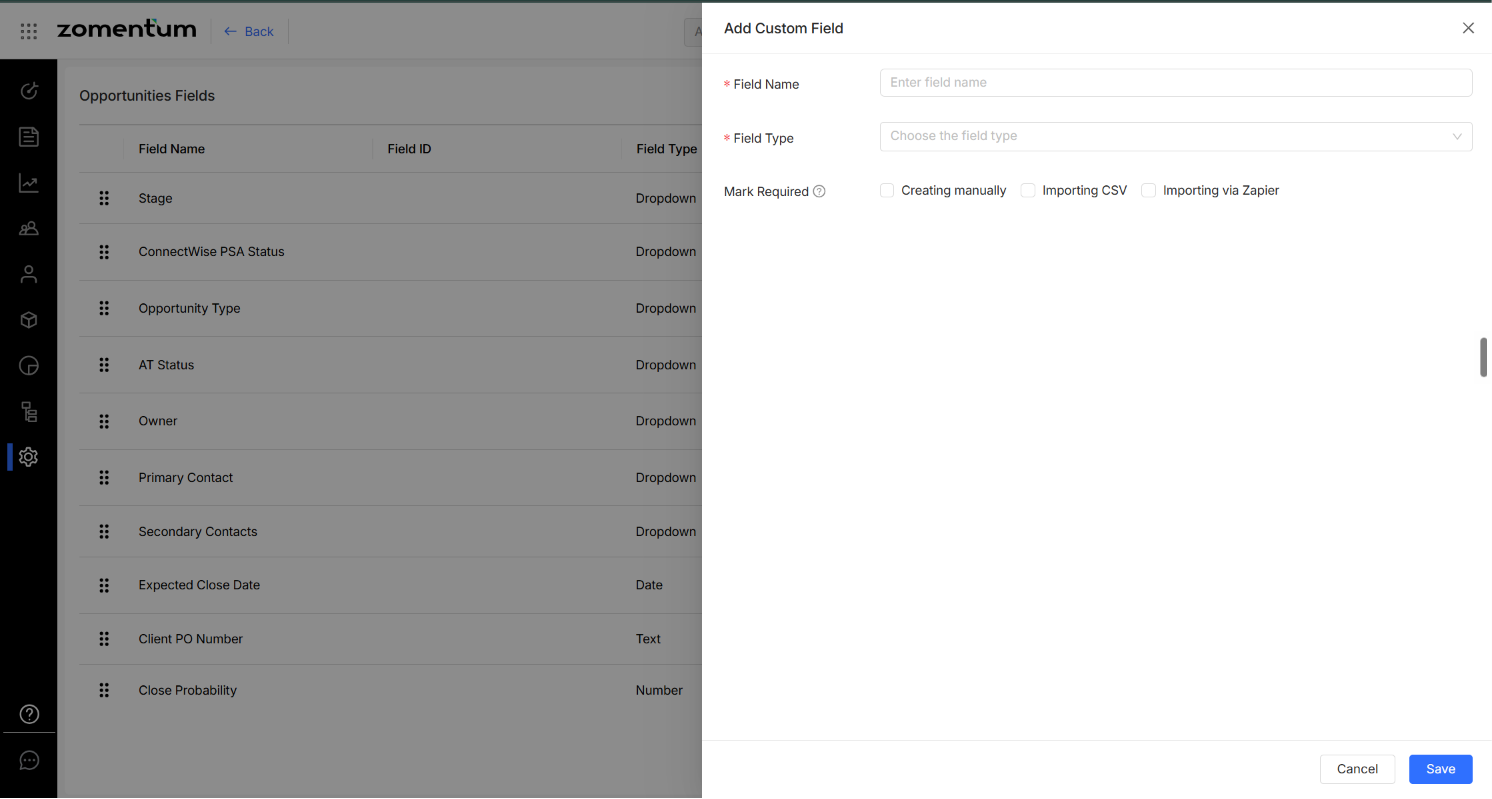
You can also rearrange the Opportunity Type values by dragging and dropping them into the order you want.
2. Delete an Existing Opportunity Type
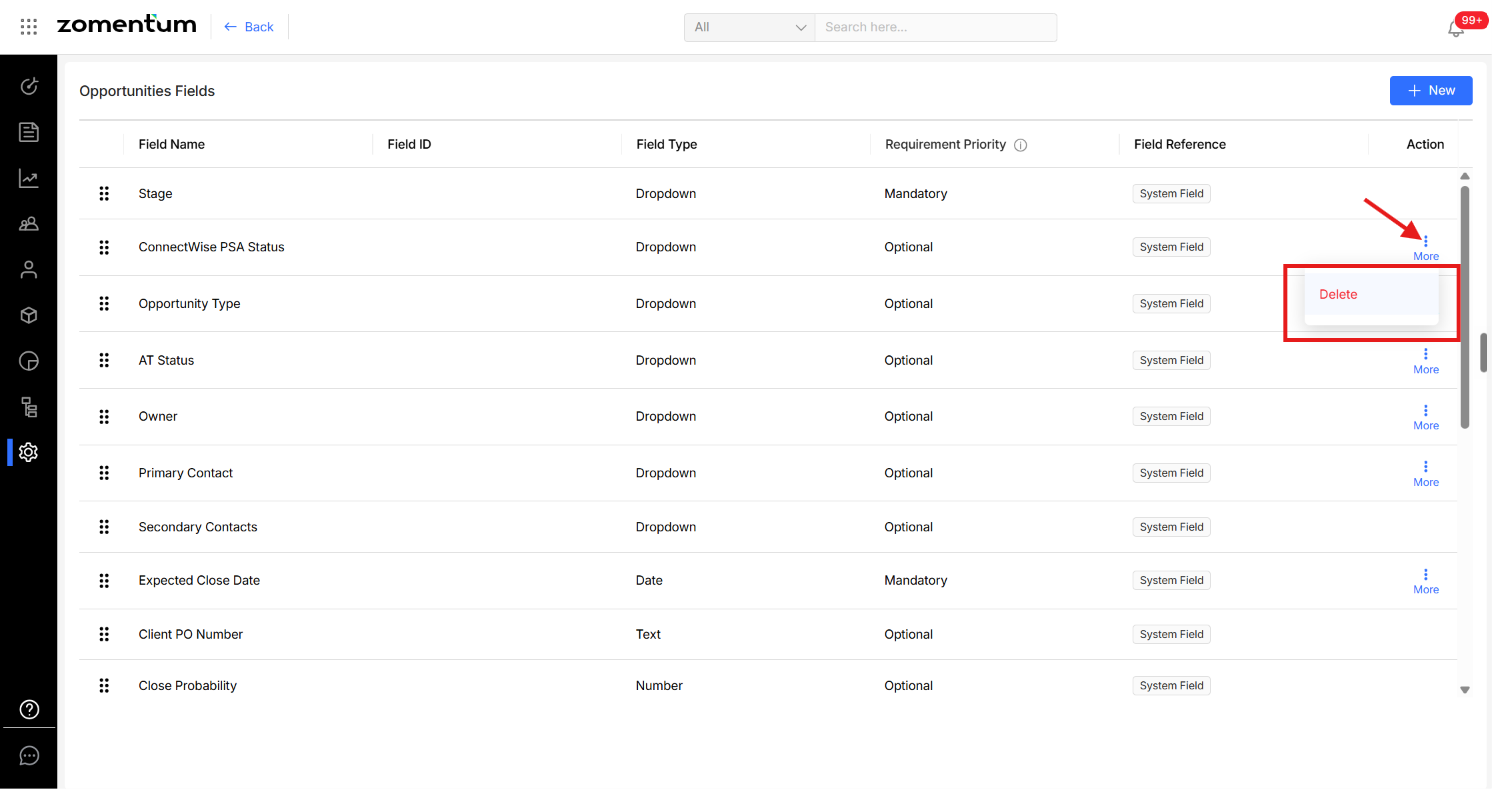
Click the three dots next to the Opportunity Type field and choose Delete.
Warning: Check for opportunities using this type before deleting. Deleting an Opportunity Type value can affect any Opportunities currently assigned to it. Confirm whether existing records need to be reassigned to a different type before deleting to avoid leaving Opportunities with a missing classification.