
Table of Contents
1. Create an Opportunity
– Required Fields
– Optional Fields
– Revenue and Cost
2. Delete an Opportunity
An Opportunity represents a potential deal or sale you're tracking through your sales pipeline from initial prospect to closed deal. This article walks you through creating a new Opportunity, understanding its fields, and deleting one when needed.
1. Create an Opportunity
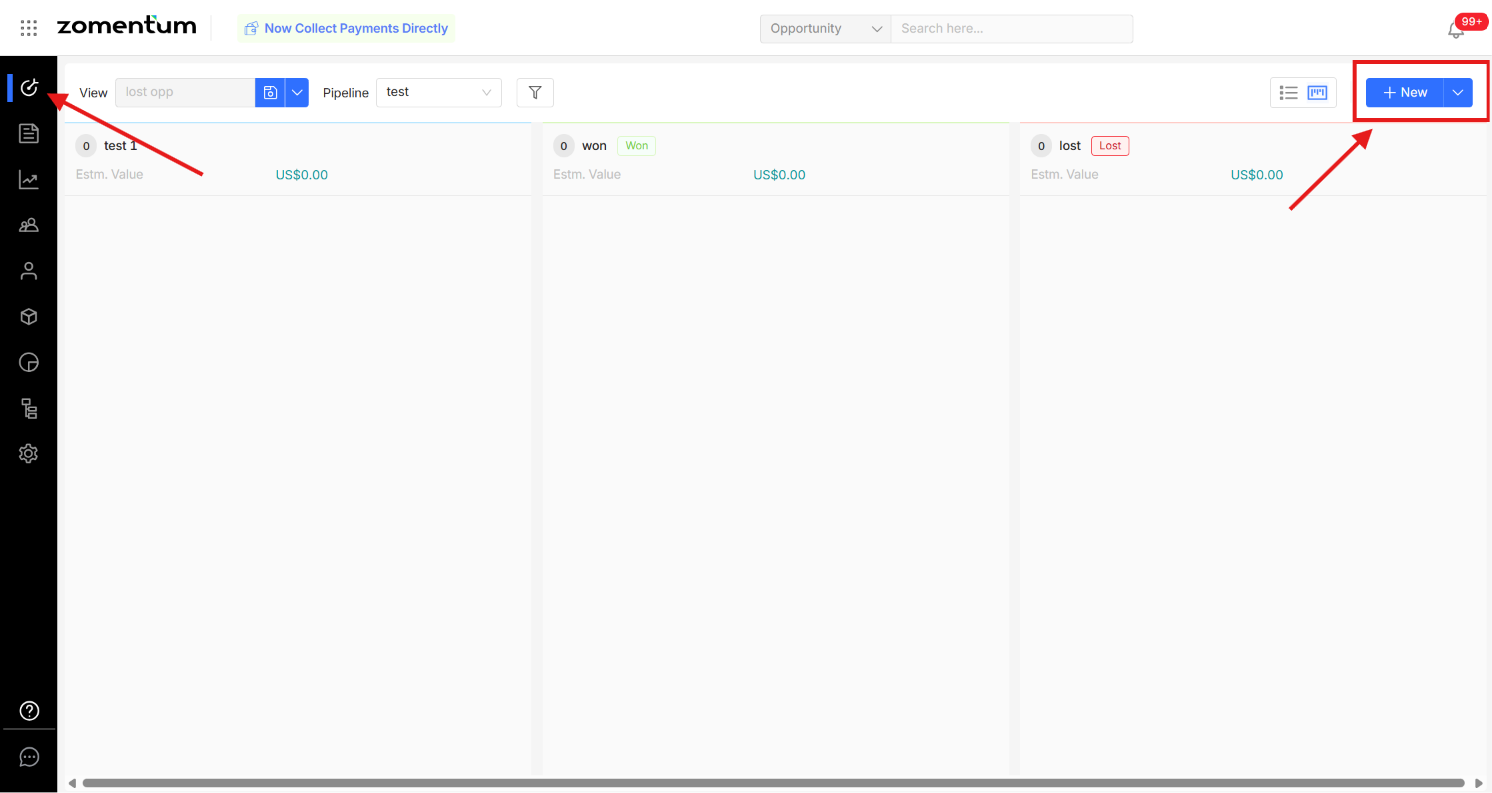
Navigate to the Opportunities section in the left sidebar.
Select Add Opportunity in the top right corner.
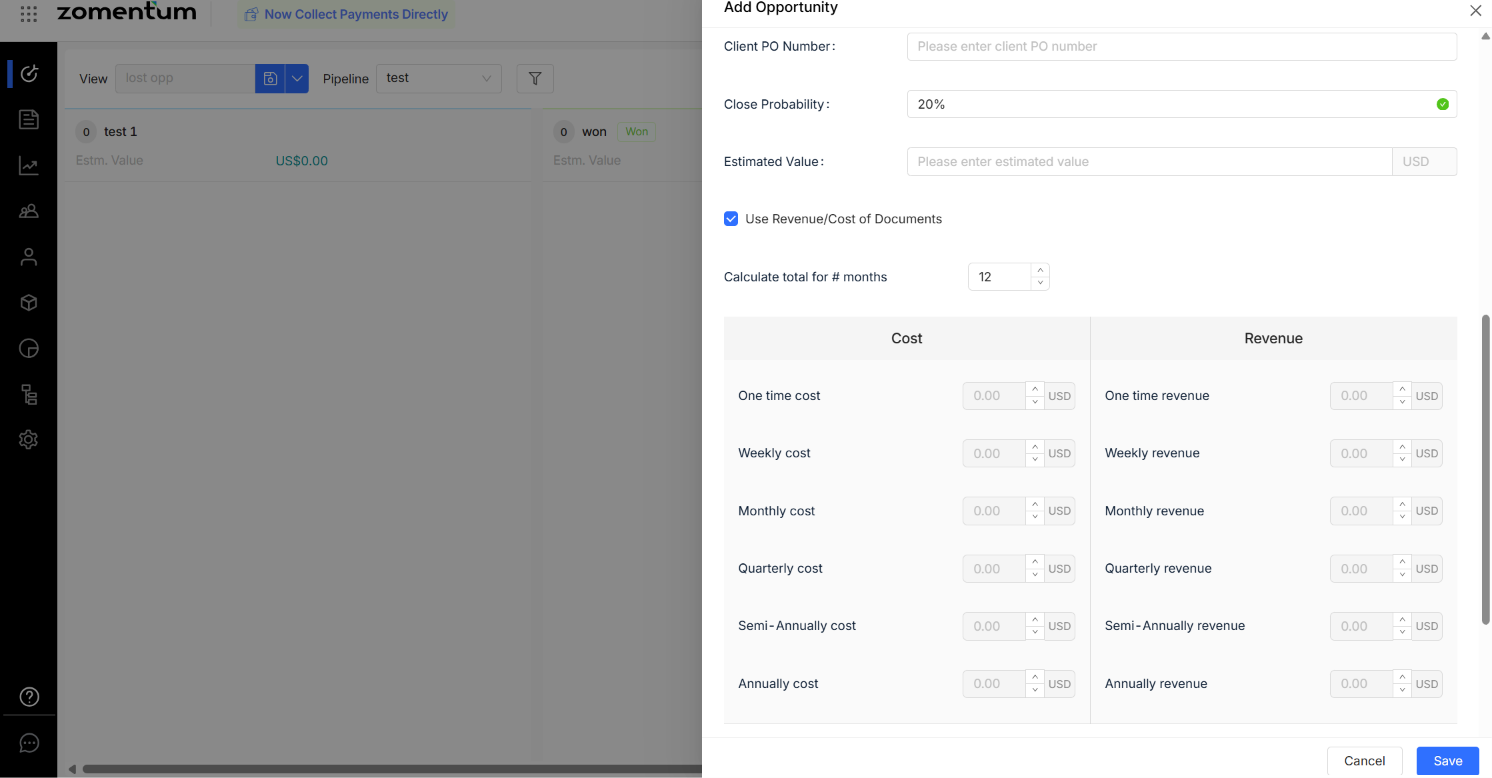
In the pop-up form, enter the details of your Opportunity and click Save.
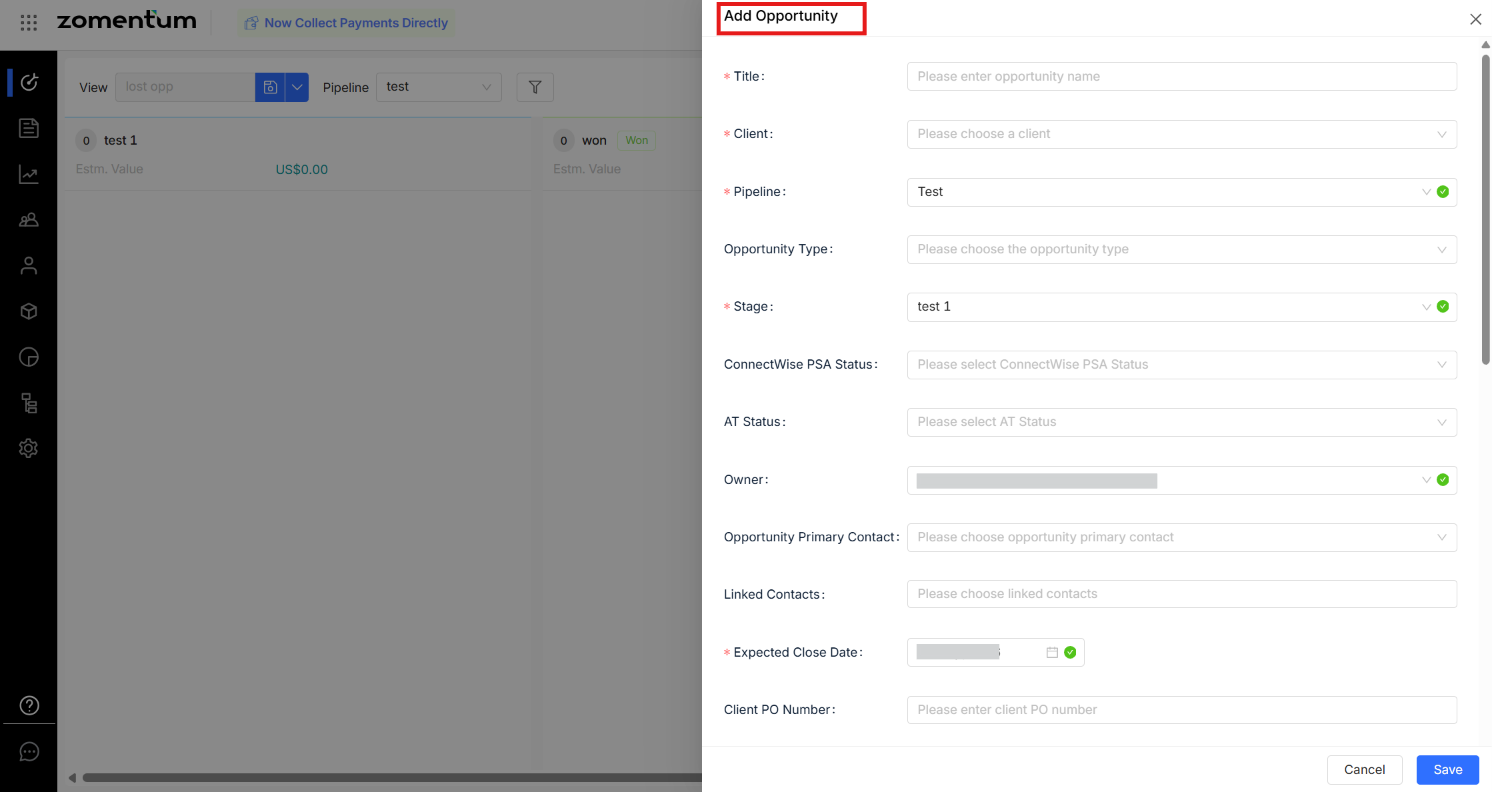
1.1 Required Fields
1.2 Optional Fields
Tip: Use Custom Fields to capture additional information not covered by the standard fields. As with the fields above, only capture personal data in custom fields when it's genuinely needed for the opportunity.
1.3 Revenue and Cost
The Use Revenue/Cost of Documents checkbox controls how cost and revenue are calculated:
Checked: Cost and revenue are pulled automatically from the associated document.
Unchecked: You enter cost and revenue manually.
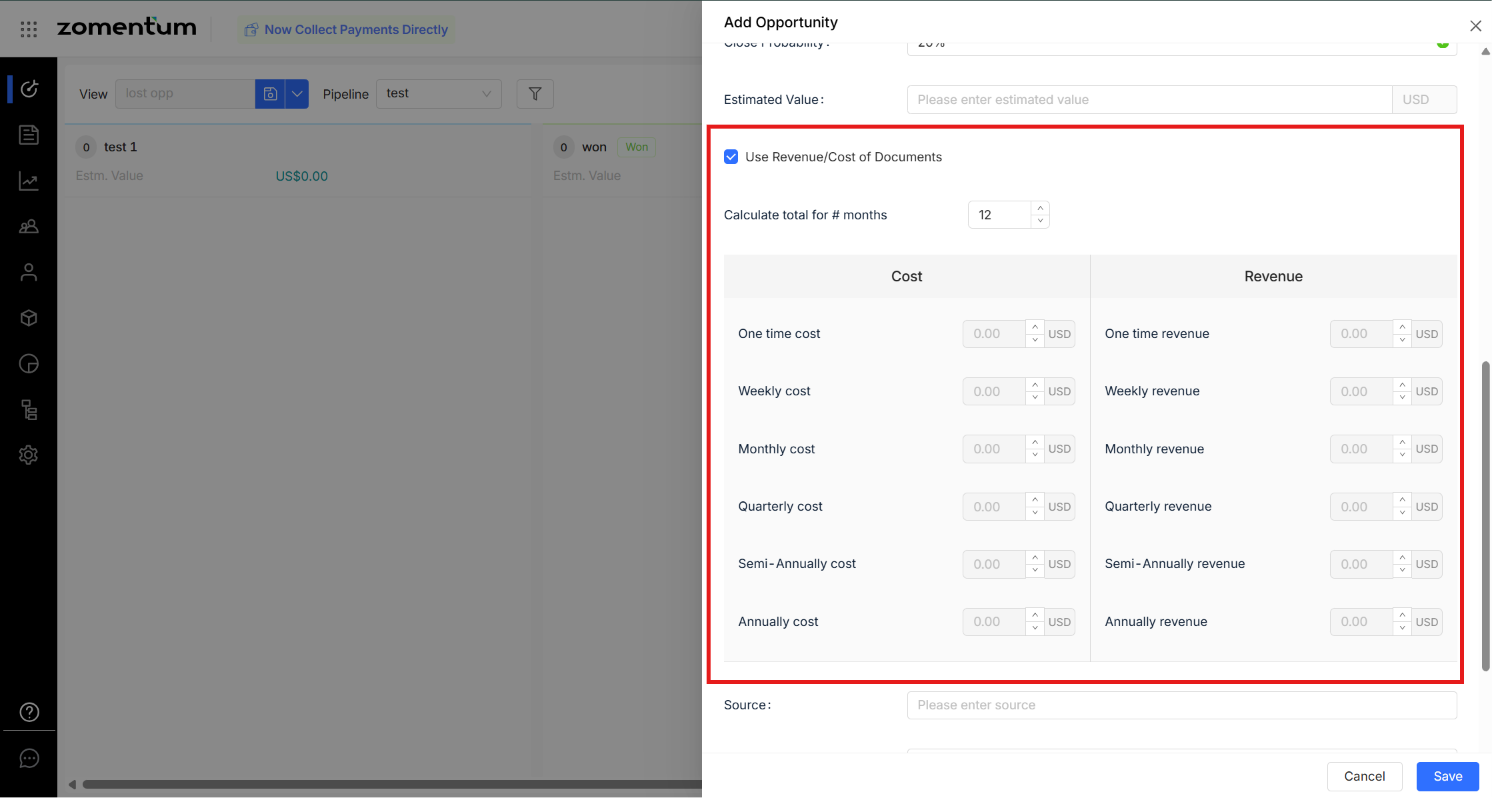
If entering manually, use Calculate total for # months to set the time period, then enter amounts by frequency (one-time, weekly, monthly, quarterly, half-yearly, yearly).
For the full formula and a worked example of how totals and margin are calculated, see How Totals and Margins Are Calculated.
2. Delete an Opportunity
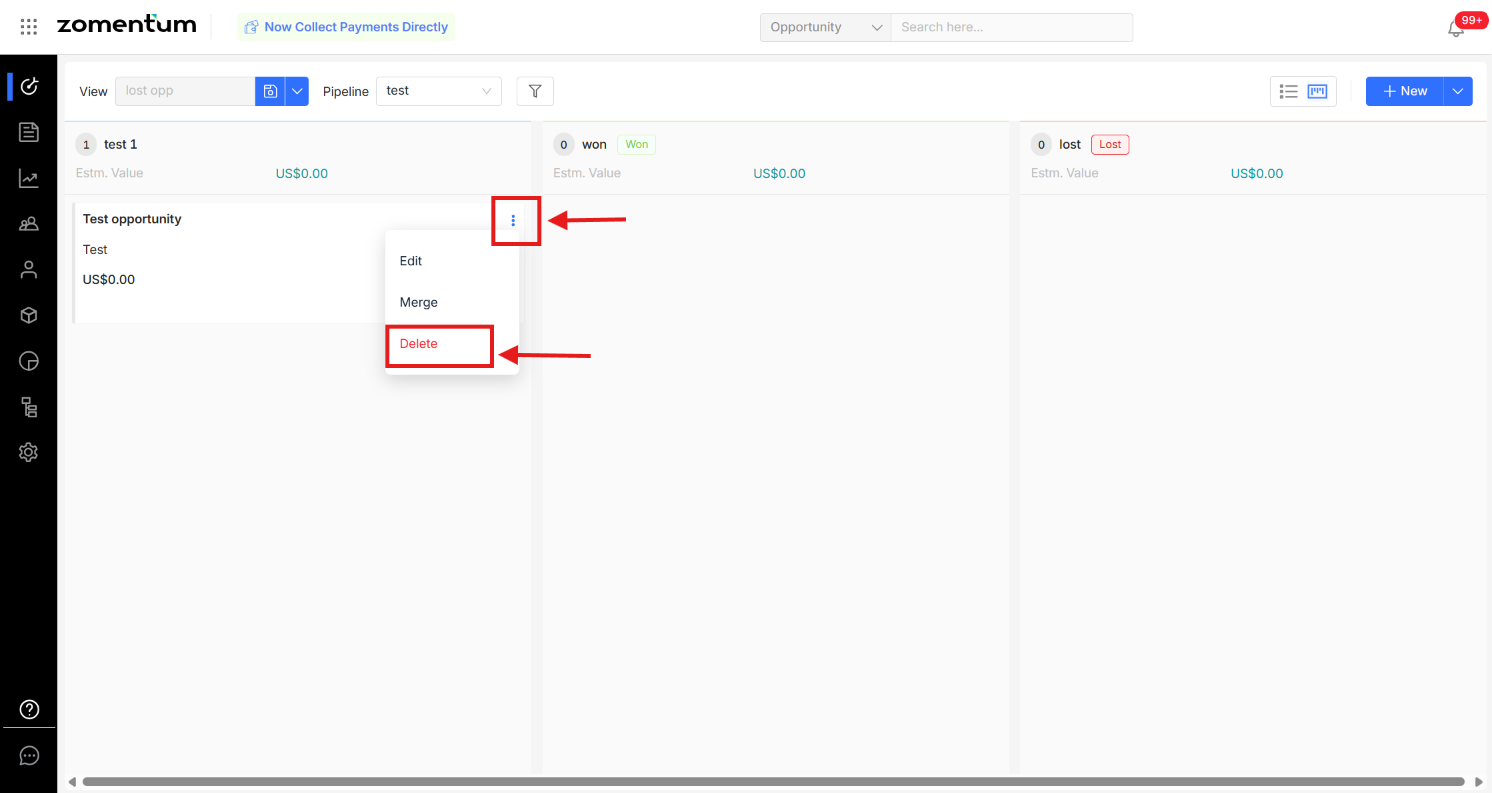
From Kanban view: Click the three dots next to the opportunity name and select "Delete".
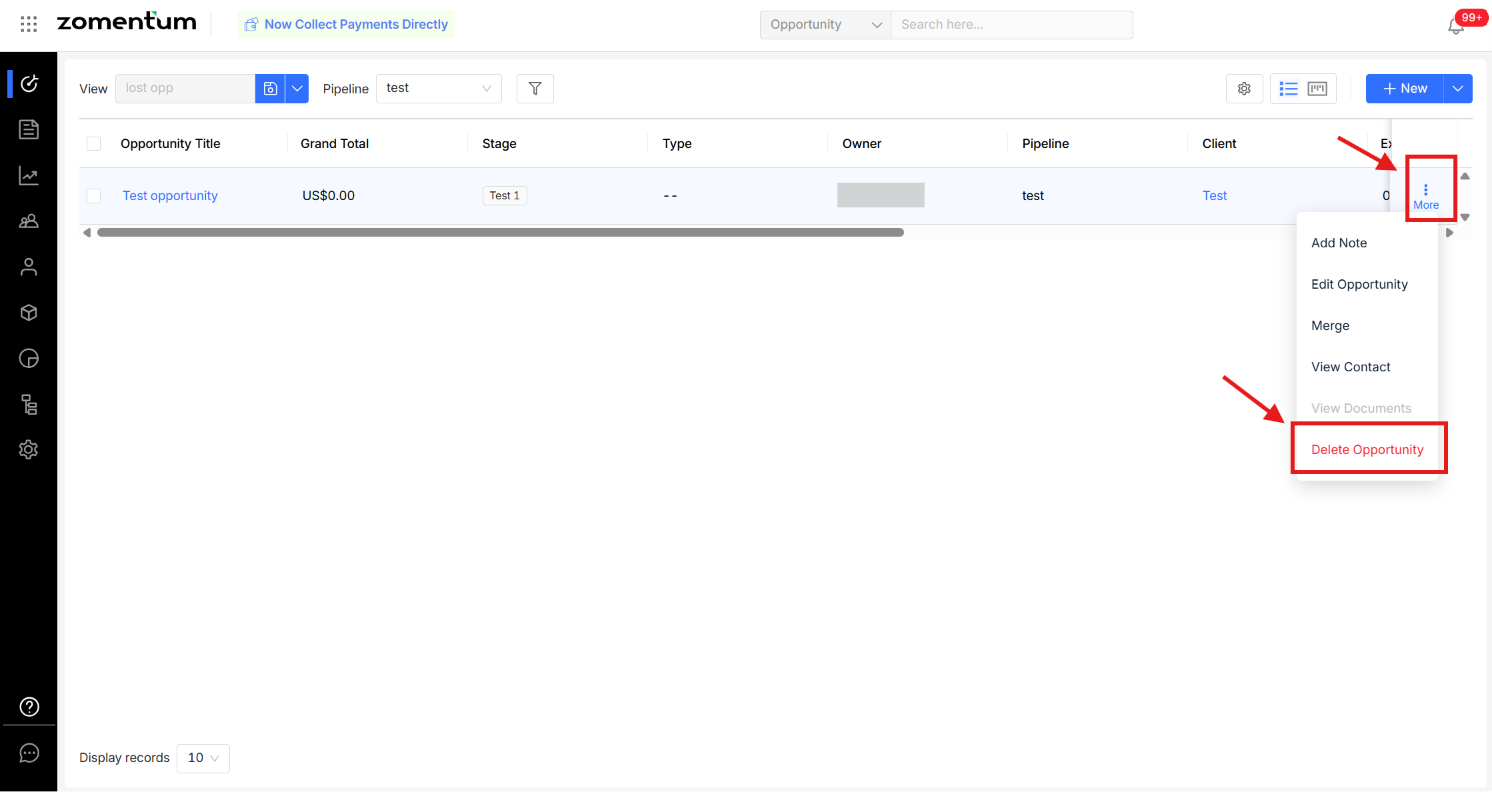
From List view: Click the three dots on the right side of the row and select Delete Opportunity.
Warning: This action is permanent and cannot be undone. Deleting an Opportunity also deletes all documents associated with it, including any personal data those documents contain (e.g. client names, contact details, signatures). Client and contact records are not affected deleting an Opportunity does not remove the Primary Contact or LinkedIn Contact information stored on the related Client record. If you're fulfilling a data subject erasure request, deleting the Opportunity alone is not sufficient; review and, where appropriate, erase the associated Client and Contact records separately, and retain only what your data retention policy requires.