
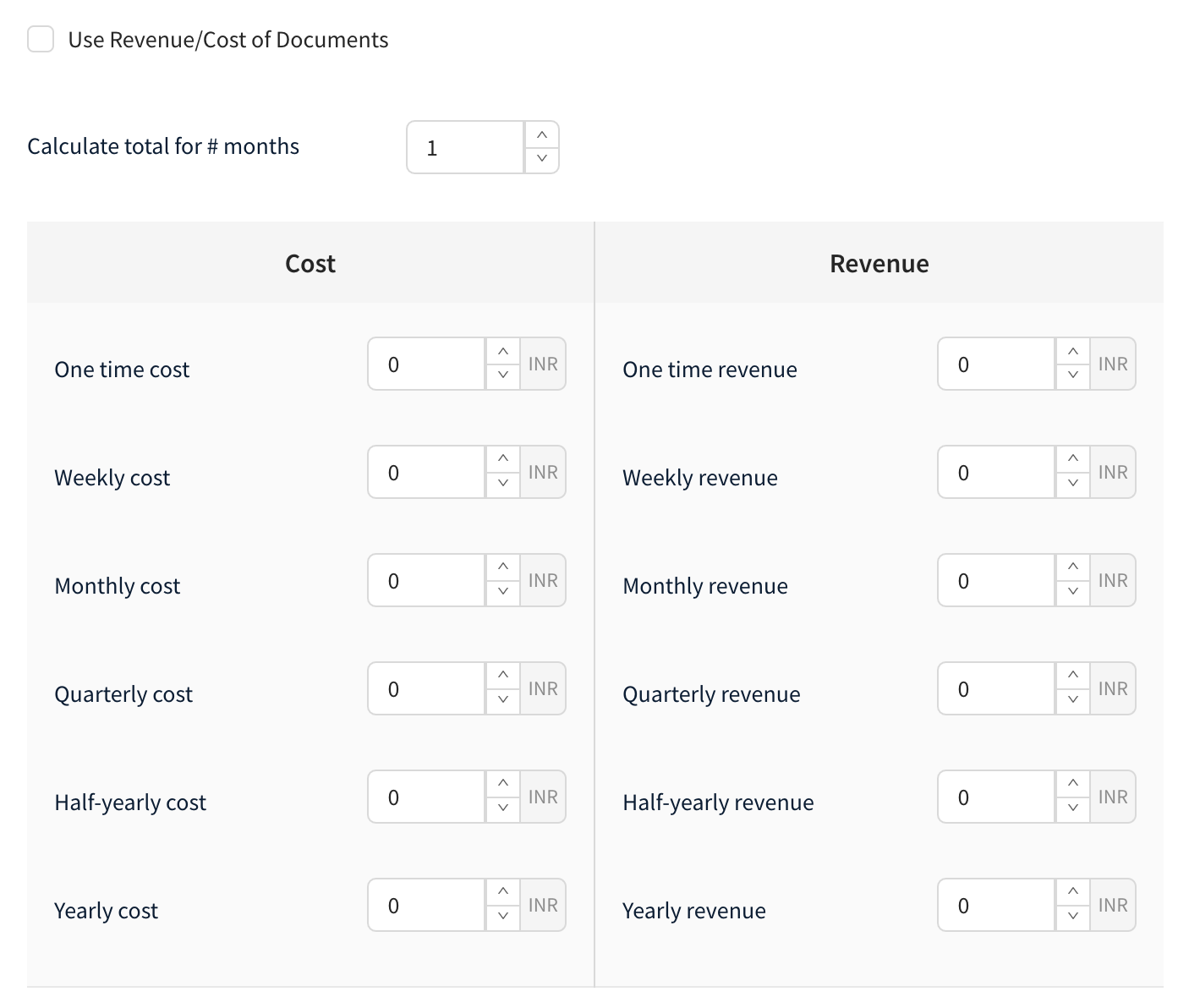
Use Revenue/Cost of Documents:
If this box is checked, the cost of the opportunity will be automatically taken from the document. If it is unchecked, the cost and revenue can be manually entered into the box given.
Note:
(i) You can enter the number of months to calculate the cost and revenue for the opportunity in “Calculate total for # months”
(ii) Calculation of Totals and Margin:
Total Revenue = One time revenue
+ (Weekly revenue * 4 * Number months to calculate totals)
+ (Monthly revenue * Number months to calculate totals)
+ (Quarterly revenue/3 * Number months to calculate totals)
+ (Half-yearly revenue/6 * Number months to calculate totals)
+ (Yearly revenue/12 * Number months to calculate totals)
Total Cost = One time cost
+ (Weekly cost * 4 * Number months to calculate totals)
+ (Monthly cost * Number months to calculate totals)
+ (Quarterly cost/3 * Number months to calculate totals)
+ (Half-yearly cost/6 * Number months to calculate totals)
+ (Yearly cost/12 * Number months to calculate totals)
Margin Value = Total revenue - Total Cost
Margin Percentage = (Total revenue - Total Cost) / Total revenue
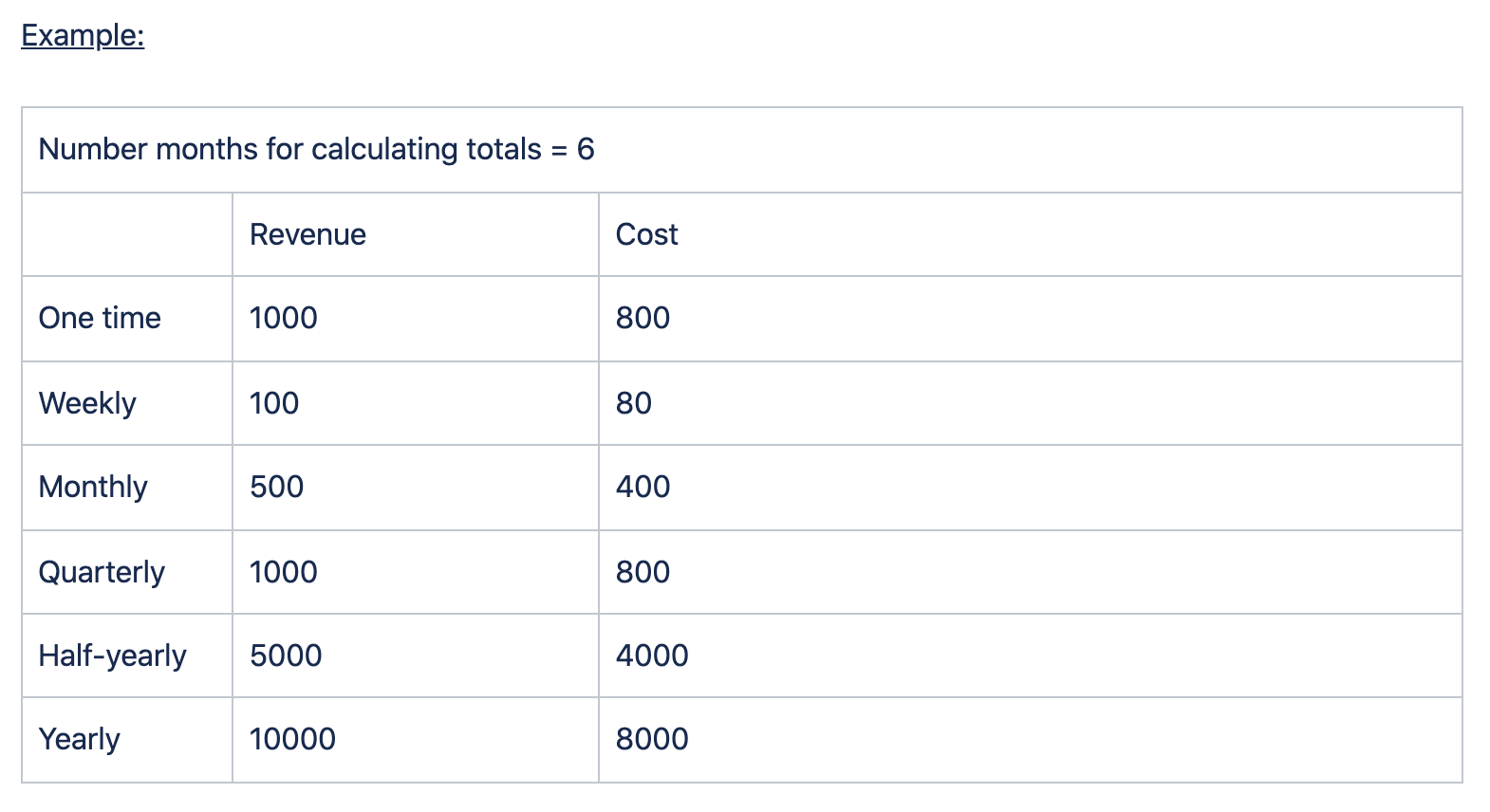
Total Revenue: 1000 + (100 * 4 * 6) + (500 * 6) + (1000/3 * 6) + (5000/6 * 6) + (10000/12 * 6) = 18400
Total Cost: 800 + (80 * 4 * 6) + (400 * 6) + (800/3 * 6) + (4000/6 * 6) + (8000/12 * 6) = 14720
Margin Value: 18400 - 14720 = 3680
Margin percentage: 3680 / 18400 = 20%
Source: A place from where the business was obtained. For example, referrals, company events, website forms, etc.
Campaign: The campaign from which this business was obtained.
Note: make use of Custom Fields to capture more information while creating an Opportunity.